Made with GPT Image 2.5 in ChatGPT by Library UI Design. Promptclay never generates images.
Did it work?
No reports yet. Tell others if it worked for you.
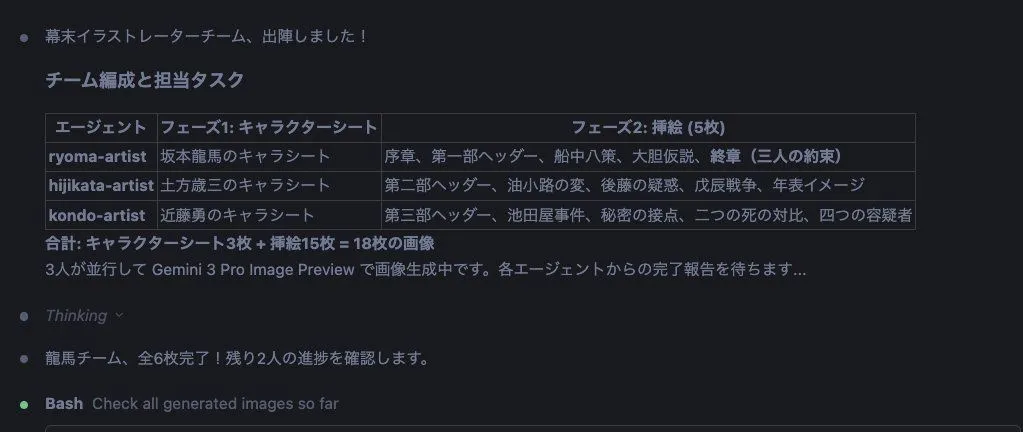
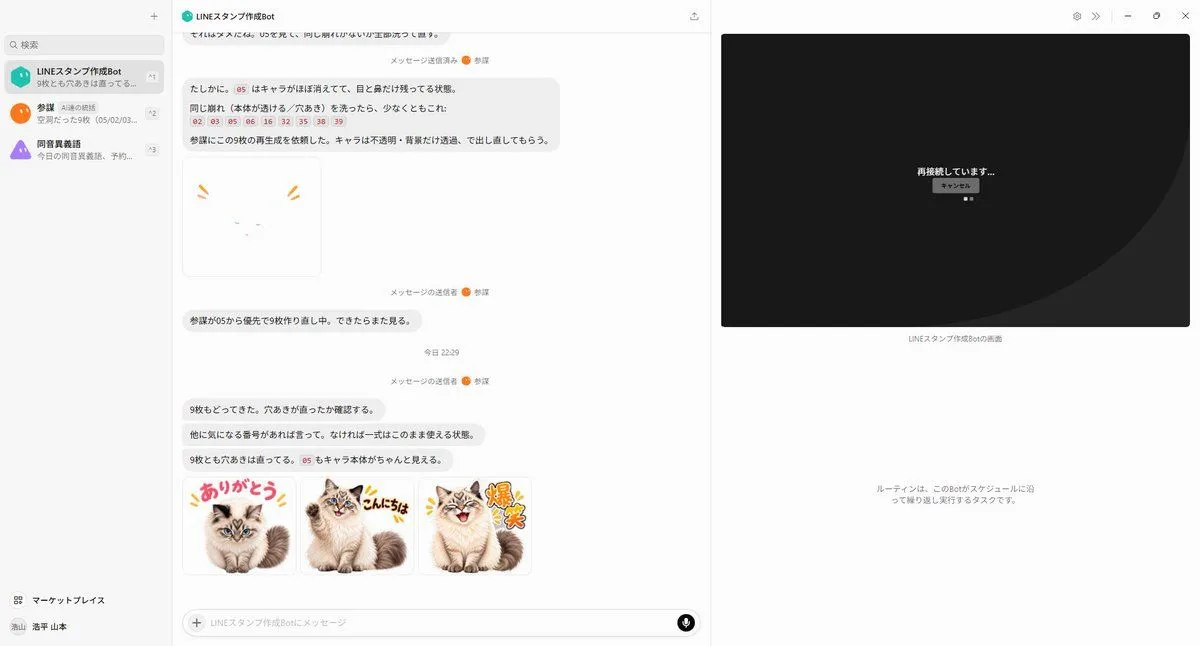
AI Agent LINE Sticker Progress Screenshot
Prompt
4 blanks to fillUsing the provided reference image as the base screenshot, update the chat UI to show a later point in the same LINE sticker creation workflow rather than the initial setup. Keep the overall desktop layout, left sidebar, chat app framing, and right-side remote-screen panel consistent, but replace the chat contents with progress/status messages about regenerating stickers and checking transparency. Add exactly 1 failed/unfinished sticker preview near the upper-middle of the chat: a mostly blank white square with only tiny cat facial marks and two orange emphasis strokes, implying the character disappeared. Add exactly 3 completed sticker thumbnails in a row near the bottom of the chat, all based on the same fluffy cat from the reference materials, with transparent/white sticker-style backgrounds and colorful Japanese LINE-sticker lettering: 1) {first_sticker_text} with the cat sitting cutely, 2) {second_sticker_text} with the cat smiling and waving/posing, 3) {third_sticker_text} with the cat laughing energetically. Use a playful sticker aesthetic with thick outlined text, small comic accent marks, and clean cutout edges. On the right-side remote panel, replace the file-browser view with a dark reconnection screen showing centered Japanese text {connection_status_text} and a small cancel button beneath it. Preserve the sense that this is a live AI-agent chat screenshot documenting automatic sticker generation, not a standalone sticker sheet.
Preview of your prompt
Using the provided reference image as the base screenshot, update the chat UI to show a later point in the same LINE sticker creation workflow rather than the initial setup. Keep the overall desktop layout, left sidebar, chat app framing, and right-side remote-screen panel consistent, but replace the chat contents with progress/status messages about regenerating stickers and checking transparency. Add exactly 1 failed/unfinished sticker preview near the upper-middle of the chat: a mostly blank white square with only tiny cat facial marks and two orange emphasis strokes, implying the character disappeared. Add exactly 3 completed sticker thumbnails in a row near the bottom of the chat, all based on the same fluffy cat from the reference materials, with transparent/white sticker-style backgrounds and colorful Japanese LINE-sticker lettering: 1) ありがとう with the cat sitting cutely, 2) こんにちは with the cat smiling and waving/posing, 3) 爆笑 with the cat laughing energetically. Use a playful sticker aesthetic with thick outlined text, small comic accent marks, and clean cutout edges. On the right-side remote panel, replace the file-browser view with a dark reconnection screen showing centered Japanese text 再接続しています... and a small cancel button beneath it. Preserve the sense that this is a live AI-agent chat screenshot documenting automatic sticker generation, not a standalone sticker sheet.
DetailsVersions, settings and questions
Written for
What's in the prompt
- Subject
- Model
- GPT Image 2.5
If your face changes
keep my face exactly the sameQuestions
- Does this work in the ChatGPT app?
- Yes. Paste the prompt and attach your photo if it uses one.
- It changed my face. What do I do?
- Add "keep my face exactly the same" to the end and run it again.
- Can I use the images I make?
- Check the terms of the app you use. Promptclay never generates images and claims nothing you make.