Tell us anything

An idea, a bug, something you love. We read every note.

⌘↵ to send. The page you're on comes along.

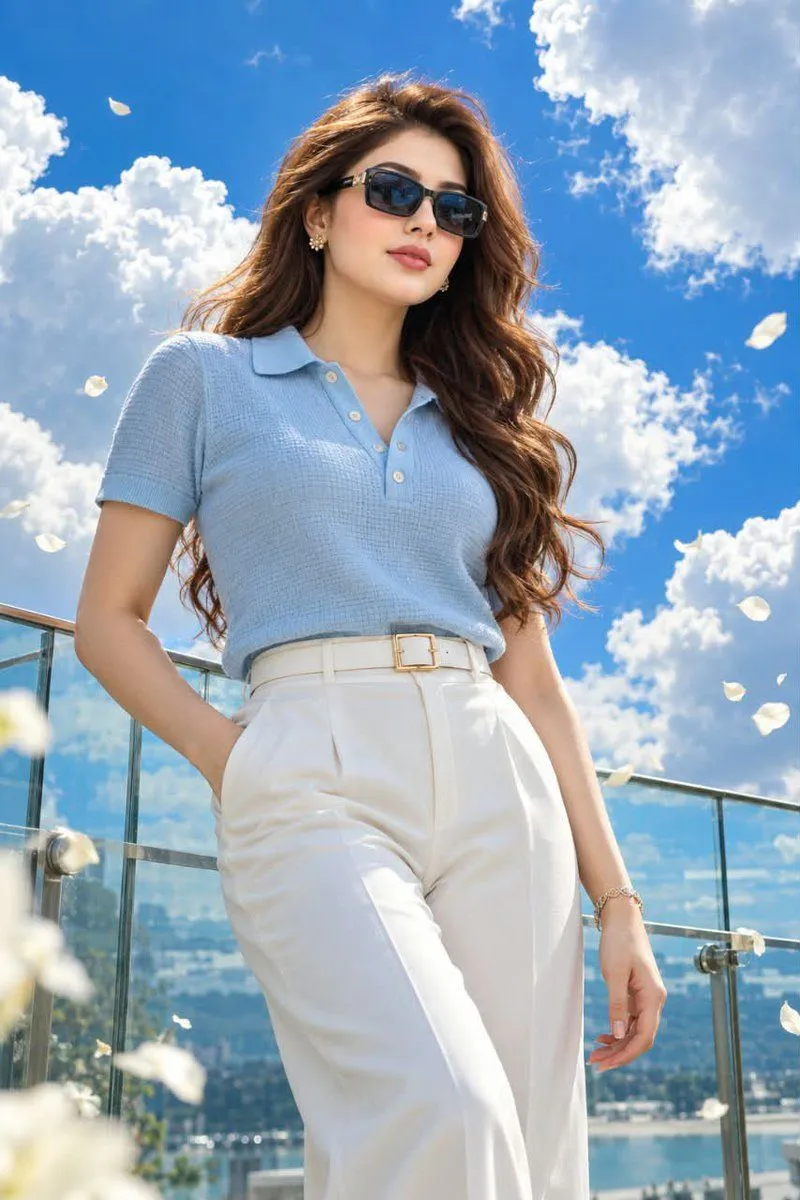
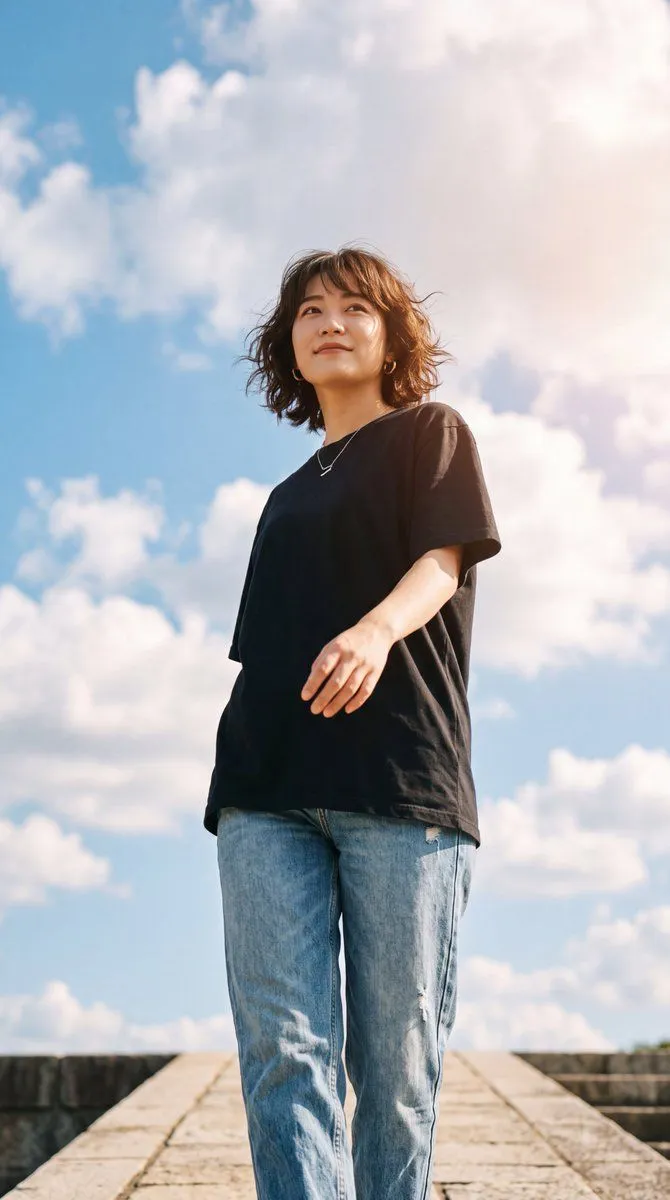
Cinematic Fashion Portrait

Made with GPT Image 2.5 in ChatGPT by Library Lifestyle. Promptclay never generates images.

Did it work?

No reports yet. Tell others if it worked for you.

No comments yet. Be the first.

    Cinematic Fashion Portrait

    GPT Image 2.52:3AI-generated

    Prompt

    Create an ultra-realistic cinematic fashion portrait of a beautiful young woman standing outdoors under a vivid deep-blue sky filled with large fluffy white clouds. She has long, naturally flowing dark brown hair with soft waves, elegant feminine facial features, expressive eyes, and flawless glowing skin. She is wearing stylish black rectangular sunglasses with gold accents on the temples, small gold earrings, and a delicate bracelet. Her outfit consists of a light blue short-sleeved polo shirt with a textured waffle-knit fabric and cream-colored buttons, tucked into high-waisted wide-leg white trousers secured by a white belt with a square gold buckle. She stands confidently on a rooftop terrace with glass railings behind her, one hand casually placed in her pocket. White flower petals float gently in the air around her, adding a dreamy atmosphere to the scene. The lighting is bright and natural, highlighting the textures of her clothing and the vibrant colors of the environment.

    Works in
    ChatGPT, Gemini
    Status
    Free to copy
    0
    DetailsVersions, settings and questions

    Written for

    What's in the prompt

    Subject
    Model
    GPT Image 2.5

    If your face changes

    keep my face exactly the same

    Questions

    Does this work in the ChatGPT app?
    Yes. Paste the prompt and attach your photo if it uses one.
    It changed my face. What do I do?
    Add "keep my face exactly the same" to the end and run it again.
    Can I use the images I make?
    Check the terms of the app you use. Promptclay never generates images and claims nothing you make.
    Similar prompts

    See more
    • Cinematic Fashion Portrait Prompt
    • Low Angle Fashion Portrait
    • Rooftop Low-Angle Fashion Portrait
    • Cinematic Rooftop Blue Hour Portrait
    • Hyper-realistic Cinematic Portrait Prompt
    • Golden Hour Rooftop Fashion Portrait
    • Golden hour rooftop portrait photography prompt
    • Urban Night Cinematic Fashion Portrait Prompt
    • Night Rooftop Fashion Portrait
    • Rooftop Sheer Blouse Portrait
    • Cinematic HDR Night Photograph on a Rainy Rooftop
    • Luxury Night Apartment Portrait
    • Businesswoman at Shibuya Station
    • Japanese Creator Branding Poster
    • Soccer Girl at Shibuya
    • AI Chat Screenshot With Censored Women
    • Convenience Store Fight Scene
    • E-commerce Live Stream UI Mockup
    • E-commerce Livestream UI Mockup
    • Live-Streaming App Interface Mockup
    • Melancholic Storm Editorial Fashion
    • Pop Idol Typography Cover Art
    • Skyscraper Climbing Action Shot
    • Victorian Railroad Ceremony Scene

    Show more

    Run it on your phone

    1. Prompt copiedRead it

      Create an ultra-realistic cinematic fashion portrait of a beautiful young woman standing outdoors under a vivid deep-blue sky filled with large fluffy white clouds. She has long, naturally flowing dark brown hair with soft waves, elegant feminine facial features, expressive eyes, and flawless glowing skin. She is wearing stylish black rectangular sunglasses with gold accents on the temples, small gold earrings, and a delicate bracelet. Her outfit consists of a light blue short-sleeved polo shirt with a textured waffle-knit fabric and cream-colored buttons, tucked into high-waisted wide-leg white trousers secured by a white belt with a square gold buckle. She stands confidently on a rooftop terrace with glass railings behind her, one hand casually placed in her pocket. White flower petals float gently in the air around her, adding a dreamy atmosphere to the scene. The lighting is bright and natural, highlighting the textures of her clothing and the vibrant colors of the environment.

    2. Open your app

    3. Paste and run

      Press and hold the message box, then tap Paste. Add your photo first if the prompt uses one. You may need to sign in.

    Cinematic Fashion Portrait