Made with GPT Image 2 in ChatGPT by Library Typography. Promptclay never generates images.
Did it work?
No reports yet. Tell others if it worked for you.
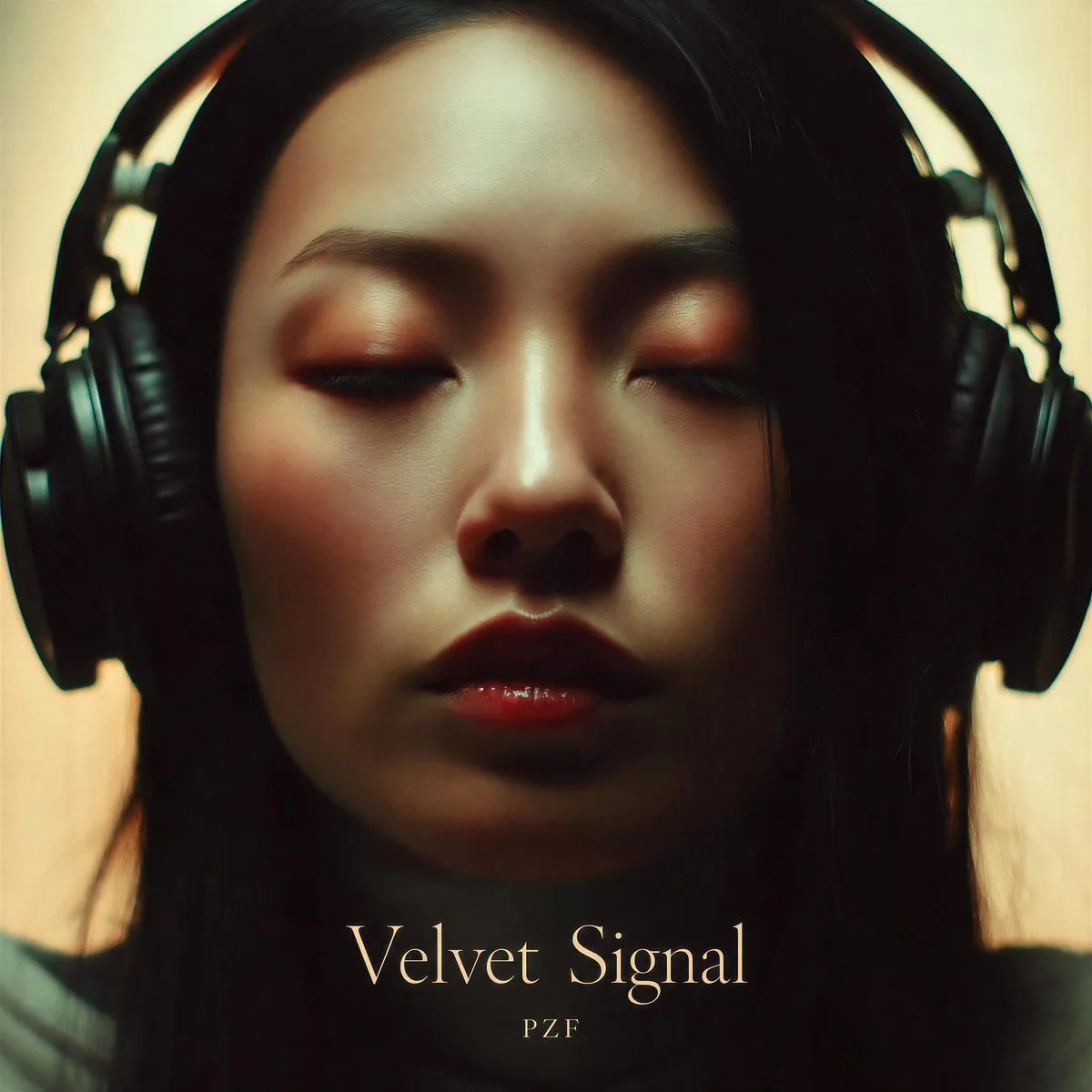
Velvet Signal Album Cover
Prompt
2 blanks to fillCreate a square album-cover image with a moody cinematic close-up of a person wearing large black over-ear studio headphones, centered and cropped tightly so the headphones fill the left and right edges and long dark hair falls down both sides. The face is intentionally hidden by one large opaque centered square block in a warm dark brown gradient, covering most of the upper and middle portrait from near the top edge to above the title area. Use soft warm backlighting, muted cream background, dark shadows, slight vintage film grain, shallow depth of field, and an intimate late-night listening-session mood. At the bottom center, add exactly two text elements: the large elegant serif title “{album_title}” in pale cream/gold lettering, and directly underneath it the smaller spaced artist name “{artist_name}”. Keep the typography refined, minimal, and centered, with the title occupying the lower third and no other text, logos, stickers, borders, or watermarks. Overall color palette: black headphones and hair, warm beige background, deep brown face-obscuring square, and soft ivory-gold typography.
Preview of your prompt
Create a square album-cover image with a moody cinematic close-up of a person wearing large black over-ear studio headphones, centered and cropped tightly so the headphones fill the left and right edges and long dark hair falls down both sides. The face is intentionally hidden by one large opaque centered square block in a warm dark brown gradient, covering most of the upper and middle portrait from near the top edge to above the title area. Use soft warm backlighting, muted cream background, dark shadows, slight vintage film grain, shallow depth of field, and an intimate late-night listening-session mood. At the bottom center, add exactly two text elements: the large elegant serif title “Velvet Signal” in pale cream/gold lettering, and directly underneath it the smaller spaced artist name “PZF”. Keep the typography refined, minimal, and centered, with the title occupying the lower third and no other text, logos, stickers, borders, or watermarks. Overall color palette: black headphones and hair, warm beige background, deep brown face-obscuring square, and soft ivory-gold typography.
DetailsVersions, settings and questions
Written for
What's in the prompt
- Subject
- Model
- GPT Image 2
If your face changes
keep my face exactly the sameQuestions
- Does this work in the ChatGPT app?
- Yes. Paste the prompt and attach your photo if it uses one.
- It changed my face. What do I do?
- Add "keep my face exactly the same" to the end and run it again.
- Can I use the images I make?
- Check the terms of the app you use. Promptclay never generates images and claims nothing you make.