Tell us anything

An idea, a bug, something you love. We read every note.

⌘↵ to send. The page you're on comes along.

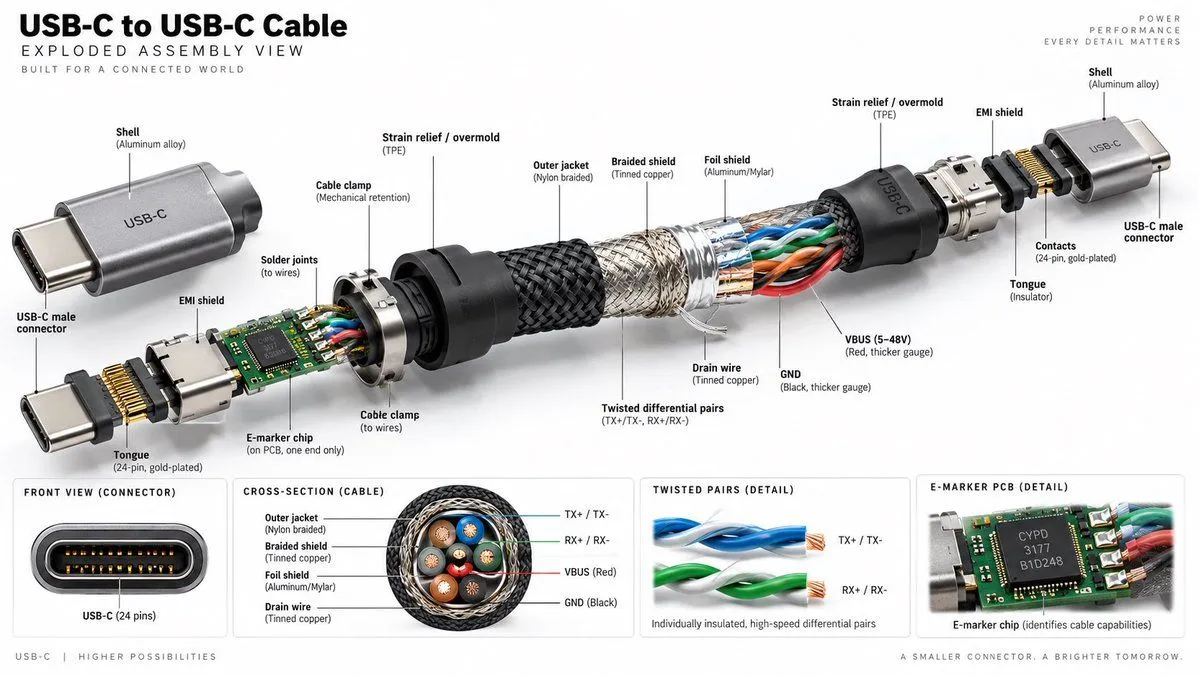
USB-C Cable Exploded Assembly Infographic

Made with GPT Image 2.5 in ChatGPT by Library Explainers. Promptclay never generates images.

Did it work?

No reports yet. Tell others if it worked for you.

No comments yet. Be the first.

    USB-C Cable Exploded Assembly Infographic

    GPT Image 2.516:9AI-generated

    Prompt

    Create a hyper-realistic, high-resolution technical exploded assembly view of a USB-C to USB-C cable against a clean white background. The image should be wide format (16:9) and resemble a premium product infographic. **Layout & Structure:** - **Header:** Top left text reads "USB-C to USB-C Cable" in large bold black font, followed by "EXPLODED ASSEMBLY VIEW" and smaller text "BUILT FOR A CONNECTED WORLD". Top right has faint grey text: "POWER PERFORMANCE EVERY DETAIL MATTERS". - **Main Visual:** A central horizontal exploded diagram showing the internal components of the cable separated from left to right. - **Bottom Panels:** Four distinct rectangular detail boxes along the bottom edge. **Exploded View Details (Left to Right):** 1. **Left Connector Assembly:** A silver aluminum shell labeled "Shell (Aluminum alloy)" with "USB-C" engraved on it. Below it, a separate connector head labeled "USB-C male connector". Internal parts include a green PCB with an "E-marker chip", gold pins labeled "Tongue (24-pin, gold-plated)", and a metal shield labeled "EMI shield". 2. **Strain Relief:** A black rubber cone labeled "Strain relief / overmold (TPE)". 3. **Cable Layers (Center):** The cable is peeled back to reveal layers: - Outer layer: Black woven texture labeled "Outer jacket (Nylon braided)". - Middle layer: Silver mesh labeled "Braided shield (Tinned copper)". - Inner layer: Foil labeled "Foil shield (Aluminum/Mylar)". - Core wires: Visible twisted pairs of blue, orange, green, and red wires. Labels point to "Twisted differential pairs (TX+/TX-, RX+/RX-)", "VBUS (5-48V) (Red, thicker gauge)", "GND (Black, thicker gauge)", and "Drain wire (Tinned copper)". 4. **Right Connector Assembly:** Mirrors the left side but without the PCB/chip visible inside the immediate neck. Shows the metal shell, strain relief, and connector tongue. **Bottom Detail Panels (Left to Right):** 1. **Front View:** A close-up of the oval connector port showing the 24 pins. Label: "FRONT VIEW (CONNECTOR)" and "USB-C (24 pins)". 2. **Cross-Section:** A circular cutaway of the cable showing the concentric rings of insulation, shielding, and the four colored wire bundles inside. Label: "CROSS-SECTION (CABLE)" with legend for Outer jacket, Braided shield, Foil shield, Drain wire. 3. **Twisted Pairs:** Close-up of two twisted wire pairs (blue and green). Label: "TWISTED PAIRS (DETAIL)" and "Individually insulated, high-speed differential pairs". 4. **PCB Detail:** Close-up of the green circuit board chip. Label: "E-MARKER PCB (DETAIL)" and "E-marker chip (identifies cable capabilities)". **Style:** Photorealistic rendering, studio lighting, sharp focus, technical illustration style with thin black leader lines connecting labels to parts.

    Works in
    ChatGPT, Gemini
    Status
    Free to copy
    0
    DetailsVersions, settings and questions

    Written for

    What's in the prompt

    Subject
    Model
    GPT Image 2.5

    If your face changes

    keep my face exactly the same

    Questions

    Does this work in the ChatGPT app?
    Yes. Paste the prompt and attach your photo if it uses one.
    It changed my face. What do I do?
    Add "keep my face exactly the same" to the end and run it again.
    Can I use the images I make?
    Check the terms of the app you use. Promptclay never generates images and claims nothing you make.
    Similar prompts

    See more
    • Camera Exploded View Infographic
    • Technical Infographic Cutaway Prompt
    • Exploded View Infographic Diagram Prompt
    • Exploded View Technical Diagram of an iPhone
    • 5G Smartphone Infographic Prompt
    • 3D Exploded Assembly Drawing
    • Exploded View DSLR Camera Illustration
    • Exploded View Product Photography
    • Ultra-Premium Futuristic Smartphone Product Photo
    • Cutaway infographic of a modern jet airliner
    • Infographic Prompt Template for Body Parts
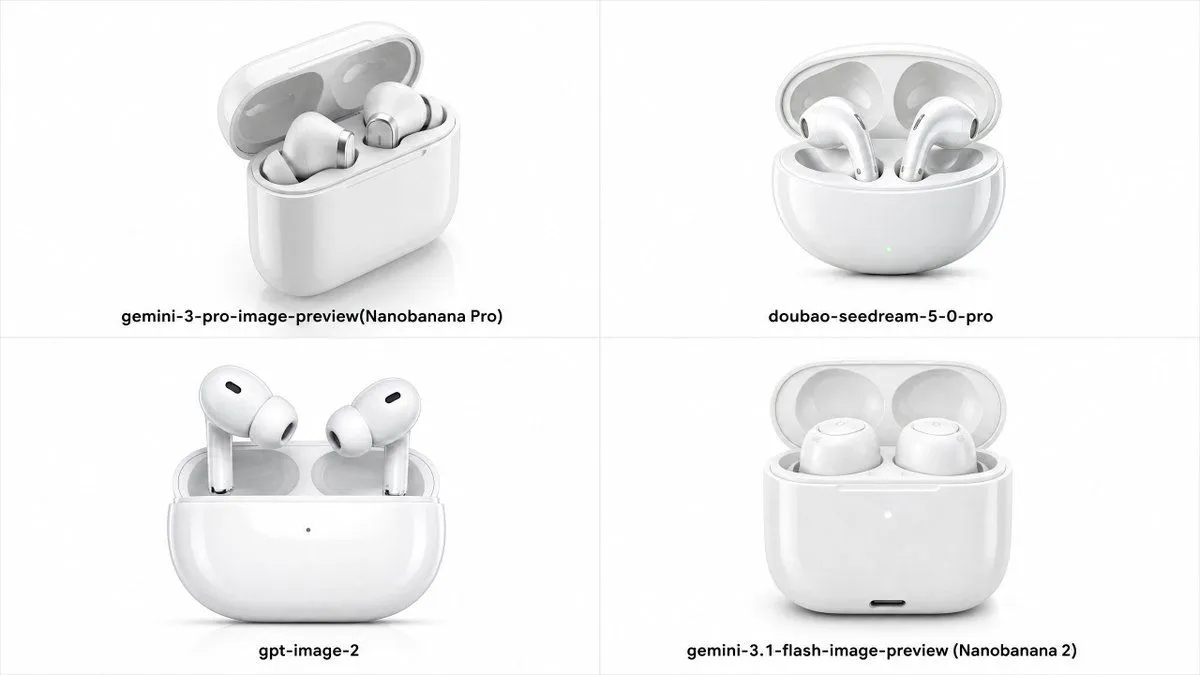
    • Four-Model Earbud Product Comparison
    • Smartphone Livestream Peacock Poster
    • Urban Sling Bag Catalog Ad
    • Blue Cat-Ear Shopkeeper Portrait
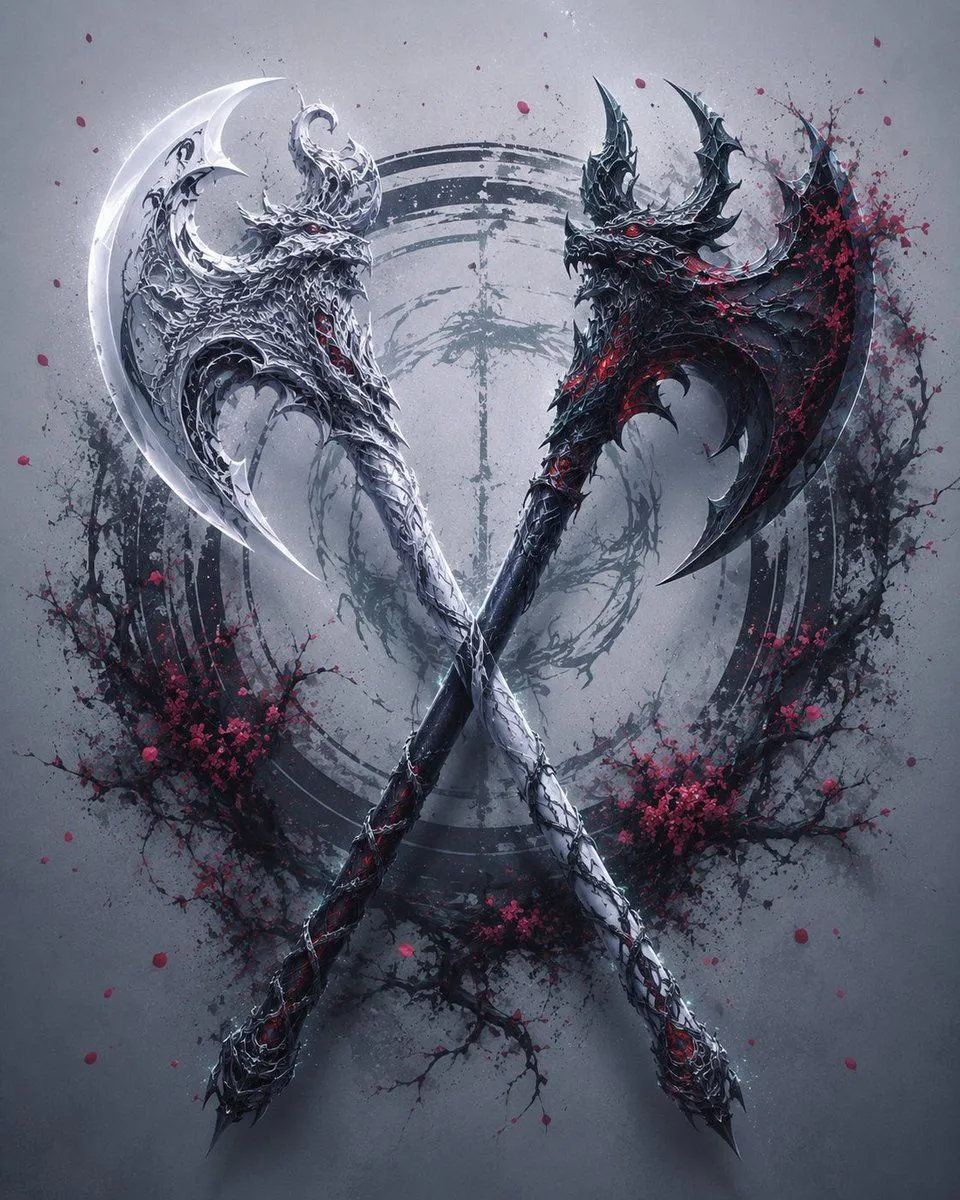
    • Crossed Eastern Dark Fantasy Polearms
    • DevKnow SaaS Landing Page
    • Dramatic Film Filter Processing
    • German Citizenship Identity Card Mockup
    • Glossy AI Logo Redesign Row
    • Japanese Creator Branding Poster
    • Luxury E-Commerce Landing Page Mockup
    • Photorealistic Summer Poolside Portrait
    • Tech Tutorial Thumbnail with UI Mockup

    Show more

    Run it on your phone

    1. Prompt copiedRead it

      Create a hyper-realistic, high-resolution technical exploded assembly view of a USB-C to USB-C cable against a clean white background. The image should be wide format (16:9) and resemble a premium product infographic. **Layout & Structure:** - **Header:** Top left text reads "USB-C to USB-C Cable" in large bold black font, followed by "EXPLODED ASSEMBLY VIEW" and smaller text "BUILT FOR A CONNECTED WORLD". Top right has faint grey text: "POWER PERFORMANCE EVERY DETAIL MATTERS". - **Main Visual:** A central horizontal exploded diagram showing the internal components of the cable separated from left to right. - **Bottom Panels:** Four distinct rectangular detail boxes along the bottom edge. **Exploded View Details (Left to Right):** 1. **Left Connector Assembly:** A silver aluminum shell labeled "Shell (Aluminum alloy)" with "USB-C" engraved on it. Below it, a separate connector head labeled "USB-C male connector". Internal parts include a green PCB with an "E-marker chip", gold pins labeled "Tongue (24-pin, gold-plated)", and a metal shield labeled "EMI shield". 2. **Strain Relief:** A black rubber cone labeled "Strain relief / overmold (TPE)". 3. **Cable Layers (Center):** The cable is peeled back to reveal layers: - Outer layer: Black woven texture labeled "Outer jacket (Nylon braided)". - Middle layer: Silver mesh labeled "Braided shield (Tinned copper)". - Inner layer: Foil labeled "Foil shield (Aluminum/Mylar)". - Core wires: Visible twisted pairs of blue, orange, green, and red wires. Labels point to "Twisted differential pairs (TX+/TX-, RX+/RX-)", "VBUS (5-48V) (Red, thicker gauge)", "GND (Black, thicker gauge)", and "Drain wire (Tinned copper)". 4. **Right Connector Assembly:** Mirrors the left side but without the PCB/chip visible inside the immediate neck. Shows the metal shell, strain relief, and connector tongue. **Bottom Detail Panels (Left to Right):** 1. **Front View:** A close-up of the oval connector port showing the 24 pins. Label: "FRONT VIEW (CONNECTOR)" and "USB-C (24 pins)". 2. **Cross-Section:** A circular cutaway of the cable showing the concentric rings of insulation, shielding, and the four colored wire bundles inside. Label: "CROSS-SECTION (CABLE)" with legend for Outer jacket, Braided shield, Foil shield, Drain wire. 3. **Twisted Pairs:** Close-up of two twisted wire pairs (blue and green). Label: "TWISTED PAIRS (DETAIL)" and "Individually insulated, high-speed differential pairs". 4. **PCB Detail:** Close-up of the green circuit board chip. Label: "E-MARKER PCB (DETAIL)" and "E-marker chip (identifies cable capabilities)". **Style:** Photorealistic rendering, studio lighting, sharp focus, technical illustration style with thin black leader lines connecting labels to parts.

    2. Open your app

      This prompt is long, so it is copied instead of sent in the link. Paste it in the app.

    3. Paste and run

      Press and hold the message box, then tap Paste. Add your photo first if the prompt uses one. You may need to sign in.

    USB-C Cable Exploded Assembly Infographic