Tell us anything

An idea, a bug, something you love. We read every note.

⌘↵ to send. The page you're on comes along.

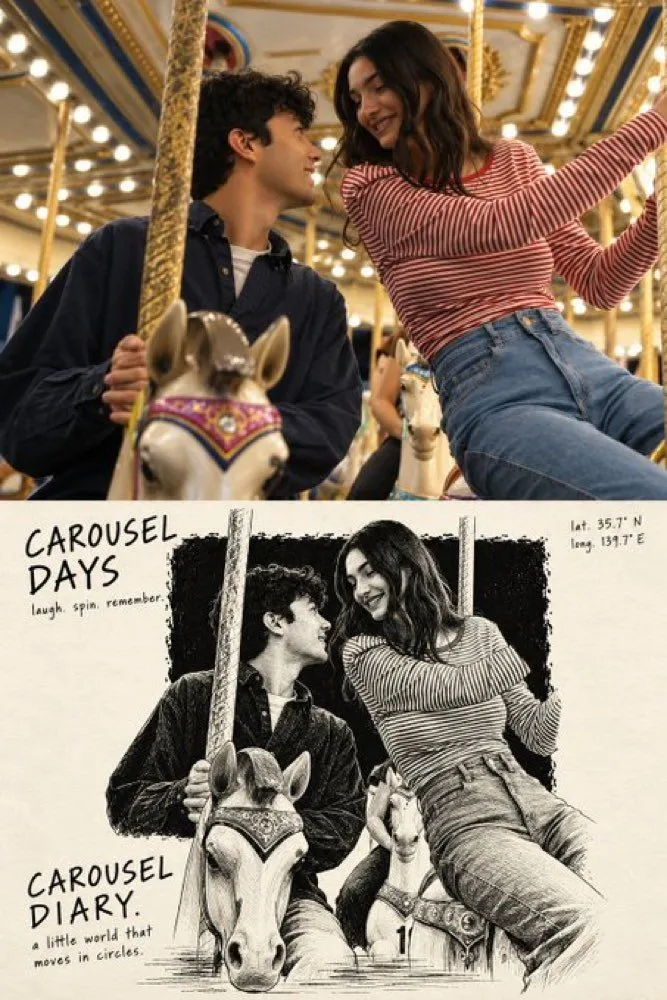
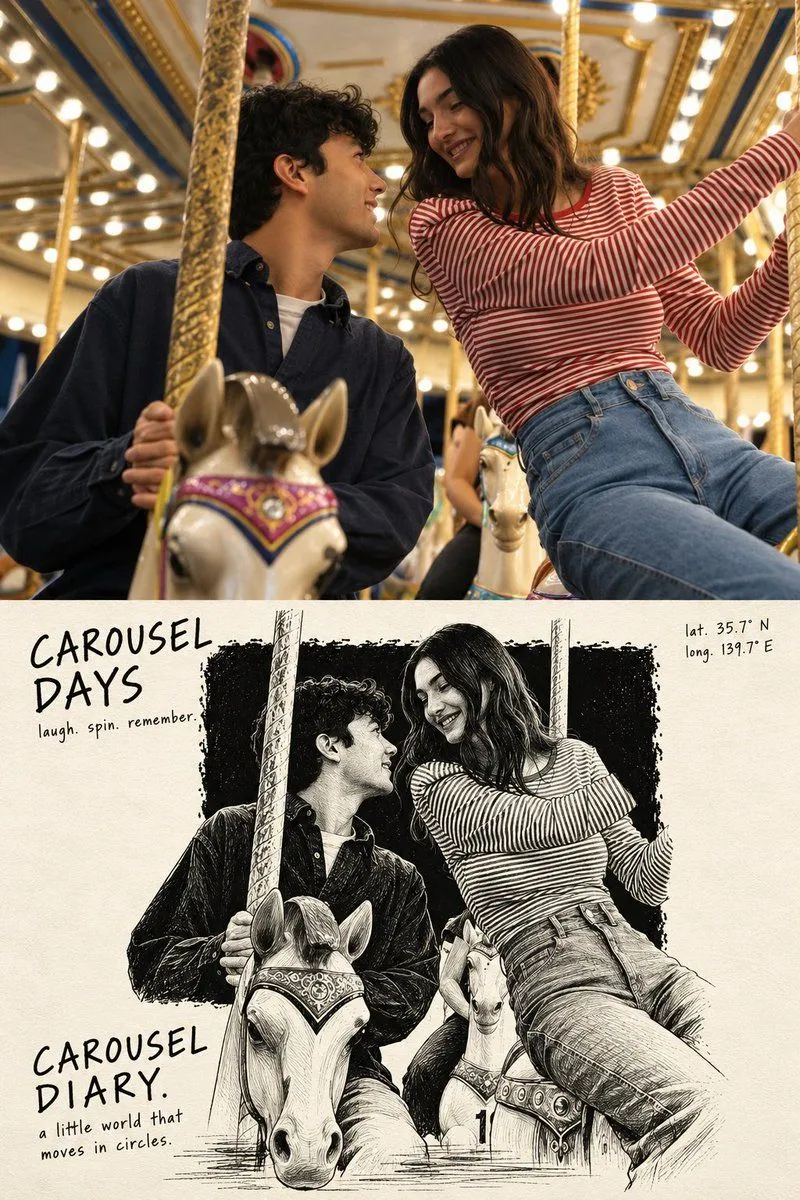
Split-Screen Carousel Photo to Scratchboard Art

Made with GPT Image 2.5 in ChatGPT by Library Lifestyle. Promptclay never generates images.

No reports yet. Tell others if it worked for you.

No comments yet. Be the first.

    Split-Screen Carousel Photo to Scratchboard Art

    GPT Image 2.52:3AI-generated

    Prompt

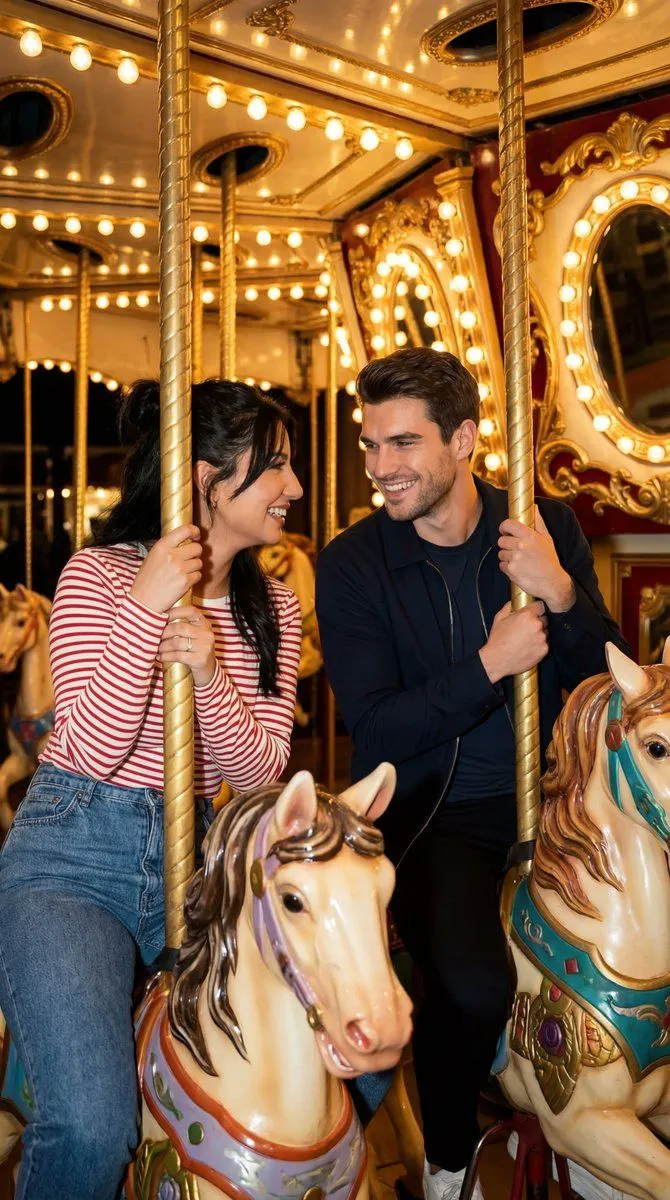
    A vertical split-screen composition. The top half is a realistic photograph of a young couple on a carousel, bathed in warm golden light from the surrounding bulbs. A man with curly dark hair and a navy shirt looks up at a woman with long wavy brown hair wearing a red-and-white striped sweater; they are smiling affectionately at each other while holding onto the brass poles. The bottom half transforms this exact scene into a high-contrast black-and-white scratchboard illustration on an ivory paper background. In this section, the image is rendered as a negative-style drawing with bold ink blocks and white scratched lines defining the figures' faces and clothes. Surrounding the illustration are handwritten-style typographic elements: 'CAROUSEL DAYS' and 'laugh. spin. remember.' in the upper left, coordinates 'lat. 35.7° N / long. 139.7° E' in the upper right, and 'CAROUSEL DIARY.' with 'a little world that moves in circles.' in the lower left.

    Works in
    ChatGPT, Gemini
    Status
    Free to copy
    0
    DetailsVersions, settings and questions

    Written for

    What's in the prompt

    Subject
    Model
    GPT Image 2.5

    If your face changes

    keep my face exactly the same

    Questions

    Does this work in the ChatGPT app?
    Yes. Paste the prompt and attach your photo if it uses one.
    It changed my face. What do I do?
    Add "keep my face exactly the same" to the end and run it again.
    Can I use the images I make?
    Check the terms of the app you use. Promptclay never generates images and claims nothing you make.
    Similar prompts

    See more
    • Scratchboard diary art poster
    • Photo to Magazine Sketch Conversion
    • Photo to Watercolor Travel Illustration
    • Storybook Style Photo-to-Illustration Split
    • Travel Journal Sketch Poster
    • Charcoal and Pencil Couple Drawings
    • Cinematic Romcom Scene on a Carousel with Identity Lock
    • Nano Banana Pro Cinematic Night Romcom Ride Prompt
    • Tension Line Art Concept Poster
    • Sunset Photo to Crayon Art Split
    • Hot Air Balloon Journey Split Panel
    • Editorial Couple Torn-Paper Collage
    • Split-Screen Cinematic Shot for Time Travel Comparison
    • Romantic Chinese Couple in Europe
    • Naive doodle-style subject illustration
    • Old photo restoration prompt
    • Split Portrait Editorial Photography
    • Quiet vs Abandoned Train Station Comparison
    • Advanced Product Photography Prompt for GPT Image 1.5
    • Tokyo Time-Blend Split-Screen
    • Asimov Visionary Split-Scene Concept Art Prompt
    • Grok Imagine prompt: The 'other side'Video, 0:30
    • Serene Morning Porch SceneVideo, 0:10
    • Cinematic Grunge Collage Portrait of Ana de Armas

    Show more

    Run it on your phone

    1. Prompt copiedRead it

      A vertical split-screen composition. The top half is a realistic photograph of a young couple on a carousel, bathed in warm golden light from the surrounding bulbs. A man with curly dark hair and a navy shirt looks up at a woman with long wavy brown hair wearing a red-and-white striped sweater; they are smiling affectionately at each other while holding onto the brass poles. The bottom half transforms this exact scene into a high-contrast black-and-white scratchboard illustration on an ivory paper background. In this section, the image is rendered as a negative-style drawing with bold ink blocks and white scratched lines defining the figures' faces and clothes. Surrounding the illustration are handwritten-style typographic elements: 'CAROUSEL DAYS' and 'laugh. spin. remember.' in the upper left, coordinates 'lat. 35.7° N / long. 139.7° E' in the upper right, and 'CAROUSEL DIARY.' with 'a little world that moves in circles.' in the lower left.

    2. Open your app

    3. Paste and run

      Press and hold the message box, then tap Paste. Add your photo first if the prompt uses one. You may need to sign in.

    Split-Screen Carousel Photo to Scratchboard Art