Tell us anything

An idea, a bug, something you love. We read every note.

⌘↵ to send. The page you're on comes along.

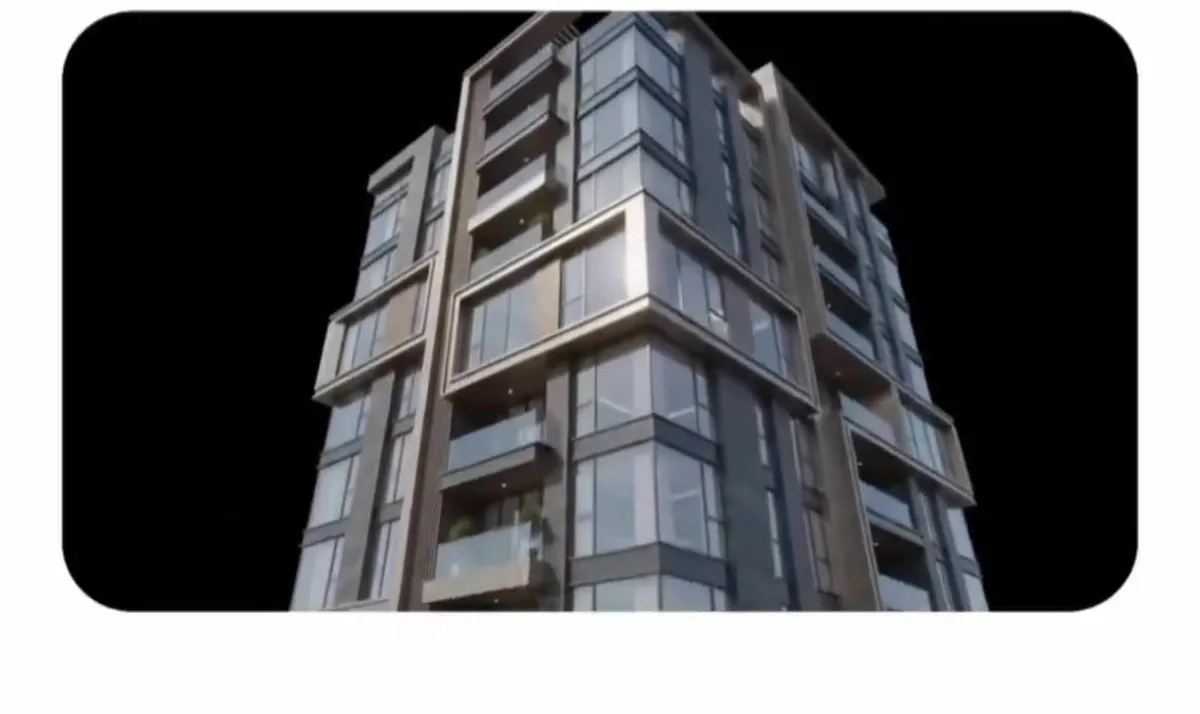
Premium Residential Tower CGI Animation

Made with Seedance 2.5 in Kling by Library Cinema. Promptclay never generates images.

Did it work?

No reports yet. Tell others if it worked for you.

No comments yet. Be the first.

    Premium Residential Tower CGI Animation

    Seedance 2.5AI-generated

    Prompt

    DURATION: 20 seconds ASPECT RATIO: 16:9 Premium Residential Complex — CGI Video Prompt Create a dynamic 10-second ultra-premium photorealistic architectural CGI video on a pure infinite black background. No people. Start with a luxurious modern residential tower that looks expensive and premium. Move toward one floor and open the facade as a realistic architectural cutaway. Reveal a corridor with 6–8 apartment doors. The first five remain neutral; the sixth and additional doors receive a subtle red highlight to emphasize more than five apartments on the floor. Move inside one premium apartment. A physical measuring rod extends from floor to ceiling and shows that the ceiling is below the physical 3 m mark. Highlight only the missing height with subtle red light. Pull back to show both issues together: many apartments on the floor and the ceiling below 3 m. Close the cutaway and return to the luxurious exterior and premium entrance materials, emphasizing the expensive presentation. Transition to a stack of money and an apartment key. Finish with one clean architectural composition: the premium building, the cutaway floor with extra doors highlighted red, the apartment with the ceiling measurement, and money with the key in the foreground. Use high-end photorealistic CGI, realistic glass, stone, wood, metal, reflections, premium studio lighting, smooth architectural camera movement, and clean transitions. Red is used only for the two highlighted issues. No text, subtitles, logos, UI, diagrams, people, city, streets, scenery, music, or voice-over. Only “5” and “3 m” may appear as physical measurement markings. Use subtle realistic object sounds only.

    Works in
    Kling
    Status
    Free to copy
    0
    DetailsVersions, settings and questions

    Written for

    What's in the prompt

    Subject
    Model
    Seedance 2.5

    If your face changes

    keep my face exactly the same

    Questions

    Does this work in the Kling app?
    Yes. Paste the prompt and attach your photo if it uses one.
    It changed my face. What do I do?
    Add "keep my face exactly the same" to the end and run it again.
    Can I use the images I make?
    Check the terms of the app you use. Promptclay never generates images and claims nothing you make.
    Similar prompts

    See more
    • Luxury Tower in Rounded Video Frame
    • Perspective Change Generation
    • Futuristic Starry Skyscraper Wallpaper
    • Modern Luxury Mansion Architecture
    • Midnight Bloodline Action ThrillerVideo, 0:30
    • Luxury Sunset Rooftop Terrace
    • Photorealistic render from illustration
    • Luxury Skyscraper Penthouse Portrait
    • 360 Degree Panoramic Image Template
    • Cinematic Character Identity Board
    • Split Blueprint and Modern House Render
    • Seedance 2.0 Prompt: Beijing Apartment Cross-SectionVideo, 0:15
    • Modern Villa Architecture Presentation Board
    • Modern Minimalist Interior Design Showcase
    • Photorealistic 3D Floor Plan Render with Furniture
    • Sketch to Realistic Interior Transformation
    • Pergola Blueprint to Photoreal Structure Prompt
    • GPT Image 2.5 Storyboard Prompt
    • Futuristic Life System Hologram Portrait
    • Black and White Futuristic House from Airplane Window
    • Crowded Night Office Tower
    • Photorealistic CGI Big Head Caricature
    • Luxury Real Estate App UI Mockup
    • Interior Design Layout Generator

    Show more

    Run it on your phone

    1. Prompt copiedRead it

      DURATION: 20 seconds ASPECT RATIO: 16:9 Premium Residential Complex — CGI Video Prompt Create a dynamic 10-second ultra-premium photorealistic architectural CGI video on a pure infinite black background. No people. Start with a luxurious modern residential tower that looks expensive and premium. Move toward one floor and open the facade as a realistic architectural cutaway. Reveal a corridor with 6–8 apartment doors. The first five remain neutral; the sixth and additional doors receive a subtle red highlight to emphasize more than five apartments on the floor. Move inside one premium apartment. A physical measuring rod extends from floor to ceiling and shows that the ceiling is below the physical 3 m mark. Highlight only the missing height with subtle red light. Pull back to show both issues together: many apartments on the floor and the ceiling below 3 m. Close the cutaway and return to the luxurious exterior and premium entrance materials, emphasizing the expensive presentation. Transition to a stack of money and an apartment key. Finish with one clean architectural composition: the premium building, the cutaway floor with extra doors highlighted red, the apartment with the ceiling measurement, and money with the key in the foreground. Use high-end photorealistic CGI, realistic glass, stone, wood, metal, reflections, premium studio lighting, smooth architectural camera movement, and clean transitions. Red is used only for the two highlighted issues. No text, subtitles, logos, UI, diagrams, people, city, streets, scenery, music, or voice-over. Only “5” and “3 m” may appear as physical measurement markings. Use subtle realistic object sounds only.

    2. Open your app

    3. Paste and run

      Press and hold the message box, then tap Paste. Add your photo first if the prompt uses one. You may need to sign in.