Tell us anything

An idea, a bug, something you love. We read every note.

⌘↵ to send. The page you're on comes along.

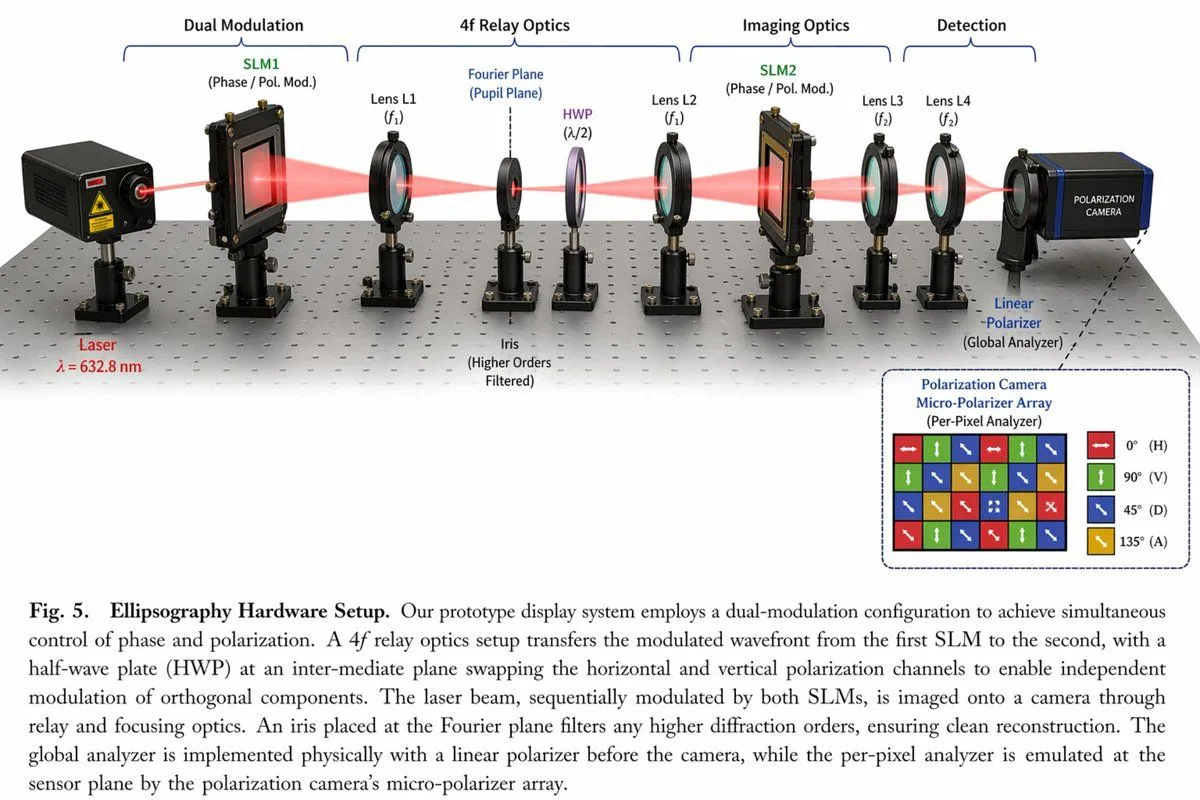
Optical Hardware Setup Diagram

Made with GPT Image 2 in ChatGPT by Library Explainers. Promptclay never generates images.

Did it work?

No reports yet. Tell others if it worked for you.

No comments yet. Be the first.

    Optical Hardware Setup Diagram

    GPT Image 23:2AI-generated

    Prompt

    { "type": "scientific optical setup diagram", "main_setup": { "base": "optical breadboard table with grid of mounting holes", "beam": "red laser beam passing horizontally through all components", "top_grouping_brackets": [ "{argument name=\"first component group\" default=\"Dual Modulation\"}", "4f Relay Optics", "Imaging Optics", "Detection" ], "components_left_to_right": [ { "name": "Laser", "label": "{argument name=\"laser wavelength\" default=\"λ = 632.8 nm\"}", "appearance": "black rectangular box" }, { "name": "SLM1", "label": "(Phase / Pol. Mod.)", "appearance": "black square device on post" }, { "name": "Lens L1", "label": "(f1)", "appearance": "lens in black ring mount" }, { "name": "Iris", "label": "Fourier Plane (Pupil Plane) / (Higher Orders Filtered)", "appearance": "black ring mount with dashed line above" }, { "name": "HWP", "label": "(λ/2)", "appearance": "purple-tinted optic in black ring mount" }, { "name": "Lens L2", "label": "(f1)", "appearance": "lens in black ring mount" }, { "name": "SLM2", "label": "(Phase / Pol. Mod.)", "appearance": "black square device on post" }, { "name": "Lens L3", "label": "(f2)", "appearance": "lens in black ring mount" }, { "name": "Lens L4", "label": "(f2)", "appearance": "lens in black ring mount" }, { "name": "Linear Polarizer", "label": "(Global Analyzer)", "appearance": "lens in black ring mount" }, { "name": "Polarization Camera", "label": "POLARIZATION CAMERA", "appearance": "blue and black box camera" } ] }, "inset_diagram": { "position": "bottom right, dashed border", "title": "{argument name=\"inset title\" default=\"Polarization Camera Micro-Polarizer Array\"} (Per-Pixel Analyzer)", "visuals": "4x4 grid of colored squares with white directional arrows", "legend_count": 4, "legend_labels": [ "red right-arrow 0° (H)", "green up-arrow 90° (V)", "blue diagonal-arrow 45° (D)", "yellow diagonal-arrow 135° (A)" ] }, "bottom_caption": { "figure_number": "Fig. 5.", "title": "{argument name=\"setup title\" default=\"Ellipsography Hardware Setup.\"}", "description": "{argument name=\"figure caption\" default=\"Our prototype display system employs a dual-modulation configuration to achieve simultaneous control of phase and polarization. A 4f relay optics setup transfers the modulated wavefront...\"}" } }

    Works in
    ChatGPT, Gemini
    Status
    Free to copy
    0
    DetailsVersions, settings and questions

    Written for

    What's in the prompt

    Subject
    Model
    GPT Image 2

    If your face changes

    keep my face exactly the same

    Questions

    Does this work in the ChatGPT app?
    Yes. Paste the prompt and attach your photo if it uses one.
    It changed my face. What do I do?
    Add "keep my face exactly the same" to the end and run it again.
    Can I use the images I make?
    Check the terms of the app you use. Promptclay never generates images and claims nothing you make.

    Similar prompts

    See more
    • RLVR block diagram
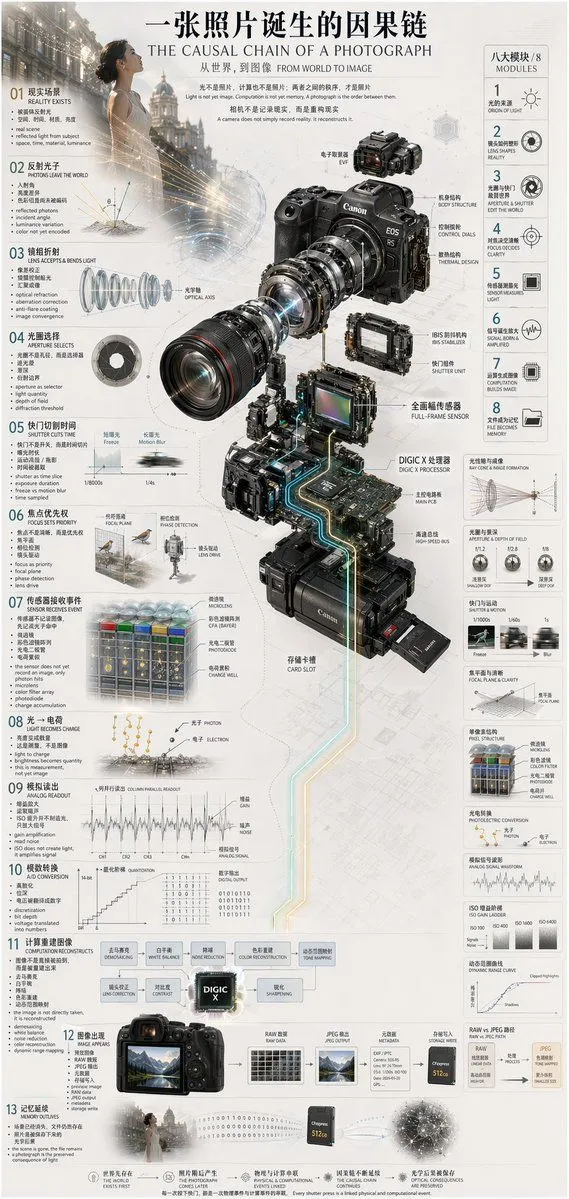
    • Camera Exploded View Infographic
    • Sketch to CAD-Style Line Art Conversion Prompt
    • Technical Cross-Section Diagram
    • Realistic human skeletal system infographic
    • Sci-Fi Light Freighter Schematic HUD
    • Deconstructed Apple Vision Pro Comparison Photography
    • Tactical Machine Gun Reference Sheet
    • High-End Laptop Packaging Concept Board
    • Cinematic Genius Portrait
    • Premium Studio Product Shot
    • Exploded View Product Photography Prompt
    • Luxury Watch Editorial Layout Prompt
    • TV Series Recommendation Engine & Miniature Set Designer
    • Subway Escape Storyboard Route
    • Double Exposure Portrait of an AI Engineer
    • Android Quantum Lab Workstation
    • Dramatic Silhouette on Golden Pyramid Stage
    • Premium Futuristic AI Workspace
    • Four-Panel AI Landscape Comparison
    • World Model Meme Grid
    • Elegant 23rd Birthday Studio Portrait
    • Melancholic Storm Editorial Fashion
    • Risograph Style Poetic Illustration

    Show more

    Run it on your phone

    1. Prompt copiedRead it

      { "type": "scientific optical setup diagram", "main_setup": { "base": "optical breadboard table with grid of mounting holes", "beam": "red laser beam passing horizontally through all components", "top_grouping_brackets": [ "{argument name=\"first component group\" default=\"Dual Modulation\"}", "4f Relay Optics", "Imaging Optics", "Detection" ], "components_left_to_right": [ { "name": "Laser", "label": "{argument name=\"laser wavelength\" default=\"λ = 632.8 nm\"}", "appearance": "black rectangular box" }, { "name": "SLM1", "label": "(Phase / Pol. Mod.)", "appearance": "black square device on post" }, { "name": "Lens L1", "label": "(f1)", "appearance": "lens in black ring mount" }, { "name": "Iris", "label": "Fourier Plane (Pupil Plane) / (Higher Orders Filtered)", "appearance": "black ring mount with dashed line above" }, { "name": "HWP", "label": "(λ/2)", "appearance": "purple-tinted optic in black ring mount" }, { "name": "Lens L2", "label": "(f1)", "appearance": "lens in black ring mount" }, { "name": "SLM2", "label": "(Phase / Pol. Mod.)", "appearance": "black square device on post" }, { "name": "Lens L3", "label": "(f2)", "appearance": "lens in black ring mount" }, { "name": "Lens L4", "label": "(f2)", "appearance": "lens in black ring mount" }, { "name": "Linear Polarizer", "label": "(Global Analyzer)", "appearance": "lens in black ring mount" }, { "name": "Polarization Camera", "label": "POLARIZATION CAMERA", "appearance": "blue and black box camera" } ] }, "inset_diagram": { "position": "bottom right, dashed border", "title": "{argument name=\"inset title\" default=\"Polarization Camera Micro-Polarizer Array\"} (Per-Pixel Analyzer)", "visuals": "4x4 grid of colored squares with white directional arrows", "legend_count": 4, "legend_labels": [ "red right-arrow 0° (H)", "green up-arrow 90° (V)", "blue diagonal-arrow 45° (D)", "yellow diagonal-arrow 135° (A)" ] }, "bottom_caption": { "figure_number": "Fig. 5.", "title": "{argument name=\"setup title\" default=\"Ellipsography Hardware Setup.\"}", "description": "{argument name=\"figure caption\" default=\"Our prototype display system employs a dual-modulation configuration to achieve simultaneous control of phase and polarization. A 4f relay optics setup transfers the modulated wavefront...\"}" } }

    2. Open your app

      This prompt is long, so it is copied instead of sent in the link. Paste it in the app.

    3. Paste and run

      Press and hold the message box, then tap Paste. Add your photo first if the prompt uses one. You may need to sign in.

    Optical Hardware Setup Diagram