Tell us anything

An idea, a bug, something you love. We read every note.

⌘↵ to send. The page you're on comes along.

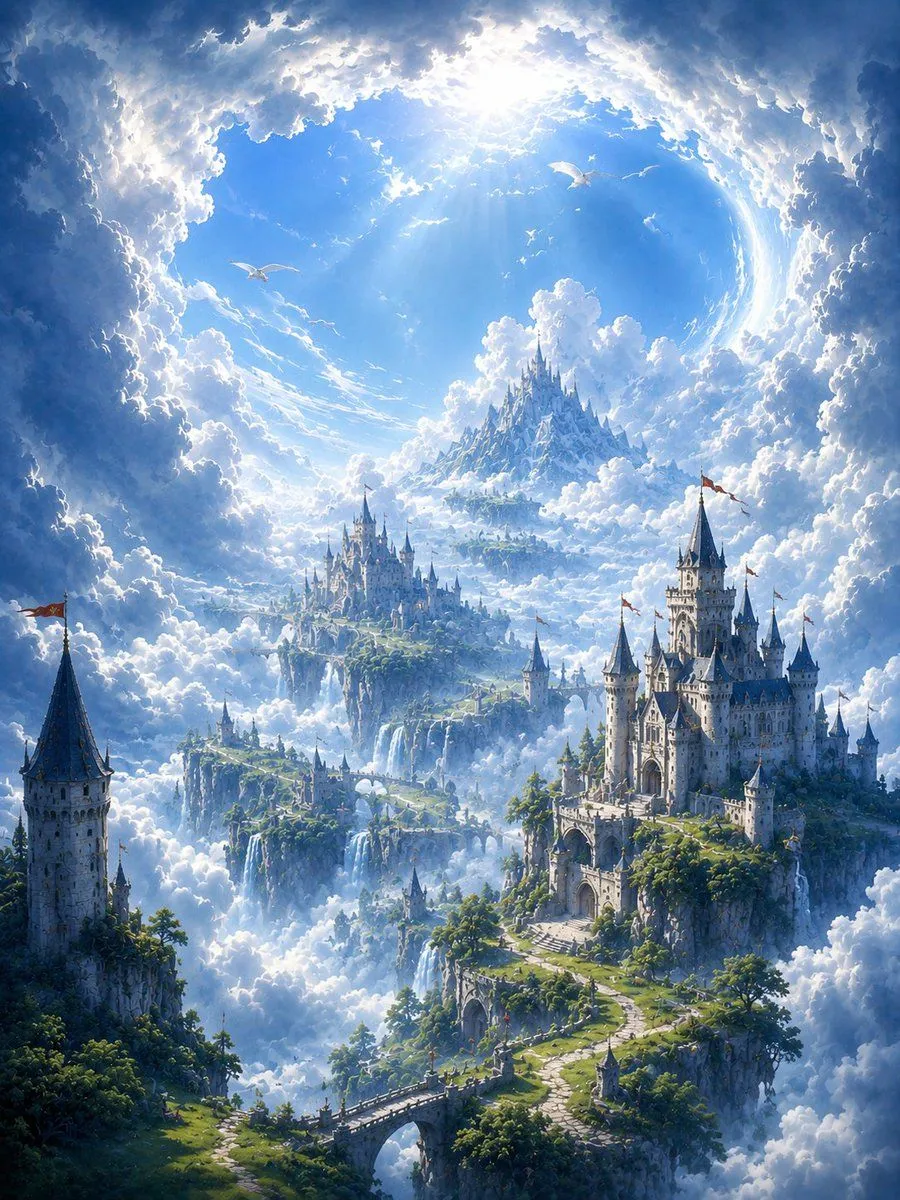
Fantastical City in the Clouds

Made with GPT Image 2.5 in ChatGPT by Library Lifestyle. Promptclay never generates images.

Did it work?

No reports yet. Tell others if it worked for you.

No comments yet. Be the first.

    Fantastical City in the Clouds

    GPT Image 2.54:5AI-generated

    Prompt

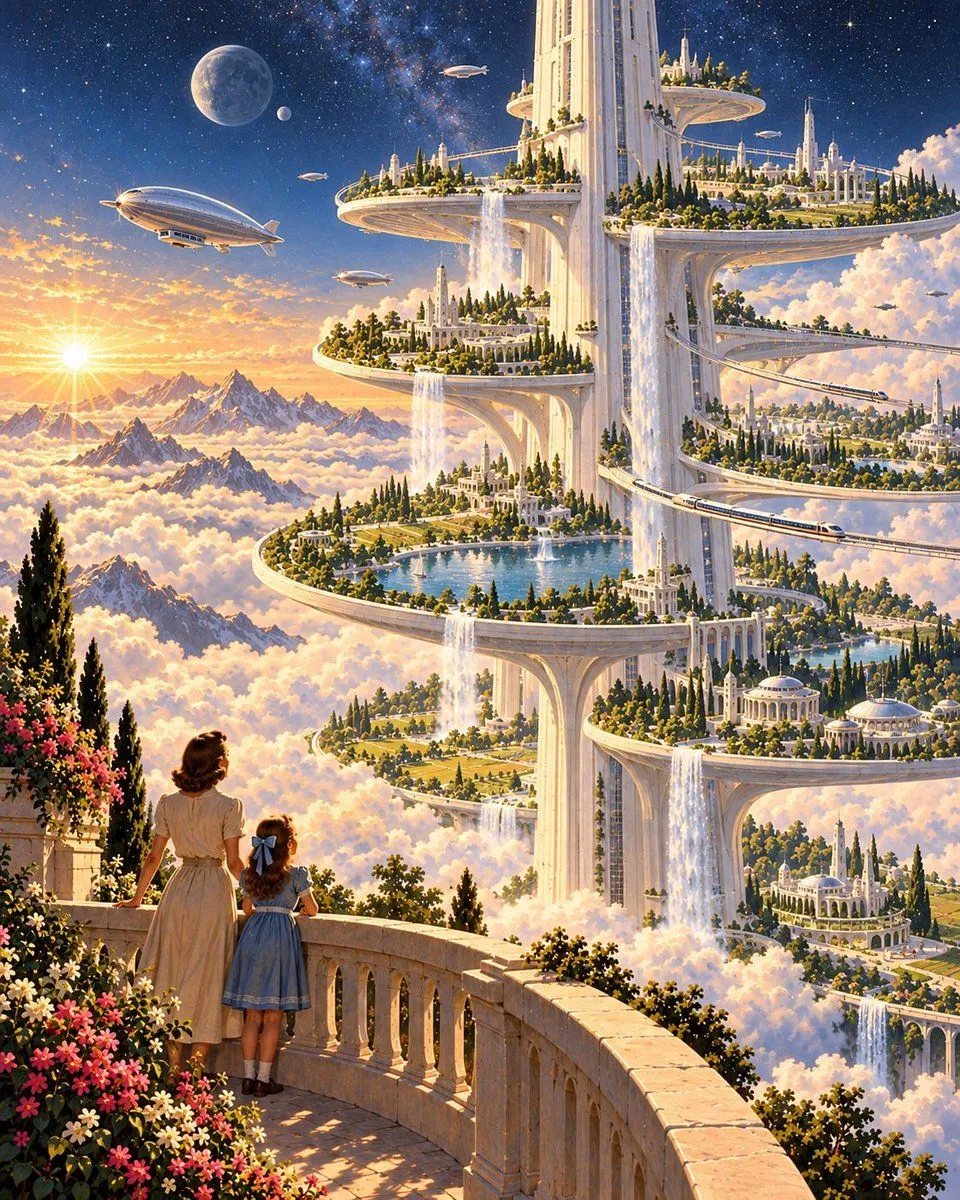
    A breathtaking, high-resolution digital painting of a fantastical city built into the clouds. In the foreground, a woman in a beige dress and a young girl in a blue dress with a matching bow stand on a stone balcony adorned with pink flowers, looking out at the view. The city is composed of massive white marble towers connected by elevated platforms that spiral upward into the sky. Each platform features lush green gardens, classical architecture, and cascading waterfalls that pour directly into the sea of fluffy white clouds below. Sleek silver airships float through the air, and a train travels along a curved track connecting the structures. The background reveals snow-capped mountain peaks rising above the cloud layer, illuminated by a bright sun setting or rising on the left horizon. Above the mountains, the sky transitions from a warm sunset glow to a deep cosmic starry night with a large moon visible in the upper left corner.

    Works in
    ChatGPT, Gemini
    Status
    Free to copy
    0
    DetailsVersions, settings and questions

    Written for

    What's in the prompt

    Subject
    Model
    GPT Image 2.5

    If your face changes

    keep my face exactly the same

    Questions

    Does this work in the ChatGPT app?
    Yes. Paste the prompt and attach your photo if it uses one.
    It changed my face. What do I do?
    Add "keep my face exactly the same" to the end and run it again.
    Can I use the images I make?
    Check the terms of the app you use. Promptclay never generates images and claims nothing you make.
    Similar prompts

    See more
    • Futuristic Metropolis Above the Clouds
    • Epic Vertical Fantasy Castle Wallpaper
    • Celestial Xianxia Cloud Kingdom Wallpaper
    • Surreal Fantasy Floating Window Portrait
    • Anime Girls Coffee Date in Tree City
    • Floating Sky Castle Digital Art Poster Prompt
    • Abstract Scene Description Prompt
    • Futuristic Floating City at Sunset
    • Floating Sky Night Market
    • Ethereal Giant Woman Landscape
    • Futuristic City of Light
    • Surreal Floating City AnimationVideo, 0:10
    • Ethereal Cosmic Library
    • Digital Goddess Cyberpunk FlightVideo, 0:10
    • Cloud Silhouette Drop-in Prompt Template
    • Whimsical Magical Library Digital Painting Prompt
    • Morning Aperture Anime City
    • Image Editing: Cloud with Face Style Transfer
    • Magical Gothic Library Balcony
    • The Painter Who Finished the Sky
    • Colossal Hands Metropolis Art
    • Whimsical Childlike Doodle Reconstruction
    • Epic Universe History Timeline Poster
    • Xianxia Sect Panorama Map

    Show more

    Run it on your phone

    1. Prompt copiedRead it

      A breathtaking, high-resolution digital painting of a fantastical city built into the clouds. In the foreground, a woman in a beige dress and a young girl in a blue dress with a matching bow stand on a stone balcony adorned with pink flowers, looking out at the view. The city is composed of massive white marble towers connected by elevated platforms that spiral upward into the sky. Each platform features lush green gardens, classical architecture, and cascading waterfalls that pour directly into the sea of fluffy white clouds below. Sleek silver airships float through the air, and a train travels along a curved track connecting the structures. The background reveals snow-capped mountain peaks rising above the cloud layer, illuminated by a bright sun setting or rising on the left horizon. Above the mountains, the sky transitions from a warm sunset glow to a deep cosmic starry night with a large moon visible in the upper left corner.

    2. Open your app

    3. Paste and run

      Press and hold the message box, then tap Paste. Add your photo first if the prompt uses one. You may need to sign in.

    Fantastical City in the Clouds