Tell us anything

An idea, a bug, something you love. We read every note.

⌘↵ to send. The page you're on comes along.

Educational Animal Video Prompt

Made with Seedance 2.5 in Kling by Library Cinema. Promptclay never generates images.

Did it work?

No reports yet. Tell others if it worked for you.

No comments yet. Be the first.

    Educational Animal Video Prompt

    Seedance 2.59:16AI-generated

    Prompt

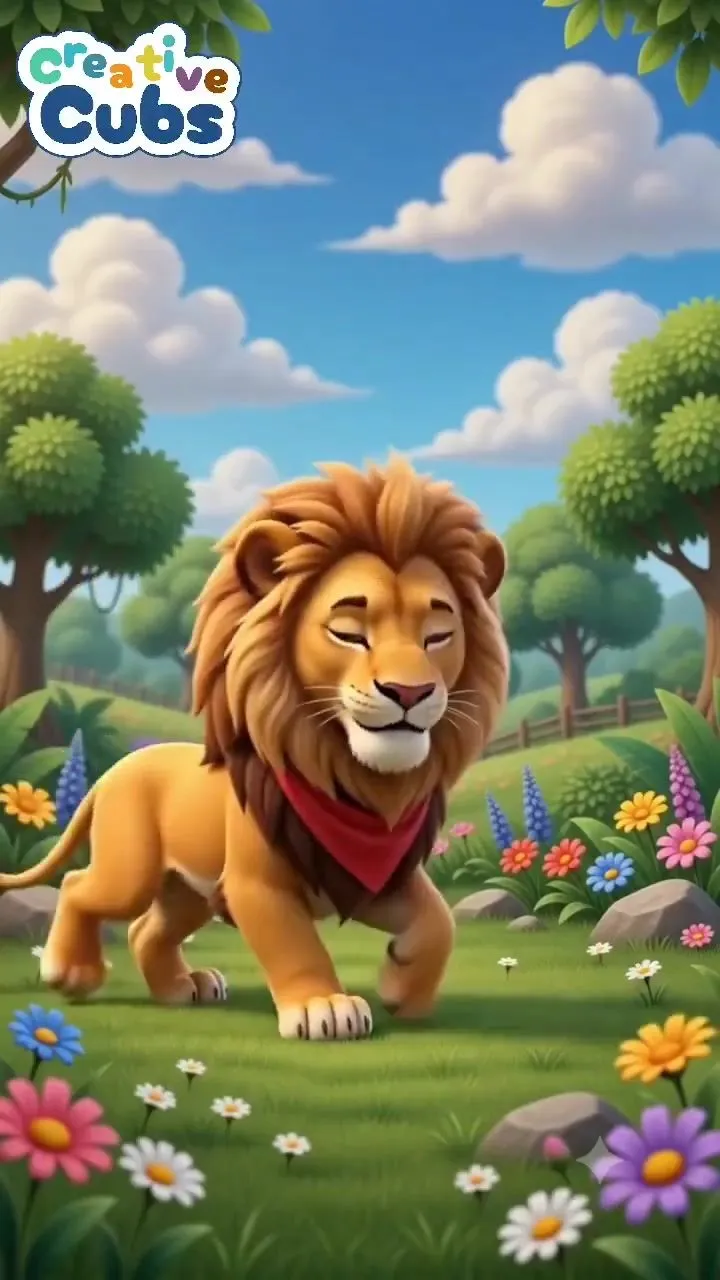
    Create a 50-second vertical 9:16 educational children's animal video in a bright, colorful, high-quality 3D cartoon animation style. SCENE & BACKGROUND: A beautiful cheerful meadow in a magical children's storybook world. Lush green grass, colorful wildflowers in the foreground, rounded green trees, a few pink and orange trees, distant rolling hills and mountains, bright blue sky with fluffy white clouds. Warm sunny daylight, soft shadows, vibrant colors, clean polished 3D rendering. STYLE: Cute premium 3D animated children's content, friendly and adorable animal designs, large expressive eyes, soft rounded shapes, colorful cinematic lighting, playful educational atmosphere, high detail but simple enough for young children. CAMERA: Vertical composition, mostly static front-facing camera at children's eye level. Medium/full-body framing of each animal. Smooth subtle camera movement only. Keep the environment consistent throughout the video. SEQUENCE: Start with an empty beautiful meadow for a moment. Then introduce animals one by one, each appearing clearly in the center of the frame: 1. TIGER — a cute orange tiger with black stripes, big expressive eyes and a friendly smile. Display the word "TIGER" above the animal in large colorful playful children's typography. 2. ELEPHANT — a cute friendly gray elephant with large ears, short trunk and adorable expressive eyes. Display "ELEPHANT" above it. 3. RHINOCEROS — a cute gray baby rhinoceros with a small horn, big eyes and friendly expression. Display "RHINOCEROS" above it. 4. HIPPOPOTAMUS — a cute chubby purple-gray hippopotamus with a big smile and playful expression. Display "HIPPOPOTAMUS" above it. 5. LEOPARD — an adorable golden-yellow leopard covered with dark spots, big expressive eyes and a friendly smile. Display "LEOPARD" above it. 6. WOLF — a cute fluffy gray-and-white wolf with large expressive eyes and a friendly appearance. Display "WOLF" above it. 7. GIRAFFE — a cute tall giraffe with a warm orange-yellow coat and brown patches, smiling gently. Display "GIRAFFE" above it. 8. CROCODILE — a cute green crocodile with a rounded friendly body, big eyes and a playful smile. Display "CROCODILE" above it. For every animal: The animal should enter or appear naturally, look toward the camera, make a small cute movement such as blinking, smiling, waving, walking a few steps or moving its head, then remain clearly visible for children to recognize. TEXT: Use large bold rounded children's lettering above each animal. Letters should be colorful, playful, highly readable and visually exciting. Add small colorful celebratory shapes such as stars or confetti when an animal appears. TRANSITIONS: Smooth playful transitions between animals while keeping the same meadow environment. No scary movements, no aggressive behavior, no dark scenes. FINAL SHOT: Return to the empty colorful meadow for a short moment. Overall feeling: cheerful, wholesome, education

    Works in
    Kling
    Status
    Free to copy
    0
    DetailsVersions, settings and questions

    Written for

    What's in the prompt

    Subject
    Model
    Seedance 2.5

    If your face changes

    keep my face exactly the same

    Questions

    Does this work in the Kling app?
    Yes. Paste the prompt and attach your photo if it uses one.
    It changed my face. What do I do?
    Add "keep my face exactly the same" to the end and run it again.
    Can I use the images I make?
    Check the terms of the app you use. Promptclay never generates images and claims nothing you make.
    Similar prompts

    See more
    • 3D Jungle Adventure Poster
    • Multi-Panel Comic Illustration
    • Object rotation and zoom prompt
    • Cartoon Monster Dog in Jungle PromptVideo, 0:10
    • Cartoon Red Panda Forest Illustration
    • Pastel Underwater Mermaid Puppy Game UI
    • Convert 2D Sketch to 3D Animated Style
    • Anime Magazine Feature Illustration Prompt
    • Vibrant Neon Majestic Lion
    • Lion Cub Wildlife Photography Prompt
    • Chibi Art Video PromptVideo, 0:10
    • Friendly 3D Cartoon Portrait
    • Personalized Children's Storybook Generator
    • Manga Generation Prompt: Good Morning Magic
    • 3D Cartoon Caricature Portrait
    • Hand-drawn mind map for explaining Chinese idioms
    • Crayon Style Drawing Prompt
    • Naive Cartoon Bear Character
    • Whimsical Crayon Utopia Quote
    • Anime Watercolor Girl with Butterflies
    • Generic Ultra-Realistic 8K Cinematic Photograph Template
    • Museum-Quality Animal Portrait with Integrated Luxury Brand Pattern
    • Cinematic Vigilante Graphic Poster
    • Vertical Studio Product Photography of a Chocolate Donut (3 Variations)

    Show more

    Run it on your phone

    1. Prompt copiedRead it

      Create a 50-second vertical 9:16 educational children's animal video in a bright, colorful, high-quality 3D cartoon animation style. SCENE & BACKGROUND: A beautiful cheerful meadow in a magical children's storybook world. Lush green grass, colorful wildflowers in the foreground, rounded green trees, a few pink and orange trees, distant rolling hills and mountains, bright blue sky with fluffy white clouds. Warm sunny daylight, soft shadows, vibrant colors, clean polished 3D rendering. STYLE: Cute premium 3D animated children's content, friendly and adorable animal designs, large expressive eyes, soft rounded shapes, colorful cinematic lighting, playful educational atmosphere, high detail but simple enough for young children. CAMERA: Vertical composition, mostly static front-facing camera at children's eye level. Medium/full-body framing of each animal. Smooth subtle camera movement only. Keep the environment consistent throughout the video. SEQUENCE: Start with an empty beautiful meadow for a moment. Then introduce animals one by one, each appearing clearly in the center of the frame: 1. TIGER — a cute orange tiger with black stripes, big expressive eyes and a friendly smile. Display the word "TIGER" above the animal in large colorful playful children's typography. 2. ELEPHANT — a cute friendly gray elephant with large ears, short trunk and adorable expressive eyes. Display "ELEPHANT" above it. 3. RHINOCEROS — a cute gray baby rhinoceros with a small horn, big eyes and friendly expression. Display "RHINOCEROS" above it. 4. HIPPOPOTAMUS — a cute chubby purple-gray hippopotamus with a big smile and playful expression. Display "HIPPOPOTAMUS" above it. 5. LEOPARD — an adorable golden-yellow leopard covered with dark spots, big expressive eyes and a friendly smile. Display "LEOPARD" above it. 6. WOLF — a cute fluffy gray-and-white wolf with large expressive eyes and a friendly appearance. Display "WOLF" above it. 7. GIRAFFE — a cute tall giraffe with a warm orange-yellow coat and brown patches, smiling gently. Display "GIRAFFE" above it. 8. CROCODILE — a cute green crocodile with a rounded friendly body, big eyes and a playful smile. Display "CROCODILE" above it. For every animal: The animal should enter or appear naturally, look toward the camera, make a small cute movement such as blinking, smiling, waving, walking a few steps or moving its head, then remain clearly visible for children to recognize. TEXT: Use large bold rounded children's lettering above each animal. Letters should be colorful, playful, highly readable and visually exciting. Add small colorful celebratory shapes such as stars or confetti when an animal appears. TRANSITIONS: Smooth playful transitions between animals while keeping the same meadow environment. No scary movements, no aggressive behavior, no dark scenes. FINAL SHOT: Return to the empty colorful meadow for a short moment. Overall feeling: cheerful, wholesome, education

    2. Open your app

    3. Paste and run

      Press and hold the message box, then tap Paste. Add your photo first if the prompt uses one. You may need to sign in.