Tell us anything

An idea, a bug, something you love. We read every note.

⌘↵ to send. The page you're on comes along.

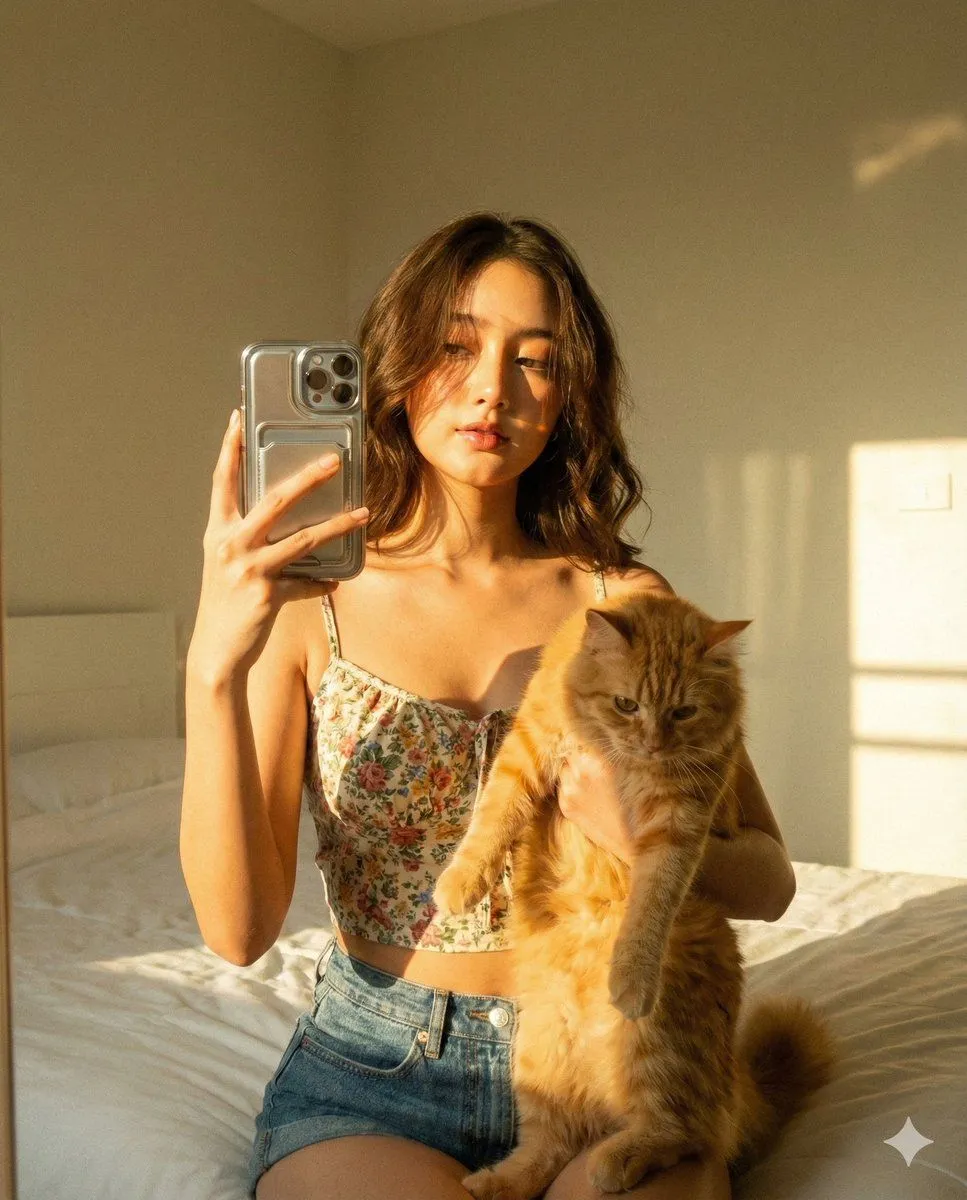
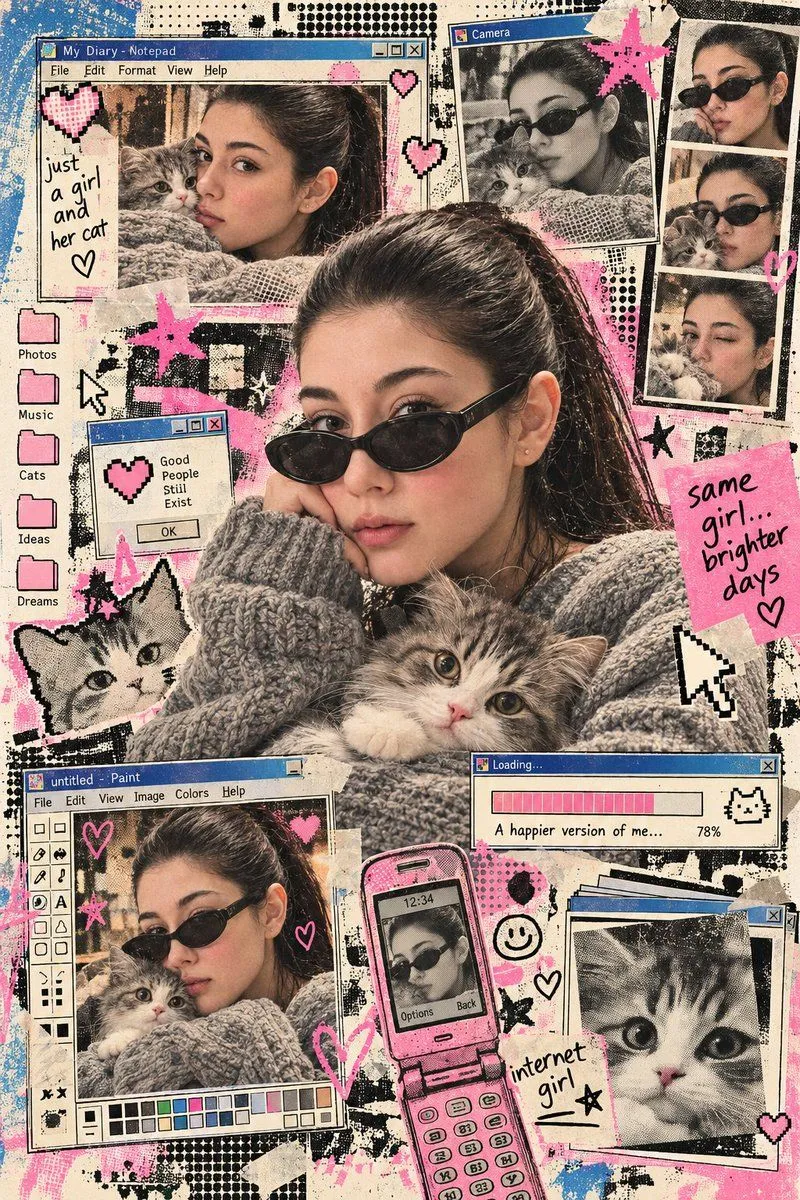
Early Internet Nostalgia Portrait with Kitten

Made with GPT Image 2.5 in ChatGPT by Library Lifestyle. Promptclay never generates images.

Did it work?

No reports yet. Tell others if it worked for you.

No comments yet. Be the first.

    Early Internet Nostalgia Portrait with Kitten

    GPT Image 2.52:3AI-generated

    Prompt

    Using the uploaded reference image, preserve the exact same face, identity, facial features, and natural skin texture of the subject in an early internet nostalgia visual concept. Combine editorial image-making with retro digital print aesthetics: halftone dot grid screen, Risograph grain, ink bleed, early GUI interface fragments, 8-bit pixel geometry, soft airbrush gradients, and stencil overspray texture. Build the layout with browser-window frames, pixel icons, loading bars, dialog boxes, folders, cursors, or chat-window shapes. Keep the composition graphic, layered, playful, and slightly imperfect, with a mix of analog print noise and primitive digital design. Dress the subject in an oversized chunky grey knit sweater with black oval sunglasses. Include an adorable fluffy grey-and-white kitten clearly. Use vintage cream, faded bubblegum pink, muted blue, charcoal black, and subtle beige tones.

    Works in
    ChatGPT, Gemini
    Status
    Free to copy
    0
    DetailsVersions, settings and questions

    Written for

    What's in the prompt

    Subject
    Model
    GPT Image 2.5

    If your face changes

    keep my face exactly the same

    Questions

    Does this work in the ChatGPT app?
    Yes. Paste the prompt and attach your photo if it uses one.
    It changed my face. What do I do?
    Add "keep my face exactly the same" to the end and run it again.
    Can I use the images I make?
    Check the terms of the app you use. Promptclay never generates images and claims nothing you make.
    Similar prompts

    See more
    • Image to 16-Bit Retro Pixel Art Transformation
    • Apple Mascot Pixel Sprite Sheet
    • Vintage Comic Book Character Portrait
    • VOXCAT Retro Screen Print Poster
    • 1960s Riviera Surreal Illustration
    • Stylish Trio City Street Portrait
    • Y2K Retro Scrapbook Collage Poster
    • Weekend Greeting Video PromptVideo, 0:10
    • Cozy Portrait of Woman Holding Fluffy Silver Tabby Cat
    • Vintage Glamour Fashion Portrait
    • Y2K Photo Booth Collage Prompt
    • Retro Y2K Computer Workspace Portrait
    • Y2K Tech Collage Portrait
    • Early 2000s Digital Camera Mirror Selfie
    • Vintage Digicam LCD Screen
    • Graphic Cut-Paper Editorial Portrait
    • Kawaii Journal and Miniature Diorama Styles
    • Cinematic close-up portrait with green eyes and knit sweater
    • Photo to Gouache Travel Illustration
    • Illustrated Personal Sketchbook Infographic
    • Black and White Fashion Portrait
    • Urban Streetwear Fashion Collage Poster
    • Antique Chinese Noblewoman Poster
    • Retro Synthwave Podcast Host

    Show more

    Run it on your phone

    1. Prompt copiedRead it

      Using the uploaded reference image, preserve the exact same face, identity, facial features, and natural skin texture of the subject in an early internet nostalgia visual concept. Combine editorial image-making with retro digital print aesthetics: halftone dot grid screen, Risograph grain, ink bleed, early GUI interface fragments, 8-bit pixel geometry, soft airbrush gradients, and stencil overspray texture. Build the layout with browser-window frames, pixel icons, loading bars, dialog boxes, folders, cursors, or chat-window shapes. Keep the composition graphic, layered, playful, and slightly imperfect, with a mix of analog print noise and primitive digital design. Dress the subject in an oversized chunky grey knit sweater with black oval sunglasses. Include an adorable fluffy grey-and-white kitten clearly. Use vintage cream, faded bubblegum pink, muted blue, charcoal black, and subtle beige tones.

    2. Open your app

    3. Paste and run

      Press and hold the message box, then tap Paste. Add your photo first if the prompt uses one. You may need to sign in.

    Early Internet Nostalgia Portrait with Kitten