Tell us anything

An idea, a bug, something you love. We read every note.

⌘↵ to send. The page you're on comes along.

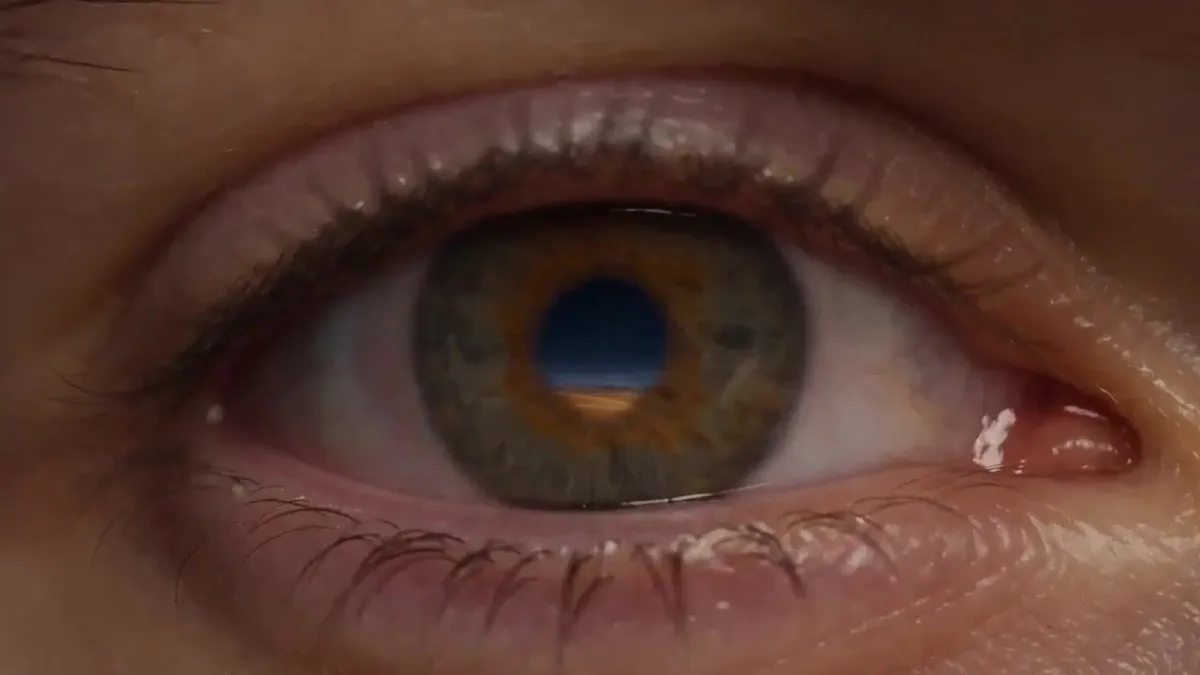
Continuous Surreal Macro Loop

Made with Seedance 2.5 in Kling by Library Cinema. Promptclay never generates images.

Did it work?

No reports yet. Tell others if it worked for you.

No comments yet. Be the first.

    Continuous Surreal Macro Loop

    Seedance 2.516:9AI-generated

    Prompt

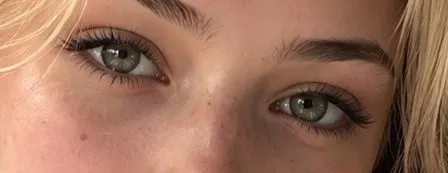
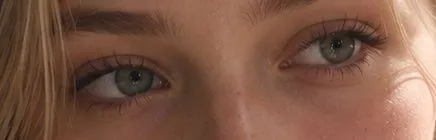
    Create one continuous cinematic shot with no visible cuts. Begin with an extreme macro close-up of a human eye at night. The eye fills the entire frame. The skin, eyelashes, moisture, and iris feel completely real. A tiny desert under a black, star-filled sky is reflected inside the pupil. The camera slowly pushes forward and passes through the pupil. Without cutting, the darkness becomes the night sky above that desert. We emerge at ground level, moving inches above the sand. Every grain of sand begins floating upward in slow motion. The grains gather in the air and form a massive spiral staircase that climbs through the clouds. The camera follows the staircase upward, moving faster as the world opens around it. A colossal translucent blue whale swims silently through the sky above us. Its body bends the starlight like glass. Inside the whale is a glowing futuristic city with tiny buildings, moving lights, and rivers flowing through its body. As the whale turns, gravity rotates with it. The horizon slowly tilts ninety degrees. The desert becomes a vertical wall beside the camera while a vast ocean pours upward across the sky. Follow one water droplet as it separates from the ocean and floats toward the lens. Inside the droplet is a miniature version of the entire scene: the desert, the staircase, the whale, and the vertical ocean. The camera dives into the droplet. The miniature world expands around us until we are moving through the original desert again. Continue forward into the reflection of the same human eye from the opening shot. End on the exact opening composition. The eye blinks once, creating a seamless loop. Everything should feel photorealistic, cinematic, enormous, and physically connected. Use deep blue starlight, warm golden sand, volumetric clouds, realistic reflections, controlled depth of field, and natural motion blur. Keep the camera movement smooth and intentional. Every transformation should happen inside the shot rather than through a cut. No text, logos, subtitles, jump cuts, flickering, duplicated objects, broken anatomy, random scene changes, or visible transition effects.

    Works in
    Kling
    Status
    Free to copy
    0
    DetailsVersions, settings and questions

    Written for

    What's in the prompt

    Subject
    Model
    Seedance 2.5

    If your face changes

    keep my face exactly the same

    Questions

    Does this work in the Kling app?
    Yes. Paste the prompt and attach your photo if it uses one.
    It changed my face. What do I do?
    Add "keep my face exactly the same" to the end and run it again.
    Can I use the images I make?
    Check the terms of the app you use. Promptclay never generates images and claims nothing you make.
    Similar prompts

    See more
    • Macro Eye Portrait with Havana Reflection
    • Reflection in Pupil Image Generation Prompt
    • Neon city music video sequenceVideo, 0:30
    • Cinematic Night Ride Neon StreetsVideo, 0:11
    • Oriental Four Symbols Eye Macro
    • Extreme Macro Human Eye Photography
    • Photorealistic Eye Close-Up
    • Extreme Macro Portrait of an Eye
    • Hyper-Realistic Macro Eye Portrait
    • Moody Cinematic Close-up Male Portrait
    • Photorealistic Close-Up Eyes
    • Fruit and Vegetable Food Sculpture Prompt Template
    • Underwater Macro Face Portrait
    • Macro Close-Up Skin Texture Portrait
    • Extreme Close-Up Portrait with Realistic Skin Texture
    • Macro Human Eye Photography
    • Intimate Flower Petal Macro Portrait
    • Extreme Close-up Portrait with Glistening Skin
    • Surreal Fantasy Portrait Prompt (Fire and Ice)
    • Illustrator-style eye design
    • Astronaut Beside Living Earth
    • Blonde Knight and Black Panther Battle Charge
    • Cinematic Moonlight Rooftop Portrait Collage
    • Surreal Birch Bark Portrait Prompt

    Show more

    Run it on your phone

    1. Prompt copiedRead it

      Create one continuous cinematic shot with no visible cuts. Begin with an extreme macro close-up of a human eye at night. The eye fills the entire frame. The skin, eyelashes, moisture, and iris feel completely real. A tiny desert under a black, star-filled sky is reflected inside the pupil. The camera slowly pushes forward and passes through the pupil. Without cutting, the darkness becomes the night sky above that desert. We emerge at ground level, moving inches above the sand. Every grain of sand begins floating upward in slow motion. The grains gather in the air and form a massive spiral staircase that climbs through the clouds. The camera follows the staircase upward, moving faster as the world opens around it. A colossal translucent blue whale swims silently through the sky above us. Its body bends the starlight like glass. Inside the whale is a glowing futuristic city with tiny buildings, moving lights, and rivers flowing through its body. As the whale turns, gravity rotates with it. The horizon slowly tilts ninety degrees. The desert becomes a vertical wall beside the camera while a vast ocean pours upward across the sky. Follow one water droplet as it separates from the ocean and floats toward the lens. Inside the droplet is a miniature version of the entire scene: the desert, the staircase, the whale, and the vertical ocean. The camera dives into the droplet. The miniature world expands around us until we are moving through the original desert again. Continue forward into the reflection of the same human eye from the opening shot. End on the exact opening composition. The eye blinks once, creating a seamless loop. Everything should feel photorealistic, cinematic, enormous, and physically connected. Use deep blue starlight, warm golden sand, volumetric clouds, realistic reflections, controlled depth of field, and natural motion blur. Keep the camera movement smooth and intentional. Every transformation should happen inside the shot rather than through a cut. No text, logos, subtitles, jump cuts, flickering, duplicated objects, broken anatomy, random scene changes, or visible transition effects.

    2. Open your app

    3. Paste and run

      Press and hold the message box, then tap Paste. Add your photo first if the prompt uses one. You may need to sign in.