Made with GPT Image 2 in ChatGPT by Library Avatars. Promptclay never generates images.
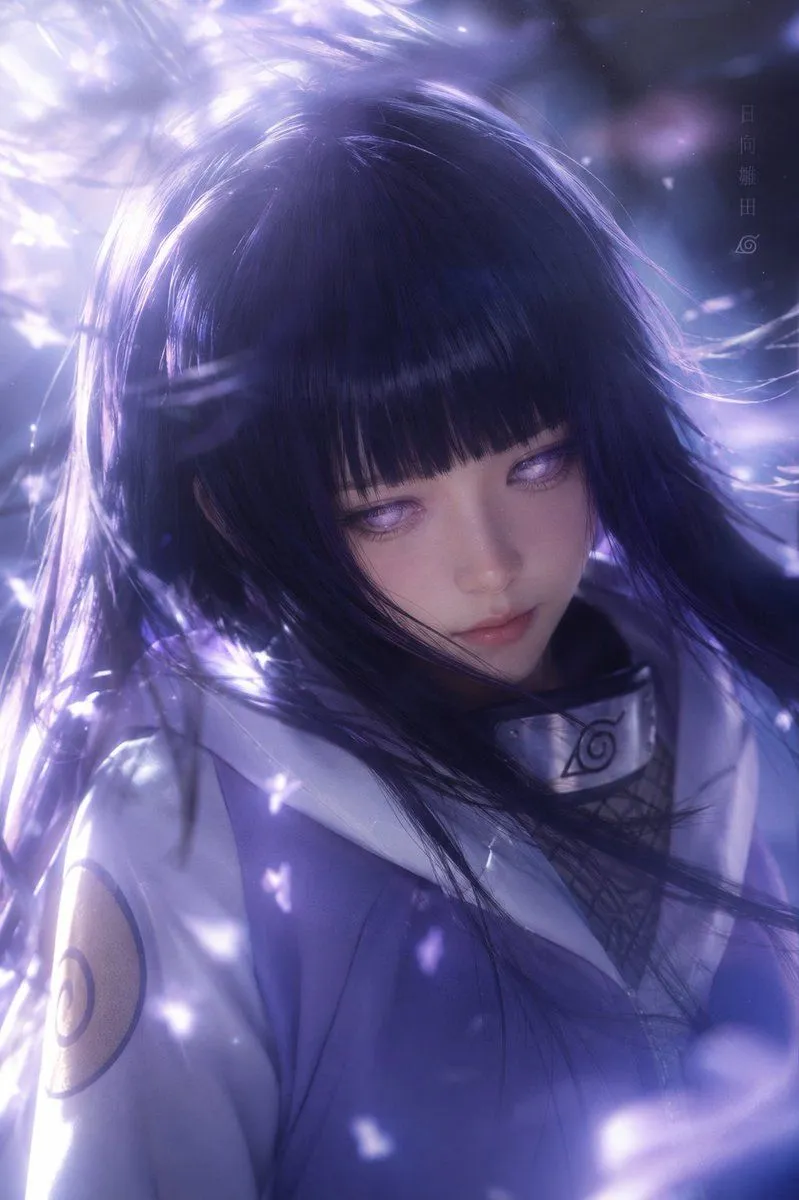
Cinematic Hinata Anime Portrait
Prompt
3 blanks to fillCreate a vertical 2:3 cinematic anime-style portrait of {character_name} from Naruto, shown in a close-up three-quarter view from the chest up, with long flowing {hair_color} hair and straight bangs blowing dramatically across the frame. Her face is intentionally covered by a large centered opaque square censor block in deep muted purple, hiding the eyes, nose, and mouth. She wears a pale lavender-and-white shinobi jacket with a high collar, a visible Leaf Village metal forehead-protector plate worn around the neck, dark mesh undershirt, and a circular sleeve emblem on the upper arm. The scene is filled with glowing violet-white petals, soft particles, and streaks of light swirling around her hair, with strong backlighting from the upper left creating glossy highlights and a dreamy ethereal atmosphere. Use a cool purple-blue color palette, high-detail semi-realistic anime rendering, shallow depth of field, luminous bloom, motion-blurred hair strands, and soft bokeh. Add subtle vertical Japanese text near the upper right reading {vertical_text} with a small Leaf Village symbol beneath it. No extra characters, no watermark, no modern objects, maintain the large square face obstruction exactly in the center.
Preview of your prompt
Create a vertical 2:3 cinematic anime-style portrait of Hinata Hyuga from Naruto, shown in a close-up three-quarter view from the chest up, with long flowing dark indigo-purple hair and straight bangs blowing dramatically across the frame. Her face is intentionally covered by a large centered opaque square censor block in deep muted purple, hiding the eyes, nose, and mouth. She wears a pale lavender-and-white shinobi jacket with a high collar, a visible Leaf Village metal forehead-protector plate worn around the neck, dark mesh undershirt, and a circular sleeve emblem on the upper arm. The scene is filled with glowing violet-white petals, soft particles, and streaks of light swirling around her hair, with strong backlighting from the upper left creating glossy highlights and a dreamy ethereal atmosphere. Use a cool purple-blue color palette, high-detail semi-realistic anime rendering, shallow depth of field, luminous bloom, motion-blurred hair strands, and soft bokeh. Add subtle vertical Japanese text near the upper right reading 日向雛田 with a small Leaf Village symbol beneath it. No extra characters, no watermark, no modern objects, maintain the large square face obstruction exactly in the center.
DetailsVersions, settings and questions
Written for
What's in the prompt
- Subject
- Model
- GPT Image 2
If your face changes
keep my face exactly the sameQuestions
- Does this work in the ChatGPT app?
- Yes. Paste the prompt and attach your photo if it uses one.
- It changed my face. What do I do?
- Add "keep my face exactly the same" to the end and run it again.
- Can I use the images I make?
- Check the terms of the app you use. Promptclay never generates images and claims nothing you make.