World Tilt Physics Video Prompt
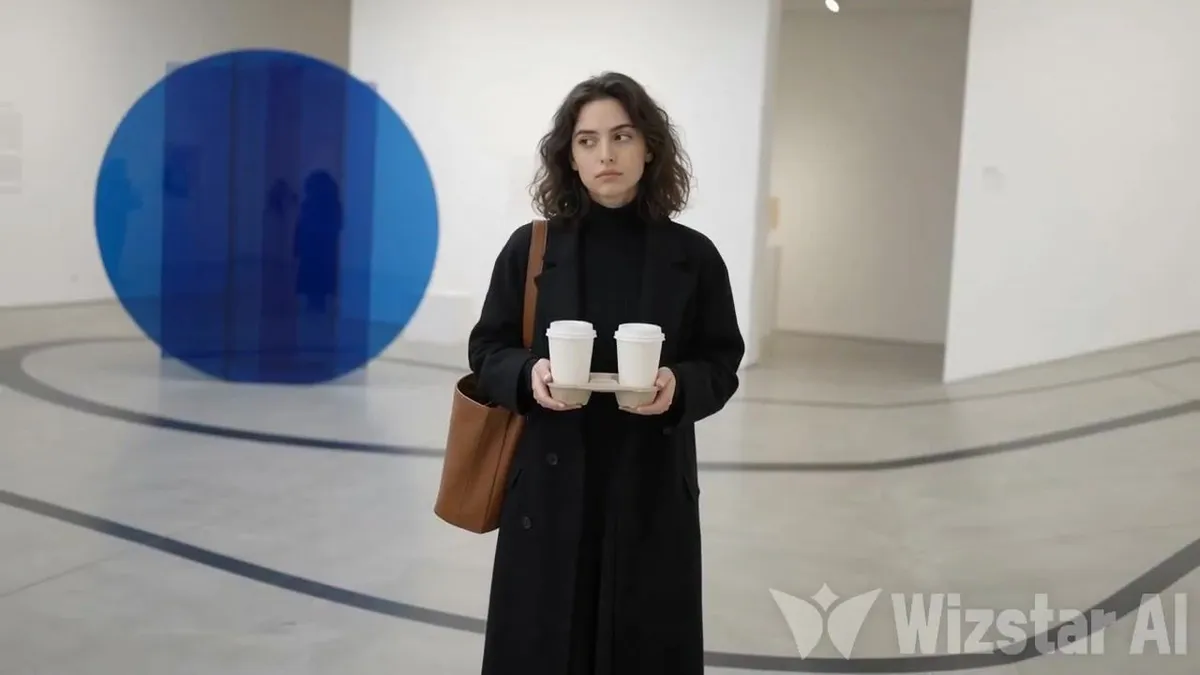
Generate a photorealistic fashion video using both references. Image 1 defines the woman and clean gallery. Image 2 defines the tilted scene and props. One continuous shot. 0–1.6s: Start level and still. The woman stands centered, holding both cups. She looks slightly bored, glances aside, then back at camera. No objects or people. 1.6–2.1s: She gives a subtle knowing look, then makes one small natural stomp. 2.1–3.0s: After the stomp, the ENTIRE WORLD tilts dramatically 40° counterclockwise: left side drops, right side rises. Floor, lines and architecture tilt together. She remains perfectly upright and keeps both cups level. She watches the tilt, then raises one eyebrow. NOTHING moves or enters during the tilt. 3.0–8s: HOLD the full 40° LEFT TILT until the end. NEVER return to level. An empty cup, blue ball and closed box enter from the raised RIGHT edge and roll rapidly toward the lower-left, with rotation, acceleration and small bounces. Papers tumble after them. One passerby enters from the RIGHT, slips on the steep slope with quick braking steps, leans uphill and struggles to balance. They pass behind the woman toward the lower-left and exit. She follows them with her eyes, then looks back at camera with a raised eyebrow and restrained amused half-smile. Her body, hands and cups stay steady. Final frame: world still strongly tilted 40° LEFT, woman upright and unchanged. Audio: soft stomp, deep tilt rumble, rolling objects, sliding shoes and footsteps. No music or dialogue. Strict order: Clean scene → stomp → 40° left tilt → HOLD tilt → objects roll → passerby. No early props, cuts, floating objects, right tilt, spills, collisions, deformation, text, logos or watermarks.