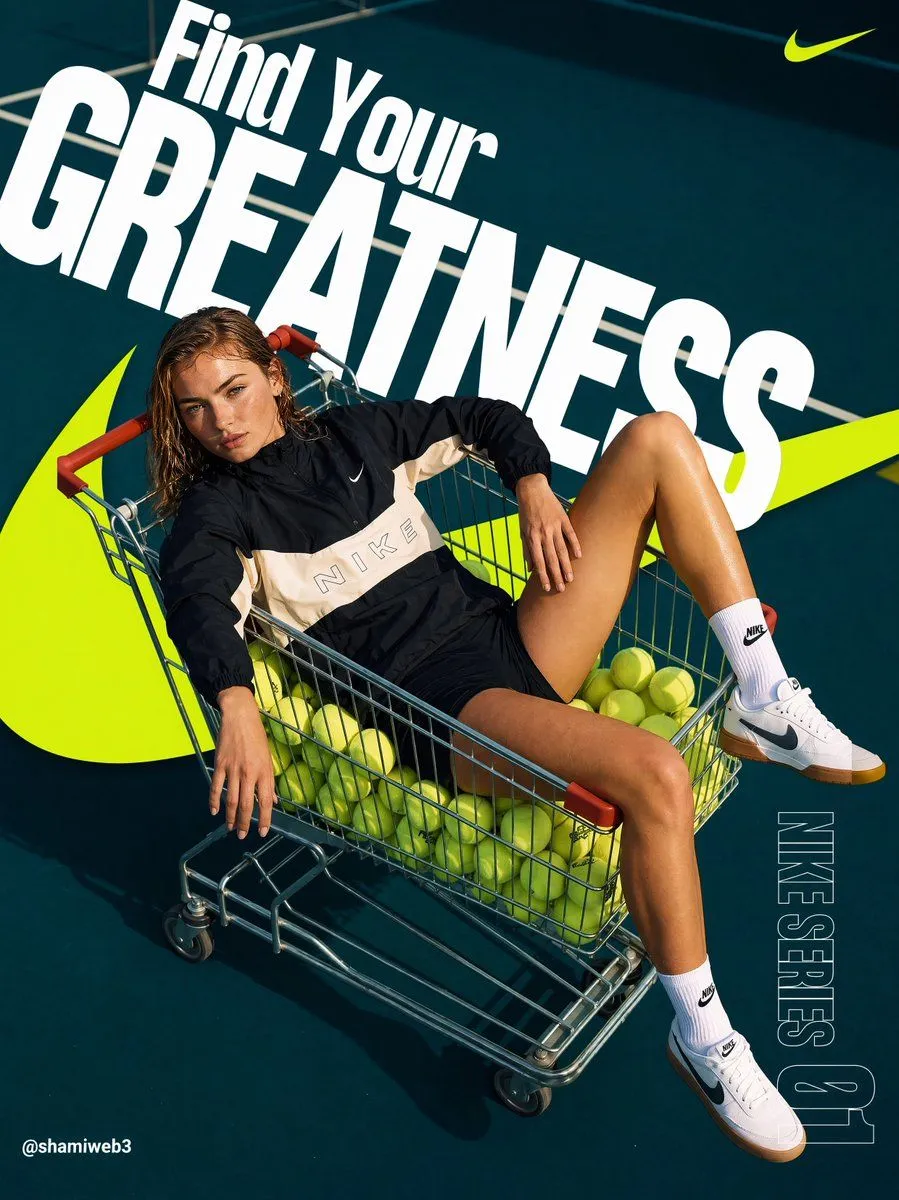
Tennis Cart Sportswear Poster
Create a bold vertical sportswear campaign poster for brand_name with a high-energy tennis theme. Use a 4:5 portrait canvas, photographed from a dramatic overhead angle on a dark teal tennis court with crisp white court lines and strong midday sunlight casting hard shadows. Center the composition on one athletic female model reclining diagonally inside a metal shopping cart with red handle grips; her face is intentionally covered by a soft square blur. The cart is filled with dozens of bright yellow tennis balls, and the model lounges casually with one arm hanging over the side, one hand resting on her thigh, and one leg raised against the cart edge. Outfit: black-and-cream windbreaker with a large tonal brand wordmark across the chest, black athletic shorts, white crew socks with small black swoosh marks, and white low-top sneakers with black swoosh details and gum soles. Add one oversized neon yellow swoosh-like graphic sweeping behind the cart from lower left to right, plus one small neon yellow swoosh logo in the upper-right corner. Typography: huge slanted white condensed bold headline across the upper half reading headline_text, with “Find Your” above and “GREATNESS” extremely large behind the subject. Add vertical outlined text on the lower-right edge reading series_text. Add a small white social handle in the bottom-left corner reading signature_handle. Style: glossy modern sports advertising, saturated teal and neon yellow palette, sharp editorial lighting, photorealistic subject and cart, dynamic diagonal layout, clean commercial poster design. Constraints: include exactly 1 model, 1 shopping cart, 1 oversized background swoosh, 1 small corner swoosh, 1 main headline, 1 vertical series label, and 1 bottom-left handle; do not add extra people, extra logos, or additional text.