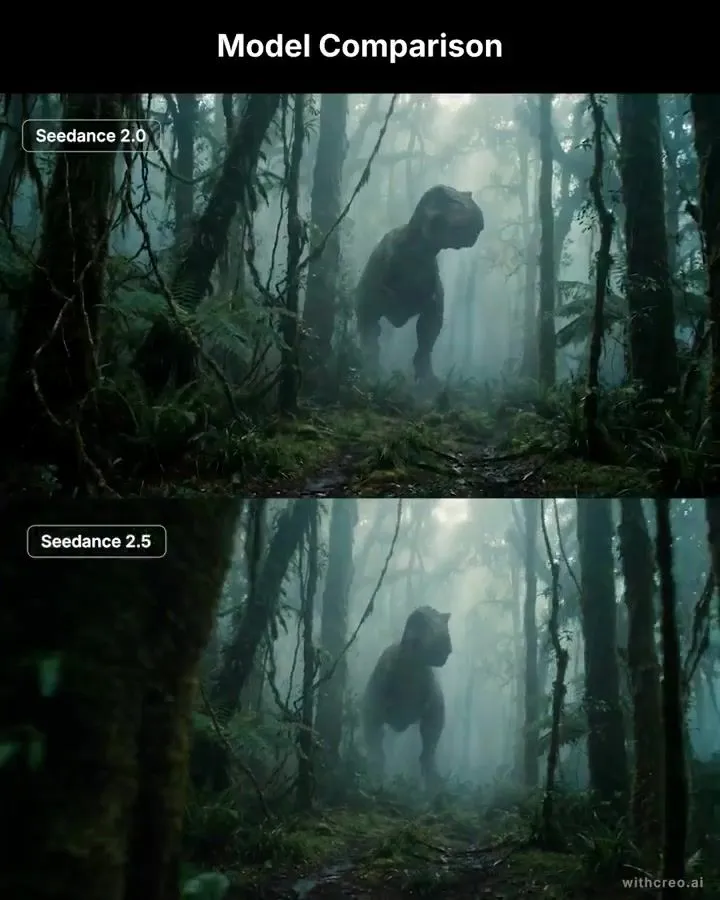
T-Rex Cinematic Wide Shot Prompt
Cinematic wide shot of a massive Tyrannosaurus rex emerging from dense prehistoric rainforest mist, standing in the midground slightly right of center. The dinosaur is shown in three-quarter side profile, its head turned slightly toward camera, partially silhouetted by pale diffused light filtering through the fog. Its skin is dark, weathered, heavily textured and realistic, with powerful muscular proportions and a long tail extending behind it into the haze. The jungle is ancient, dense and overgrown, filled with towering moss-covered tree trunks, hanging vines, tangled branches, giant ferns and wet tropical foliage. The forest floor is dark, muddy and uneven, covered in moss, roots, puddles and scattered vegetation. Heavy atmospheric mist fills the background, creating deep layers of separation between the trees. Soft shafts of cool daylight break through the canopy from above and behind the T-Rex, creating subtle volumetric rays and rim light around its silhouette. Foreground trees and foliage frame both sides of the composition, creating strong depth and a slightly claustrophobic feeling. Photorealistic creature design, realistic scale and anatomy, wet skin and foliage, natural moisture, cinematic atmospheric perspective, moody teal-green palette, soft contrast, subtle film grain, high dynamic range, epic prehistoric realism, grounded blockbuster cinematography, 2.39:1 anamorphic composition, low eye-level camera, 35mm lens. Avoid cartoon styling, oversaturated greens, fantasy lighting, exaggerated anatomy, distorted limbs, extra limbs, oversized head, visible humans, buildings, modern objects, clean manicured vegetation, bright blue sky, shallow jungle density.