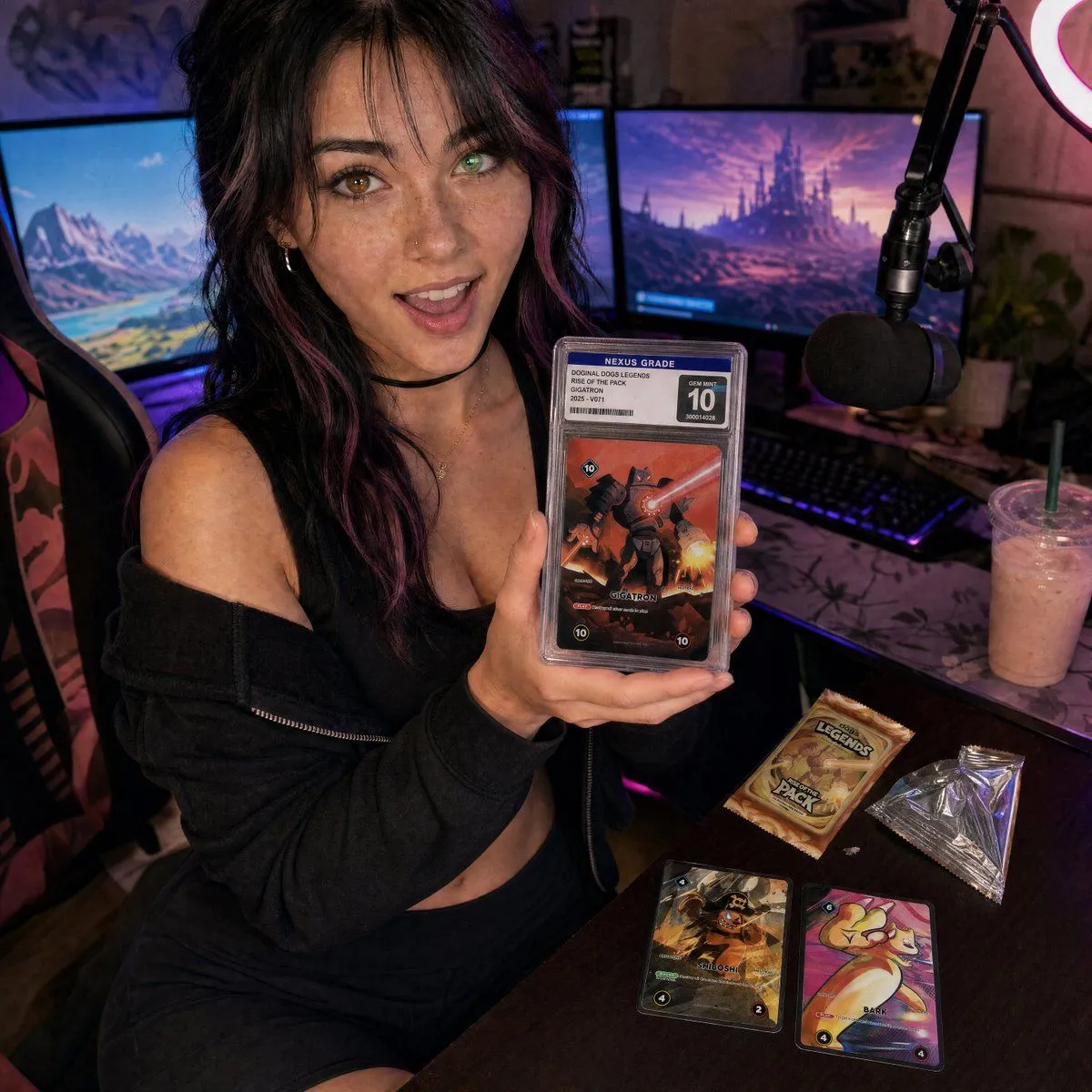
Streamer Trading Card Product Shot
Create a photorealistic square social-media product shot of a young female streamer in a cozy gaming setup, shot with a slightly wide-angle close perspective from above desk height. She is seated in a gaming chair, leaning toward the camera with an excited open-mouth smile, holding one graded trading card slab prominently in both hands close to the lens. Her look: character_appearance. The graded slab should have a clear plastic case, a top label reading “NEXUS GRADE,” a large “10” grade box, a small barcode and serial number, and the card art should show a dramatic red-orange robot/monster battle card titled featured_card_name. Place exactly 5 visible trading-card/product elements: 1 graded slab in her hands, 1 unopened booster pack on the desk, 1 opened silver foil wrapper on the desk, and 2 loose cards on the desk, one dark pirate-themed card and one colorful cute creature card. The booster pack should read booster_pack_text. The background is a streamer room with exactly 2 large monitors showing fantasy landscapes, 1 black boom-arm microphone with foam windscreen on the right, 1 glowing ring light partially visible in the upper right, 1 RGB keyboard, 1 gaming chair, and 1 iced pink drink with straw on the desk. Use moody purple and blue RGB lighting mixed with warm screen glow, shallow depth of field but keep the woman’s face and the graded slab sharp, realistic skin texture, authentic cluttered desk, cinematic marketing-still composition. The overall mood should feel like influencer livestream content for a collectible card game product launch. Use lighting_style and a camera_style. Avoid extra fingers, unreadable main labels, warped slab edges, duplicate microphones, or additional cards beyond the specified 5 product elements.