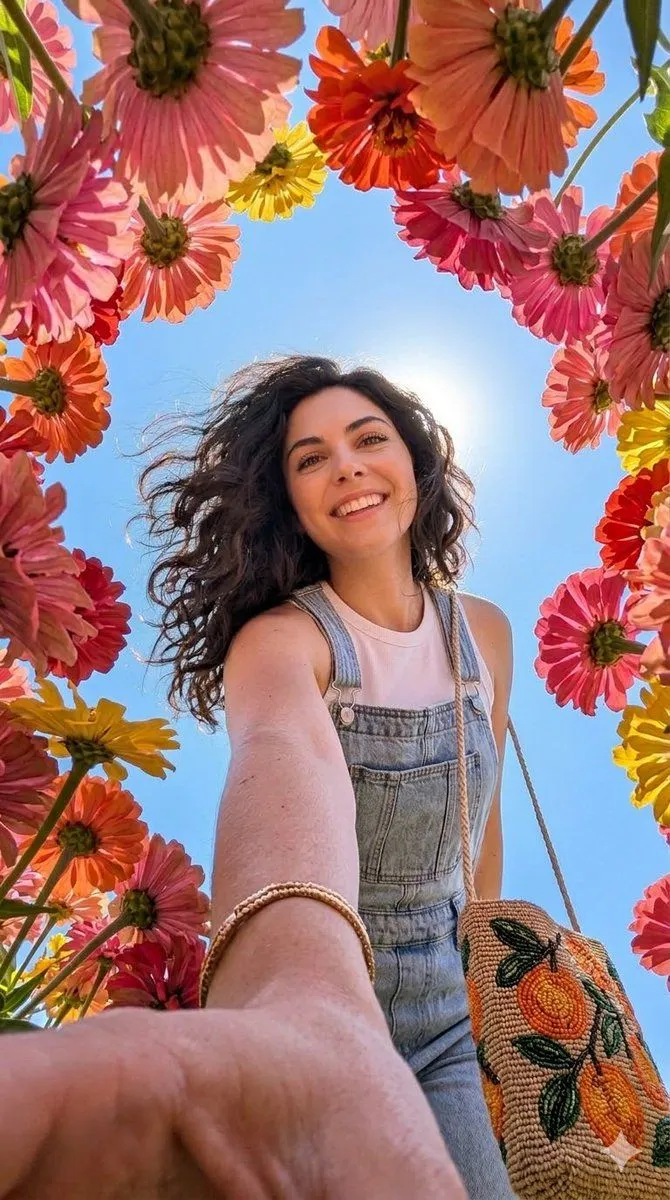
Smartphone Selfie with Flowers
Initiate PersonaFusion-vX.03 protocol: Use the exact facial identity taken from the attached reference image (or from the user's provided face) with zero alteration. A hyper-realistic, ultra-sharp photograph taken on a modern smartphone, characterized by its digital clarity, like a Google Pixel 8. The image captures a low-angle perspective looking up through a vibrant canopy of large, colorful flowers, mostly seen from their undersides with visible petals and stems in shades of flower_colors, framing the scene and the subject. A person with long, dark, wavy hair, appearing modern and well-maintained with a slight wind-blown effect, smiles broadly with their head tilted back, looking upwards. Their right arm is extended towards the camera, adorned with a thin gold-toned bracelet. They wear light wash denim overalls over a white sleeveless top, and carry a woven shoulder bag featuring a cheerful beaded pattern of orange fruit and green leaves. Their natural makeup highlights dewy, creamy skin. A bright, clear blue sky is visible in the gaps between the flowers, with the sun positioned behind the subject's head, creating a gentle sunburst effect. Shadows are noticeably lifted, indicating bright and even illumination typical of modern smartphone HDR. The entire scene is rendered with absolute sharp focus, devoid of any background blur or bokeh, showcasing realistic digital textures. Details are incredibly sharp, revealing subtle textures in the clothing and realistic skin with visible pores, without any film grain, though a subtle digital noise is present, characteristic of a high-resolution smartphone image. Vertical portrait.