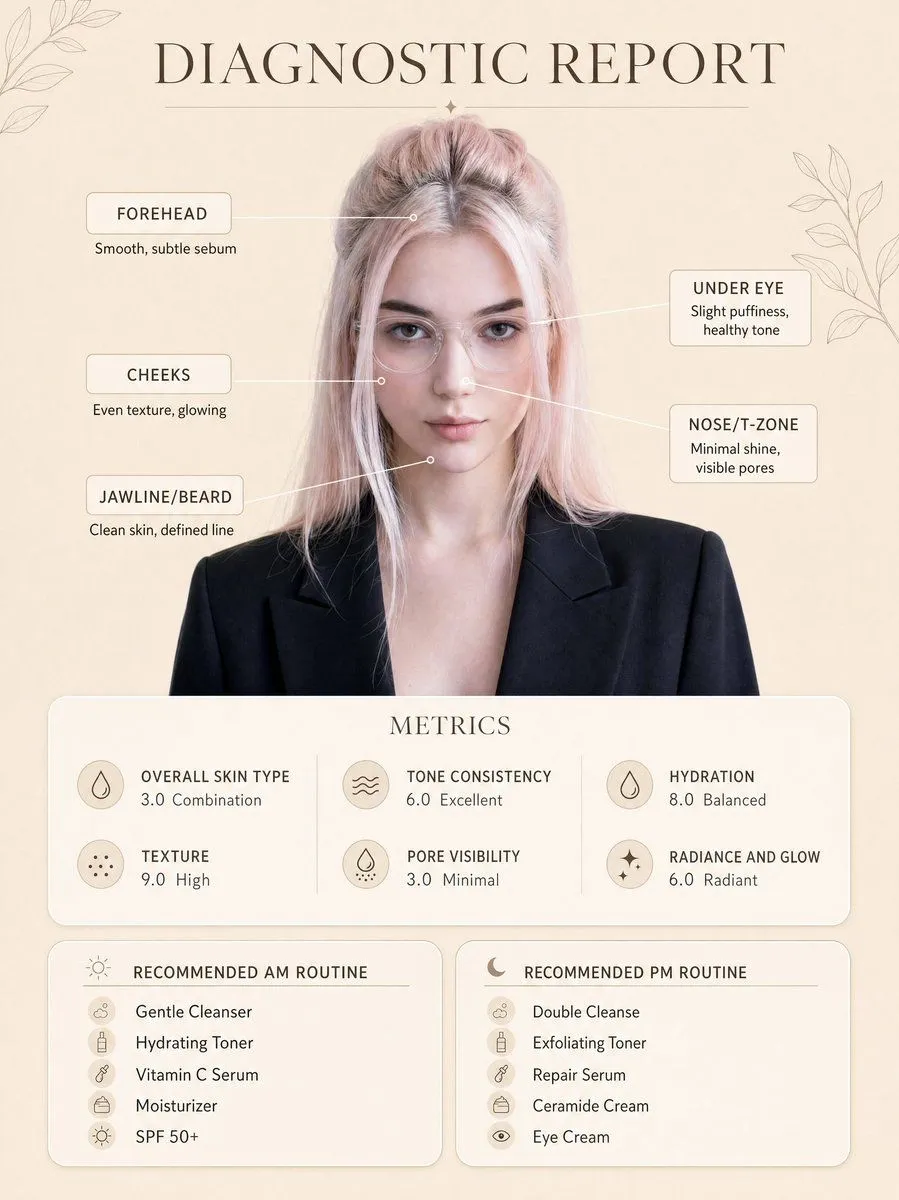
Skincare Diagnostic Infographic Poster
Create a clean, minimal skincare diagnostic report poster using my uploaded photo as the exact face reference, preserving my real facial features, proportions, and natural skin tone. The subject is centered in a professional portrait style, wearing a clothing, neutral expression, soft confident look. Background is a warm beige minimal aesthetic with subtle botanical line art decorations in corners. Add infographic-style facial markers with small circular points connected by thin lines to labeled skin analysis text: Forehead: Smooth, subtle sebum Under Eye: Slight puffiness, healthy tone Cheeks: Even texture, glowing Nose/T-zone: Minimal shine, visible pores Jawline/Beard: Clean skin, defined line At the top, include elegant serif title text: “title”. Below the portrait, add a rounded soft card labeled “METRICS” with clean modern typography showing: Overall Skin Type: skin_type Texture: 9.0 High Tone Consistency: 6.0 Excellent Pore Visibility: 3.0 Minimal Hydration: 8.0 Balanced Radiance and Glow: 6.0 Radiant At the bottom, create two rounded panels: Left panel title: “RECOMMENDED AM ROUTINE” Gentle Cleanser Hydrating Toner Vitamin C Serum Moisturizer SPF 50+ Right panel title: “RECOMMENDED PM ROUTINE” Double Cleanse Exfoliating Toner Repair Serum Ceramide Cream Eye Cream Style: ultra-clean dermatology infographic, soft neutral tones, premium skincare brand aesthetic, minimal shadows, soft diffused lighting, high resolution, sharp text clarity, perfectly aligned layout, balanced spacing, modern UI card design, realistic skin texture, no distortion. Ensure layout, typography placement, spacing, and composition exactly match the reference image, only replacing the face with my uploaded photo.