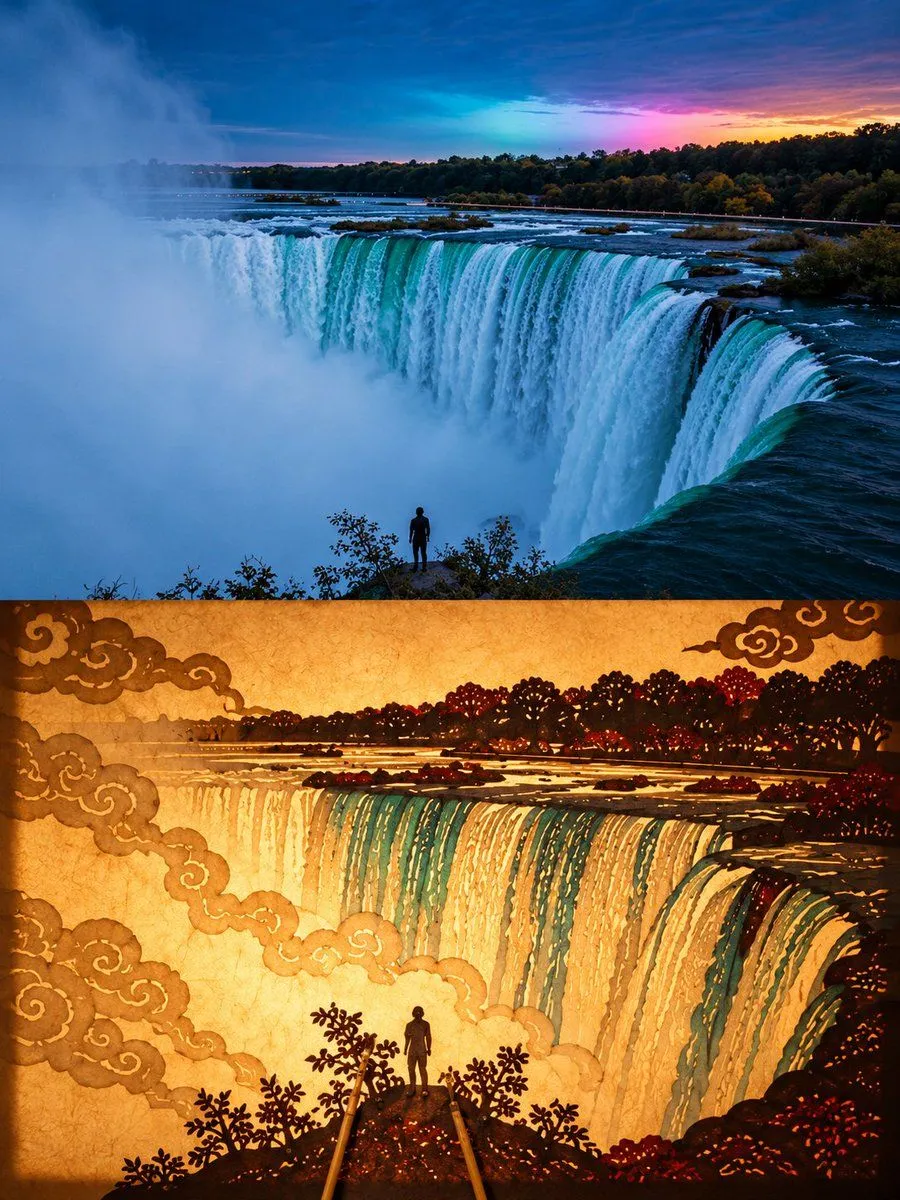
Shadow Puppet Art Poster
Create a premium 3:4 vertical shadow-puppet art poster from the uploaded photograph. COMPOSITION: Divide the canvas into two equal horizontal halves. TOP HALF: Preserve the original photograph’s subject, identity, pose, proportions, composition, textures, and natural lighting. Apply only subtle, refined color grading for an elegant fine-art exhibition aesthetic. Extend the background if necessary, without distorting the subject. BOTTOM HALF: Reinterpret the same subject as an authentic traditional Chinese shadow puppet, performing against warmly illuminated, translucent rice paper. Translate its defining silhouette, posture, and character into a flat, handcrafted leather-cutout figure with articulated joints, tiny connecting rivets, decorative perforations, intricate cloud motifs, and delicate geometric carvings. Use restrained translucent pigments inspired by traditional shadow-puppet craftsmanship. Add one or two slender bamboo control rods entering naturally from the bottom edge. Create realistic paper translucency, warm backlighting, subtle shadows, and exquisite handcrafted details. CREATIVE DIRECTION: The puppet must remain instantly recognizable as the original subject, whether it is a person, animal, building, plant, object, or landscape. Adapt the traditional shadow-puppet construction intelligently to the subject rather than forcing every image into a human-shaped figure. Make the transition between photography and traditional folk art visually meaningful, refined, and museum-worthy. Avoid photorealistic puppets, cartoon styling, excessive ornamentation, unrelated elements, distorted features, text, logos, and watermarks. FORMAT: 3:4 vertical, exact 50/50 horizontal split.