Sci-Fi Soldier Drone Battle Video Prompt
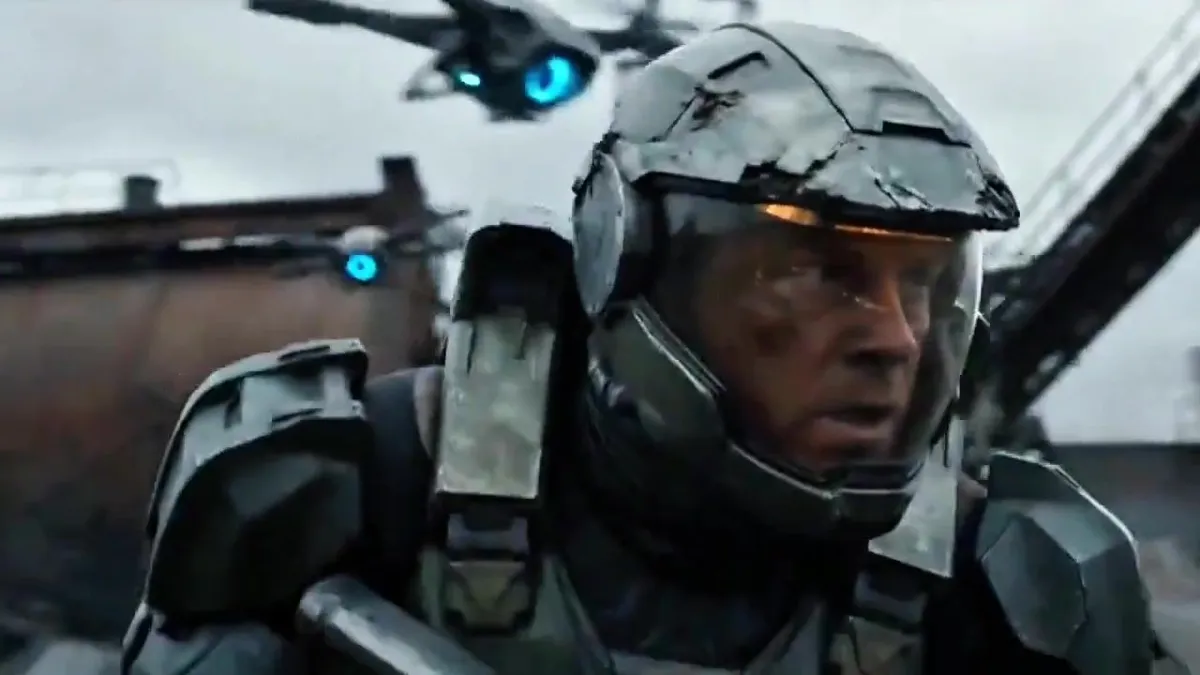
Ultra-realistic cinematic sci-fi war film, 15 seconds, 16:9, 60fps, handheld camera, desaturated gray-blue color grade, overcast sky, film grain. Keep the character from the reference image identical in every shot: same face, same weathered gray-green armor with clear visor helmet and glowing amber visor trim. Location: ruined industrial wasteland, rusted factory towers, smoking chimneys, scrap piles, small fires, puddles. Enemies: small hovering quad-drones with glowing blue eyes, one with a red eye. 0-2s: Close-up of the soldier's face behind the visor, tense, dirt on face, drones flying behind him. Camera slowly pushes in. 2-4s: Tight shot, he ducks and turns fast, armor shoulder fills the frame, red-eyed drone above. 4-6s: Low wide shot, he crouches behind a concrete barrier, explosion and smoke in the background, blue light glowing on his wrist. 6-8s: Side shot, he rises and fires a plasma rifle at a drone, sparks burst from the drone. 8-10s: Wide shot, a hit drone flips and spins away through the air, he stands in firing stance, more drones circling. 10-12s: Medium shot, he swings his arm with a glowing blue wrist gauntlet, then a close-up of the blue energy charging in his fist, face determined. 12-13s: Wide shot, blue energy dome shield erupts around him at the barrier, drones fly around. 13-15s: Camera slowly pulls back to a huge wide shot, tiny soldier in the center of the wrecked factory field, smoke and flames, drones in the sky. Negative prompt: face change, different character, armor change, cartoon, anime, CGI look, plastic skin, blur, low quality, distorted hands, extra limbs, deformed helmet, flicker, warping, text, watermark, logo, subtitles, oversaturated colors, bright daylight, morphing, inconsistent lighting