Realistic Smartphone Selfie Prompt
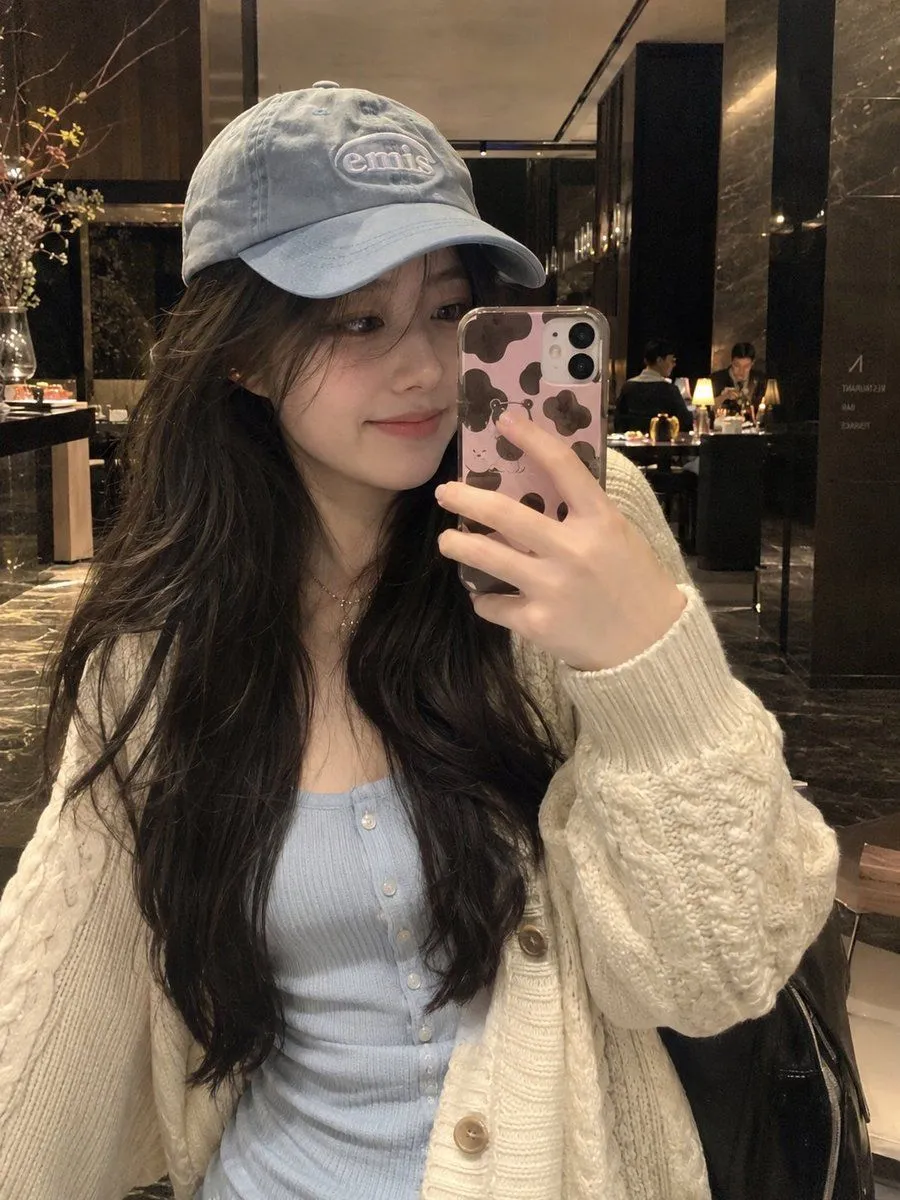
ULTRA-REALISTIC NATURAL SMARTPHONE SELFIE, vertical 3:4, a candid indoor mirror-style selfie of a young East Asian woman in a cozy upscale restaurant or hotel lounge. She has long, naturally wavy dark-brown hair falling over her shoulders and chest, soft wispy strands around her face, delicate youthful features, clear natural skin, subtle makeup, and a gentle closed-mouth smile while looking at her phone screen. She is wearing a light powder-blue ribbed fitted button-front top underneath a chunky cream-white cable-knit cardigan with large buttons and slightly oversized sleeves. A soft light-blue vintage-style baseball cap sits naturally on her head, with her hair flowing out from underneath it. She is holding a modern smartphone in front of her face at a natural selfie angle. The phone has a cute pink-and-brown cow-print protective case, clearly visible in the foreground. Her hand and fingers naturally grip the phone, with realistic skin texture and proportions. The background is a dimly lit elegant interior with dark walls, warm ambient lights, polished stone or wood surfaces, subtle decorative elements, and softly blurred people or furniture in the distance. Warm indoor lighting illuminates her face and cream cardigan while the background remains darker and atmospheric. Authentic personal smartphone selfie, slightly imperfect framing, natural lens distortion, realistic exposure, subtle softness, genuine skin pores, individual hair strands, realistic knit texture, natural hands and fingers, no excessive retouching, no beauty filter, no plastic skin, no CGI appearance, cozy lifestyle photography, warm realistic lighting, shallow natural depth of field, vertical 3:4 composition.