Realistic Mac Webcam Photo Edit
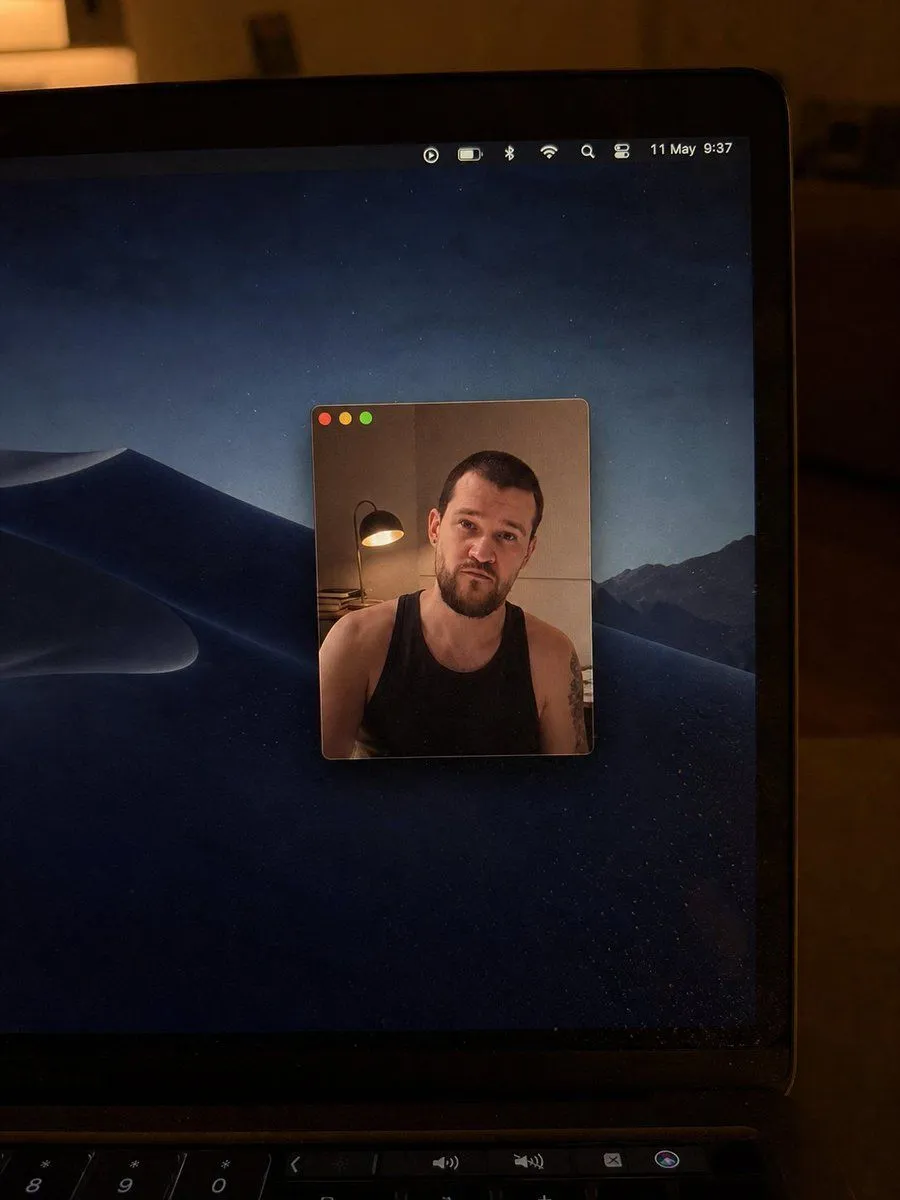
Using the provided reference image as the base, regenerate it as a cleaner, more realistic low-light phone photo of the same laptop screen. Keep the overall concept of a Mac desktop with a floating webcam window and the same anonymized square blur over the face, but change the scene as follows: crop in closer on the laptop so the right side of the screen and bezel dominate the frame, remove the bottom dock from view, and use a dark macOS desert-at-night wallpaper instead of the lake wallpaper. Make the webcam window much smaller and centered on the desktop, with only the three traffic-light buttons visible at the top left and no title text. Inside the webcam window, keep the same person as the subject but change the shirt to a shirt_style, show more shoulders/upper arms, and add a visible tattoo on the subject’s right upper arm. Reposition the desk lamp so it appears on the left side inside the webcam frame with warm light. Update the menu bar so it looks minimal and shows date_and_time. Preserve the candid handheld camera look, warm room lighting, laptop bezel, keyboard edge at the bottom, mild screen dust/reflections, and natural photo imperfections; avoid adding extra UI windows, dock icons, or sharp studio-clean rendering.