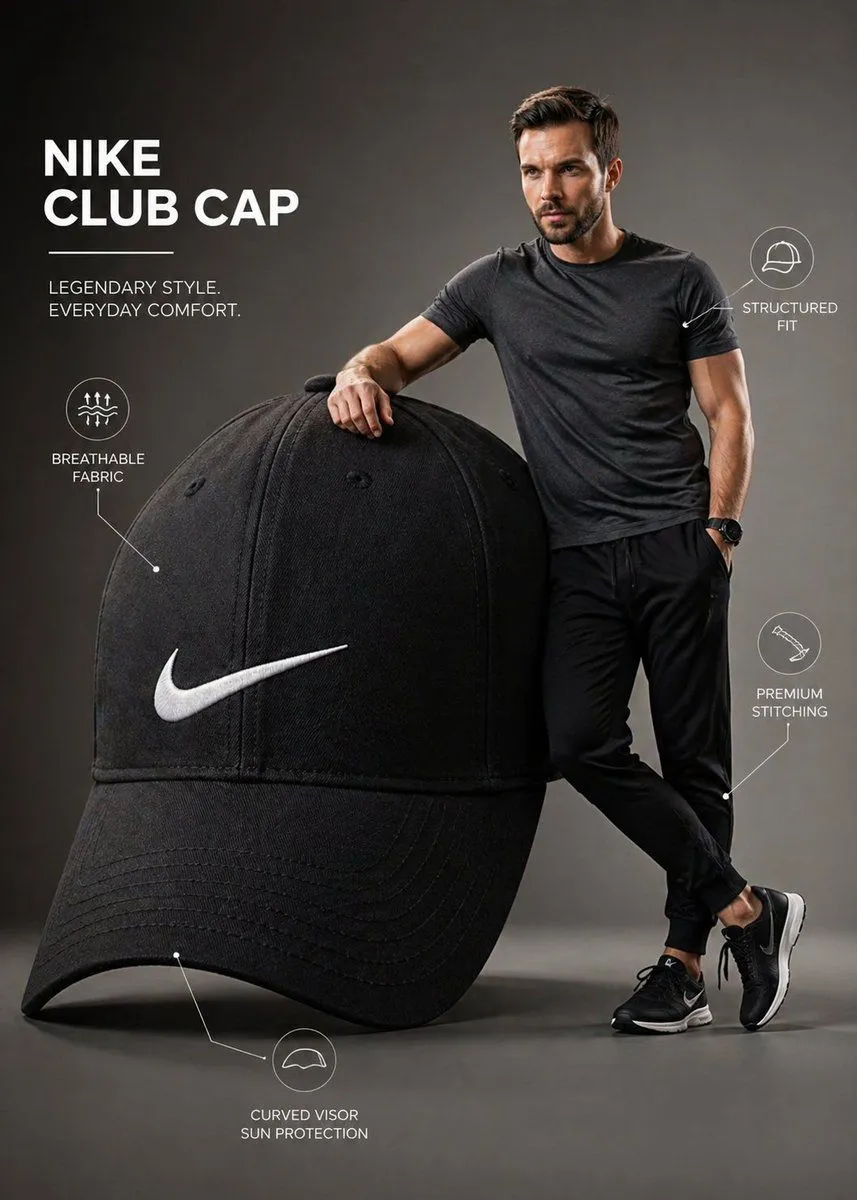
Premium Brand Infographic with Male Model
A premium infographic-style visual featuring a subject standing confidently beside an oversized brand product. The cap is scaled dramatically large, almost equal to the height of the man, creating a bold, surreal product emphasis. The man stands naturally next to it, lightly holding or adjusting the cap, interacting with it in a relaxed, stylish way. His face must closely match the provided reference image, accurate facial structure, skin tone, hairstyle, and expression, sharp, realistic, and visually appealing. The Nike cap is ultra-detailed with crisp stitching, visible fabric texture, clean seams, and a sharp, properly proportioned Nike swoosh logo. Subtle wear realism and premium material finish. Composition is modern and minimal, set in a clean studio or soft gradient background. Include subtle infographic-style elements like thin annotation lines or minimal callouts highlighting features such as “breathable fabric,” “structured fit,” or “premium stitching,” keeping everything elegant and uncluttered. Lighting is soft studio lighting with controlled highlights and shadows, giving a polished commercial look. The model wears minimal, contemporary streetwear that complements the cap’s color palette. Color grading is crisp and slightly vibrant, with a professional advertising aesthetic. Balanced composition, sharp focus, slight depth of field for realism. Style: high-end product infographic, fashion advertisement, clean UI-inspired annotations Resolution: ultra high resolution, 4K, highly detailed, photorealistic Optional boosters: 85mm lens, f/2.8 commercial fashion shoot no distortion, accurate proportions clean typography, modern layout