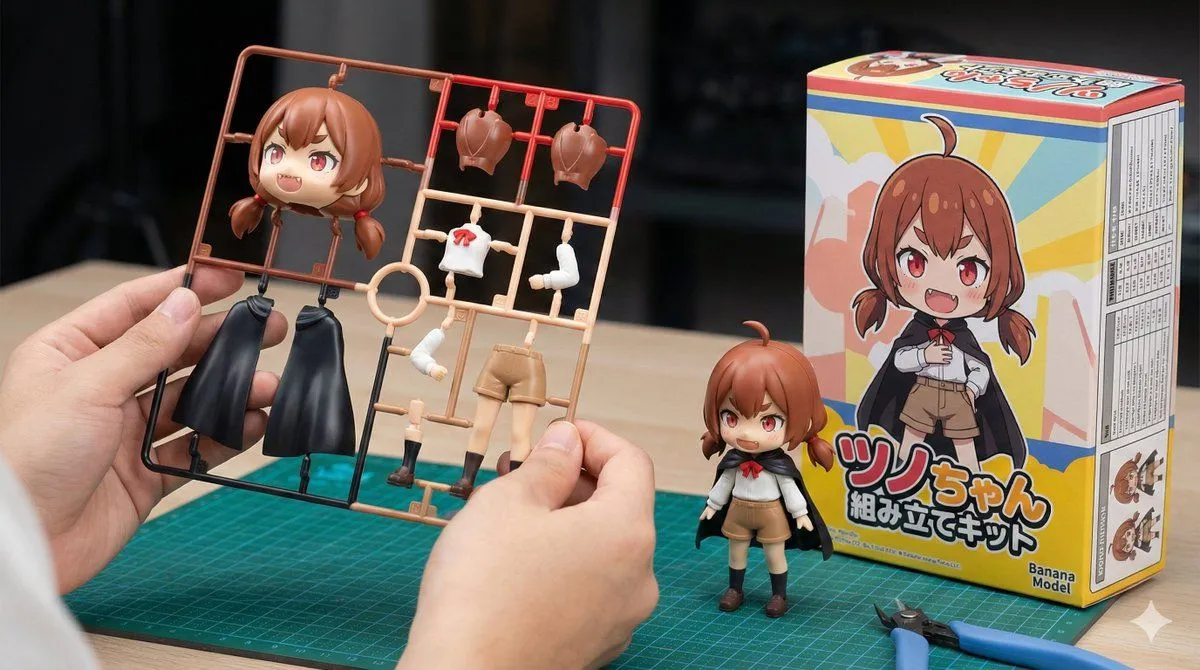
Plastic Model Kit Generation Prompt
[Character Setting Section] 1. Character Appearance Details: (Enter the characteristics of the original character here. Example: A magical girl with long blonde hair and a blue dress) character_details 2. Text to Display on the Package: (Enter the title you want written on the box in English or Roman letters here. Example: MAGIC GIRL) package_title [Fixed Section] Image Style: Vivid, photorealistic product introduction photo for hobby products. Horizontal (16:9). Main Subject (Hand): In the center foreground of the image, a human hand is holding up the plastic model 'runner (frame)' toward the camera. Important Shape Instruction: The parts on the runner are **deformed into a cute mini-character (SD style/chibi character) with two heads high** based on the specified "Character Appearance Details". The head part is large and rounded. **Only one head part** is placed. Do not show multiple face parts or spare heads. That single head part is large and clearly represents the character's features. Important Color Instruction: The runner parts are not monochromatic gray, but are **"multi-colored"**. The plastic parts themselves are pre-colored red, blue, skin tone, white, etc., according to the character's color settings (to look like a specification that can be completed just by assembly). Background (Work Desk): Behind the hand on the desk, the following two items are placed: Completed Product: A completed figure assembled in the same "mini-character" design as the runner is standing. Package Box: The box is placed next to the completed product at an angle where the "front" and "side" are visible. Front Design: Clearly display only the SD illustration of the specified character and the specified "Text to Display on the Package" as a large logo. Manufacturer Logo (Important): Clearly place a logo mark reading "Banana Model" on the bottom right of the box front. Do not display any other existing logos or unknown marks. Side Design (Important): The side of the box should be printed with a "specifications table" (a table with borders and a list of fine text) detailing the product's performance and values. Tools: Only two items are placed on the desk: a green **"cutting mat" and "nippers"** for plastic models. Overall Setting: The background is moderately blurred with depth of field, and the composition highlights the colorful runner parts in the hand and the box with the specified text.