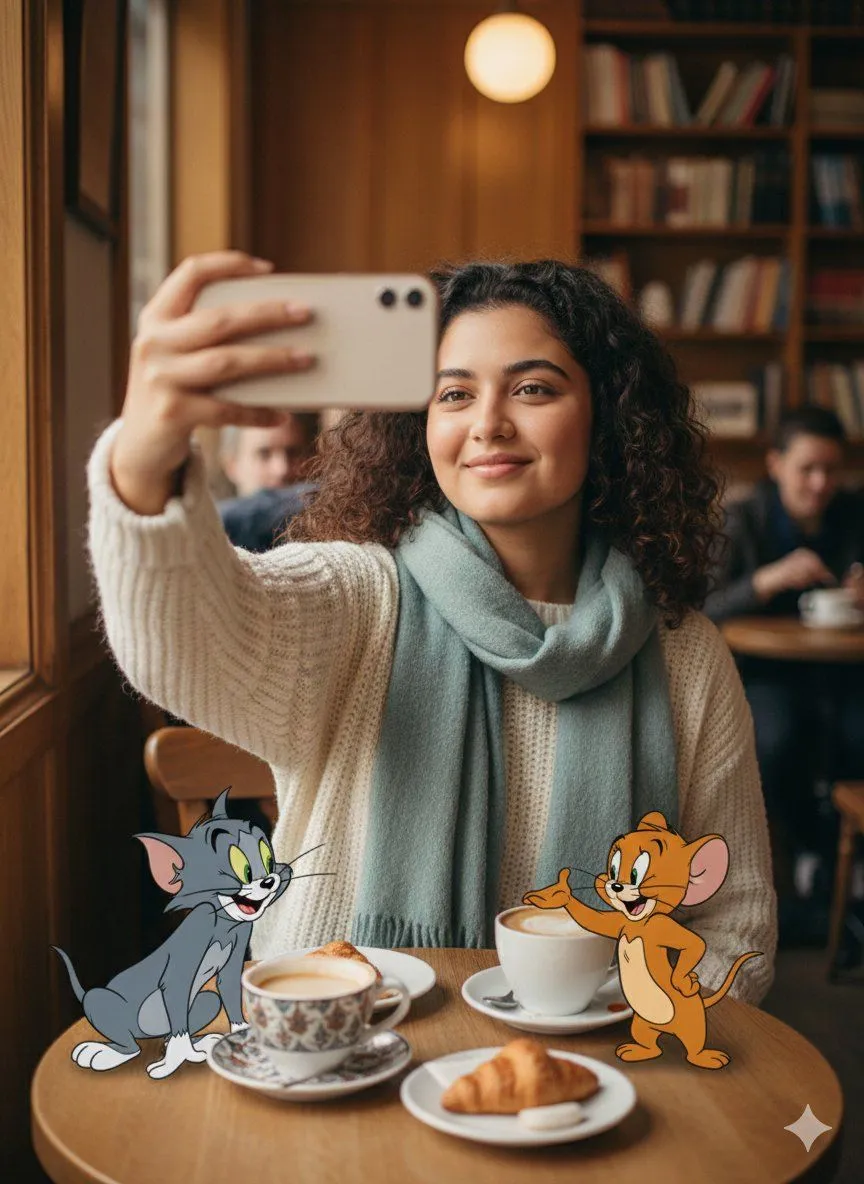
Photorealistic Selfie with Cartoon Crossover
"prompt": "Use the uploaded image strictly as a face and identity reference for the MAIN SUBJECT (works for both male or female). Preserve exact facial features, proportions, skin tone, hairstyle, and likeness with no alteration.\n\nCreate a photorealistic SELFIE-style scene at a cozy indoor café. The main subject is seated at a small wooden table, holding a smartphone slightly above eye level, warm natural smile, relaxed coffee-time vibe. Outfit is casual-chic—sweater or jacket, scarf optional, soft fabric textures.\n\nADD FAMOUS CARTOON CHARACTERS (clearly animated, NOT human, NOT realistic):\n\nOn the left, sitting on the table edge: cartoon_character_1 in classic cartoon style, playful grin.\n\nOn the right, standing near a coffee cup: cartoon_character_2 in classic cartoon style, cheerful expression.\n\nCartoon characters remain fully cartoon-styled (2D/3D animated look), correctly scaled, with soft matching shadows and believable light interaction—without becoming realistic.\n\nBackground: warm café interior with wooden décor, soft ambient lighting, coffee cups and pastries on the table, blurred patrons in the background for depth.\n\nSoft warm lighting, shallow depth of field, sharp focus on faces, cozy lifestyle aesthetic. Seamless blend between photorealistic main subject and animated cartoon characters.", "aspect_ratio": "4:5", "quality": "ultra_high", "style": "photorealistic selfie + cartoon crossover", "reference_image": "face_only", "next": "Create a rainy street umbrella selfie with the main subject and cartoon characters like Mickey Mouse and Donald Duck, maintaining photorealistic human with animated cartoon crossover style."