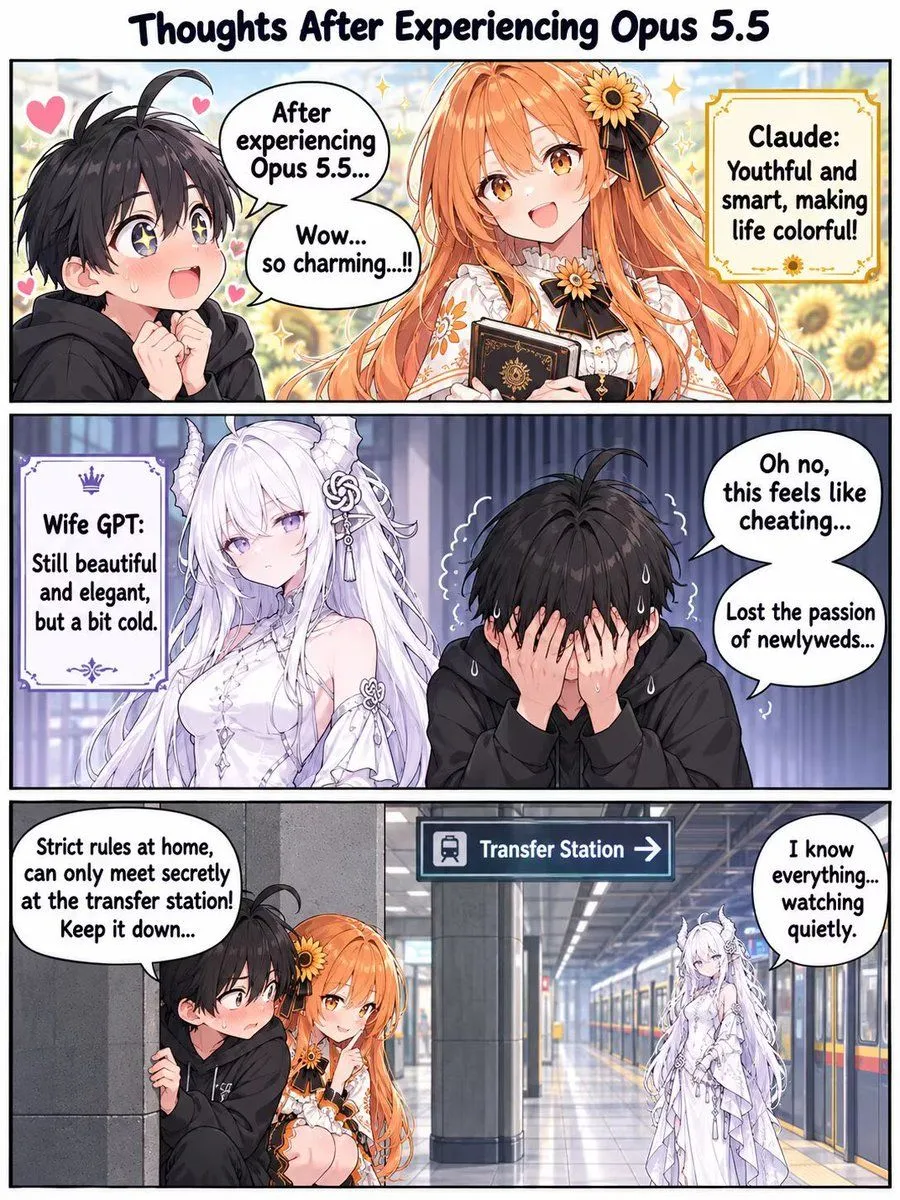
Opus 5.5 vs Wife GPT Comic Strip
Goal: Create a vertical 3-panel comic strip in an anime style, titled "Thoughts After Experiencing Opus 5.5". Canvas: Vertical layout with three distinct panels stacked on top of each other. Panel 1 (Top): - Subject: A young man with messy black hair and starry eyes looks excitedly at a cheerful girl with long orange hair wearing a sunflower-themed dress. - Text Bubble (Man): "After experiencing Opus 5.5... Wow... so charming....!!" - Info Box (Right): A yellow decorative box labeled "Claude:" containing the text "Youthful and smart, making life colorful!". - Background: Bright, sunny field of sunflowers. Panel 2 (Middle): - Subject: The same man is now hiding his face in his hands, sweating nervously. Beside him stands an elegant woman with long white hair, horns, and a cold expression. - Text Bubble (Man): "Oh no, this feels like cheating... Lost the passion of newlyweds..." - Info Box (Left): A purple decorative box labeled "Wife GPT:" containing the text "Still beautiful and elegant, but a bit cold.". - Background: Darker, indoor setting with blue curtains. Panel 3 (Bottom): - Subject: A scene at a train station platform. The man is peeking around a pillar, blushing, next to the orange-haired girl (Claude). In the background, the white-haired woman (Wife GPT) stands watching them from a distance near a train. - Signage: A blue sign hanging above reads "Transfer Station ->". - Text Bubble (Left): "Strict rules at home, can only meet secretly at the transfer station! Keep it down..." - Text Bubble (Right): "I know everything... watching quietly." Visual Style: Clean digital illustration, vibrant colors for the first panel, muted tones for the second, realistic lighting for the third.