NOVALITH SaaS Landing Page Hero
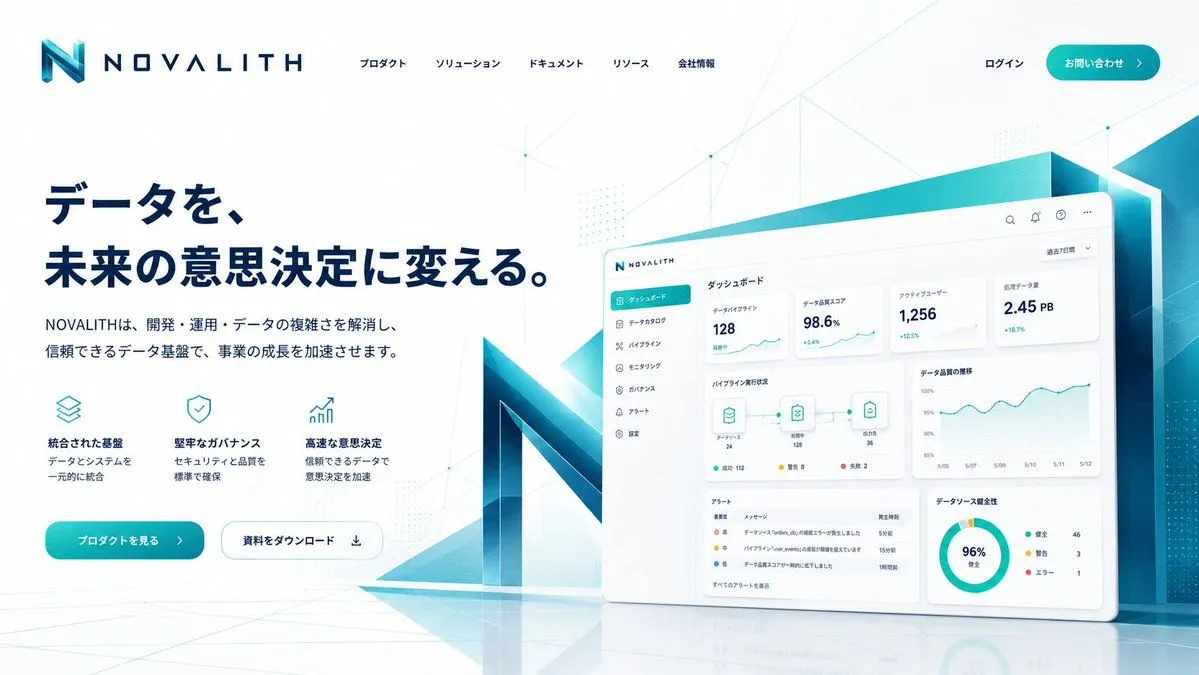
Goal: Create a polished fictional SaaS landing page hero for a data infrastructure and analytics platform named brand_name, in a premium Japanese B2B technology style. Canvas: Wide desktop web landing page, 16:9 aspect ratio, clean white background with pale cyan gradients, subtle network-line geometry, faint dot matrices, and glossy floor reflections. Use a futuristic corporate palette of deep navy, teal, cyan, and white. Header: Top-left logo with a large angular gradient cyan-to-navy “N” icon followed by spaced uppercase wordmark “NOVALITH”. Across the top center place exactly five Japanese navigation items: 「プロダクト」, 「ソリューション」, 「ドキュメント」, 「リソース」, 「会社情報」. Top-right has 「ログイン」 and a rounded teal CTA button labeled contact_button_text with a right arrow. Hero layout: Left side contains a large bold navy Japanese headline in two lines: headline_text. Under it place a smaller Japanese subheadline: subheadline_text Feature row: Beneath the subheadline show exactly three compact feature blocks, each with a thin teal line icon, bold Japanese title, and two-line description. The three blocks are: 1) stacked-layers icon, title 「統合された基盤」, description 「データとシステムを一元的に統合」; 2) shield-check icon, title 「堅牢なガバナンス」, description 「セキュリティと品質を標準で確保」; 3) rising chart arrow icon, title 「高速な意思決定」, description 「信頼できるデータで意思決定を加速」. Hero buttons: Below the feature row place exactly two rounded buttons: a filled teal primary button labeled primary_cta_text with a right arrow, and a white outlined secondary button labeled 「資料をダウンロード」 with a download icon. Right side visual: Create a large tilted floating dashboard panel with rounded corners, soft shadow, and a glossy white UI. Behind it place a monumental 3D translucent teal/navy “N” structure and angular cyan glass panels, extending off the right edge. The dashboard should show a sidebar, top utility icons, analytics cards, line charts, a pipeline diagram, an alert table, and a donut chart. Dashboard details: Include exactly six sidebar menu items: 「ダッシュボード」 highlighted in teal, 「データカタログ」, 「パイプライン」, 「モニタリング」, 「ガバナンス」, 「アラート」. Include exactly four top statistic cards with labels and values: 「データパイプライン」 128, 「データ品質スコア」 98.6%, 「アクティブユーザー」 1,256, 「処理データ量」 2.45 PB. Include exactly three nodes in the pipeline diagram connected by lines, an alert table with exactly four rows, and a donut chart labeled 96% with a three-item legend. Visual style: Crisp vector-like UI mixed with photorealistic 3D glass, airy spacing, premium startup landing page aesthetics, high readability, soft shadows, subtle cyan glow, accurate Japanese typography, no people, no clutter, no watermark.