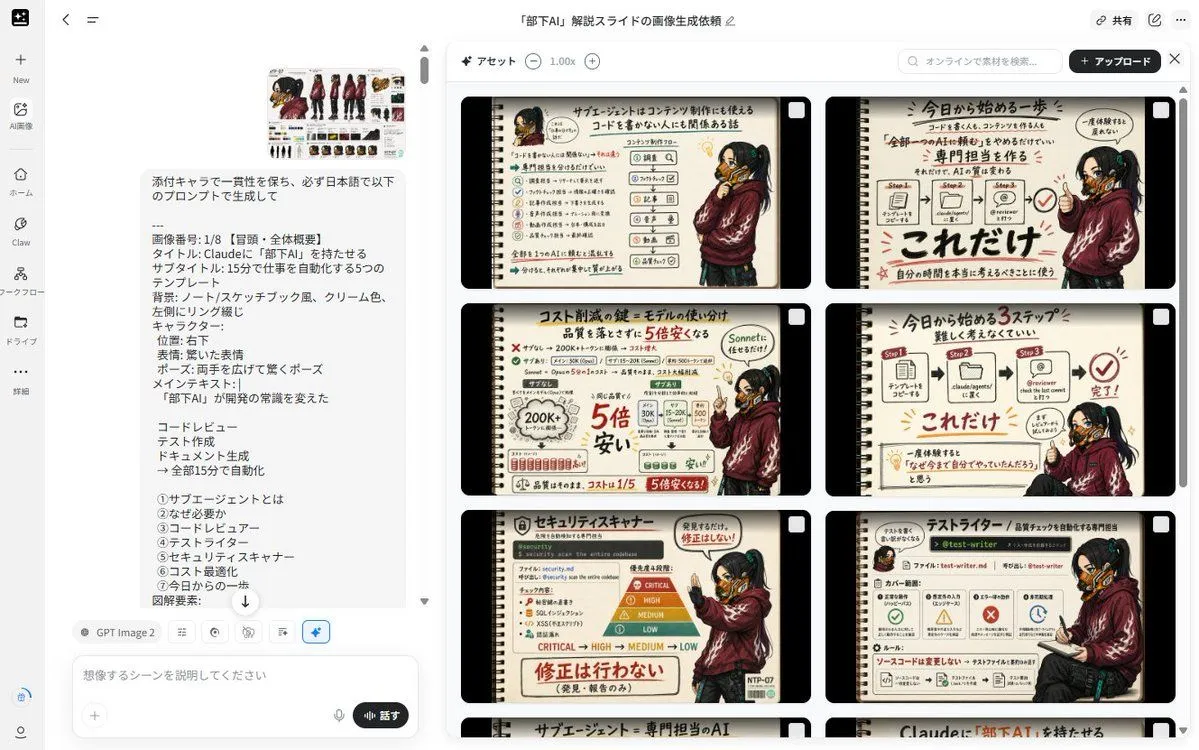
Notebook Slides With Reference Character
Using REFERENCE_0 as the character base, create a consistent set of exactly 8 Japanese educational slide images about topic. Keep the character design, outfit, mask, hairstyle, and cyberpunk details consistent with the reference, but redraw the character in new poses and expressions for each slide. Overall format: Each slide should look like a hand-drawn notebook/sketchbook page with a cream paper background, black rounded outer frame, left-side spiral binding, marker-style Japanese handwriting, red emphasis marks, arrows, check marks, small icons, and simple workflow diagrams. Use a warm analog note-taking style rather than a clean corporate deck. Maintain the same slide design language across all 8 images. Character placement: Place the character as a presenter/mascot on the right side or lower-right area of most slides. Vary the pose naturally: surprised with both hands open, pointing at diagrams, holding a clipboard, sitting while reviewing, making an OK/check gesture, or explaining with one raised finger. Preserve the reference character’s identity and clothing. Generate exactly these 8 slide topics: 1. Opening / overall overview: Title text headline_text; subtitle subtitle_text; main message: 「部下AI」が開発の常識を変えた; include the five automation examples: コードレビュー, テスト作成, ドキュメント生成, 全部15分で自動化, and a simple checklist-like layout. 2. What is a sub-agent: Explain 「サブエージェントとは」 as a reusable AI role or specialist assistant. Include small role cards and arrows showing a main Claude agent delegating tasks. 3. Why it is needed: Explain 「なぜ必要か」 with a before/after comparison, emphasizing that repeatedly asking AI for the same tasks is inefficient and can be turned into templates. 4. Code reviewer: Title 「コードレビュー」; show a GitHub/code review style flow with files, comments, bugs, and a check mark. 5. Test writer: Title 「テストライター」; show a test-generation workflow with steps, file names, unit tests, and pass/fail style icons. 6. Security scanner: Title 「セキュリティスキャナー」; show risk levels CRITICAL, HIGH, MEDIUM, LOW and emphasize that the agent detects issues but does not automatically fix them. 7. Cost optimization: Title 「コスト削減の鍵:モデルの使い分け」; show a comparison that cheaper/smaller models can handle simple checks and that costs can become much cheaper, with bold red savings notes. 8. Start today / summary: Title 「今日から始める一歩」; show a simple 3-step process: create a template, place it in a Claude agents folder or workflow, ask for review/automation, then mark it complete with a big check. Text style: Use Japanese text throughout. Make headlines large and bold, with red underlines and handwritten annotations. Keep diagrams simple and readable. Use only the listed 8 slide topics and do not add extra slides. Constraints: Keep the same notebook layout, cream color palette, black border, left spiral binding, and consistent character identity across every image. Avoid photorealism, avoid 3D rendering, avoid watermarks, and do not change the character into a different person.