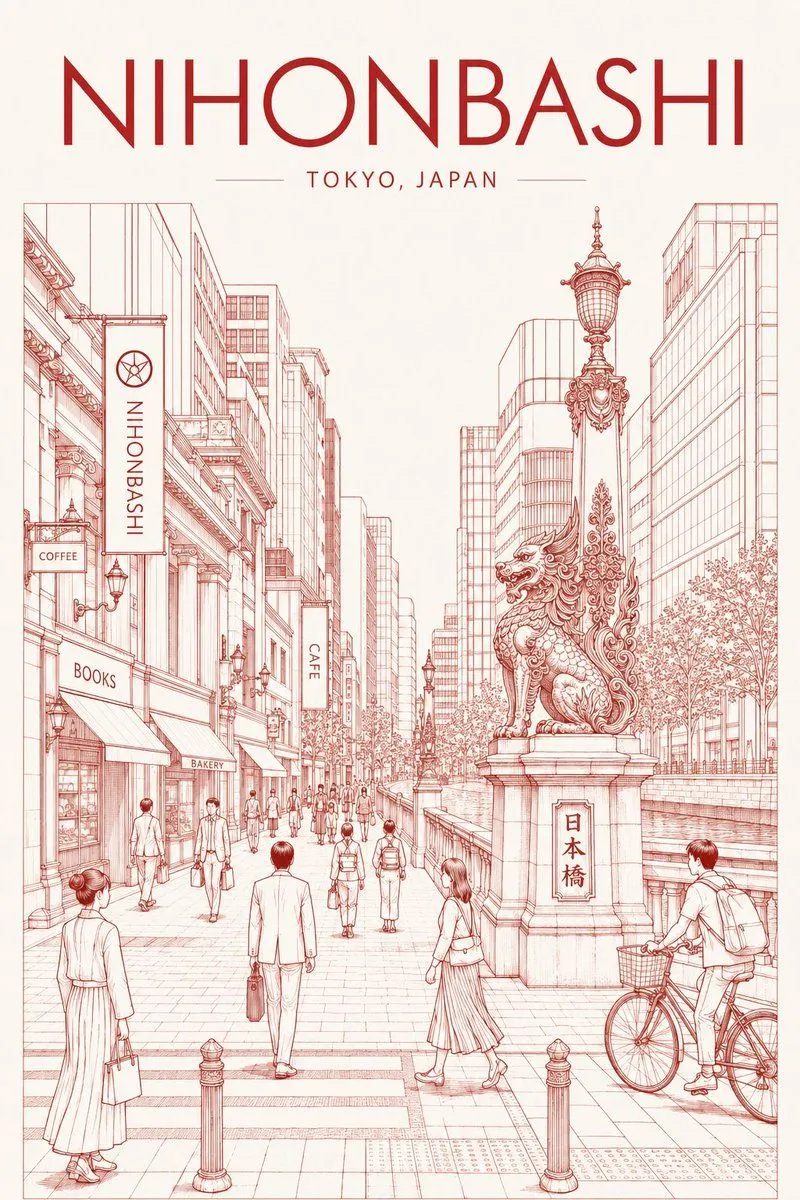
Nihonbashi Red Line Travel Poster
Create a vertical vintage travel poster illustration for destination_headline, with the subtitle location_subtitle centered beneath it in thin uppercase lettering, flanked by short horizontal rules. Use an elegant cream paper background and monochrome red ink line art, like a refined architectural pen-and-ink city guide poster with subtle manga-inspired human figures. The scene shows a wide pedestrian street in Nihonbashi, Tokyo, viewed in deep one-point perspective between tall modern and historic commercial buildings. On the right foreground, place the ornate Nihonbashi bridge guardian statue: a highly detailed seated winged kirin/lion-like creature on a stone pedestal beside a decorative streetlamp, with the pedestal plaque reading bridge_plaque_text. A canal or bridge railing runs behind it, with trees lining the water. The foreground includes a crosswalk, short bollards, tactile paving, and pedestrians walking in business and casual clothes; include a man with a bicycle at the right edge, a woman in a long skirt crossing near the statue, a suited man walking away in the center, and a woman holding a shopping bag at the left. The left side has storefronts and awnings in detailed perspective. Include exactly 7 visible text elements: the large top headline “NIHONBASHI”, the subtitle “TOKYO, JAPAN”, a vertical hanging banner reading “NIHONBASHI”, a small sign reading “COFFEE”, an awning reading “BOOKS”, a small awning reading “BAKERY”, and a vertical sign reading “CAFE”, plus the stone bridge plaque text “日本橋” if using the default. Keep all architecture, people, signs, trees, railings, lamps, and paving rendered as delicate red outlines with minimal shading, spacious white negative areas, crisp poster composition, and a calm sophisticated Tokyo travel atmosphere.