Neon Luxury Mirror Selfie
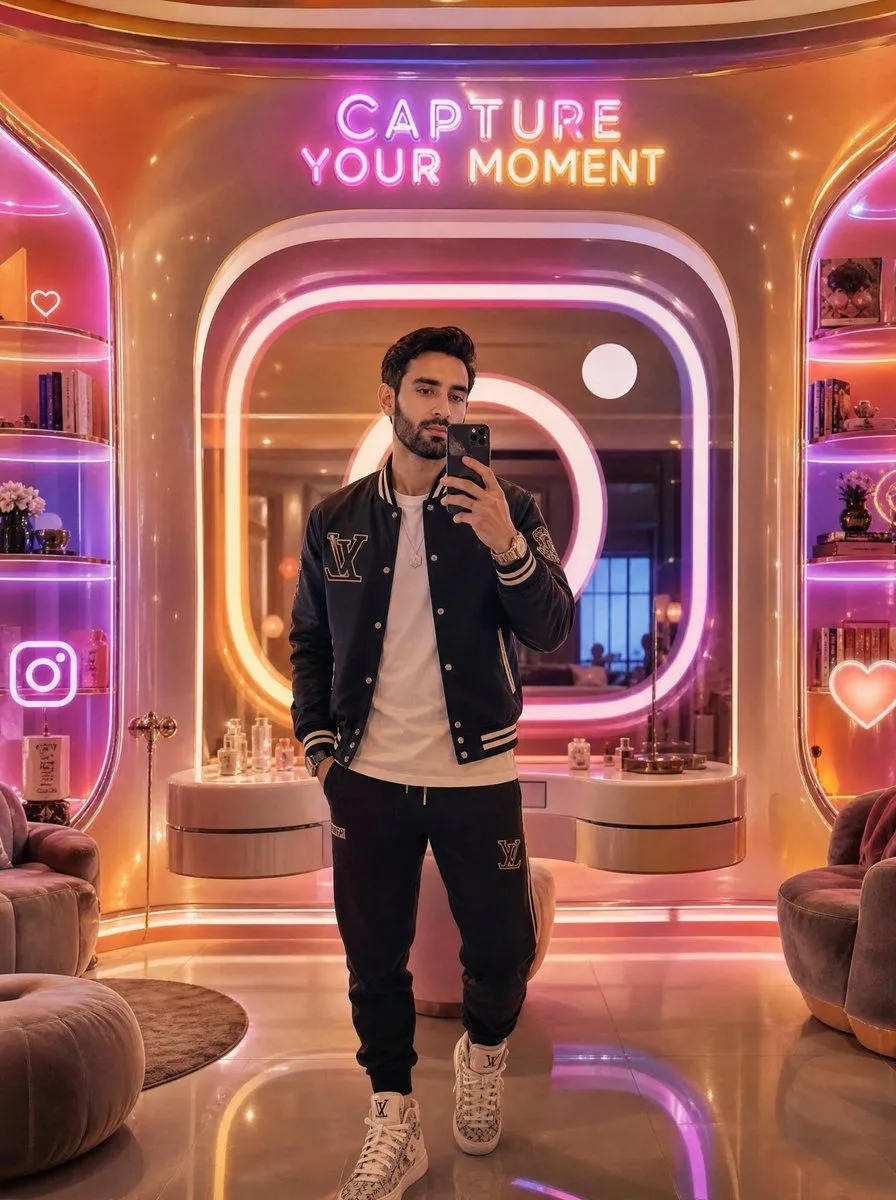
Create a vertical full-body mirror selfie of a stylish young man in a futuristic luxury selfie lounge. The subject stands centered, holding a black smartphone up to cover most of his face, with short dark wavy hair visible above the phone. He wears a black varsity jacket with cream striped cuffs and collar, a large LV-style monogram patch on the left chest, a plain white T-shirt, black jogger sweatpants with a matching LV-style patch, layered bracelets and a watch, and white high-top designer sneakers. The environment is a glossy warm gold and rose-pink interior with rounded retro-futuristic architecture, a large illuminated rounded-square mirror behind him, and neon lighting in pink, purple, orange, and white. Above the mirror, add a bright neon sign reading “CAPTURE YOUR MOMENT” in two lines. Include exactly 2 built-in display shelves, one on the left and one on the right, glowing with pink-purple edge lighting; fill them with books, perfume bottles, small flowers, decorative objects, and framed photos. Add exactly 3 visible neon social icons: a white outlined heart on the upper left shelf area, a large Instagram camera icon on the lower left, and a glowing heart icon on the lower right. Place plush rounded lounge chairs at both lower corners, a curved vanity counter behind the subject with perfume bottles and small decor, a glossy reflective floor, and soft bokeh sparkle highlights. Use cinematic photorealism, high-end influencer aesthetic, warm reflections, shallow depth of field, ultra-detailed materials, symmetrical composition, vertical 3:4 framing. Customize the outfit branding as fashion_monogram, the neon sign text as neon_sign_text, the jacket color as jacket_color, the lounge lighting palette as lighting_palette, and the phone color as phone_color.