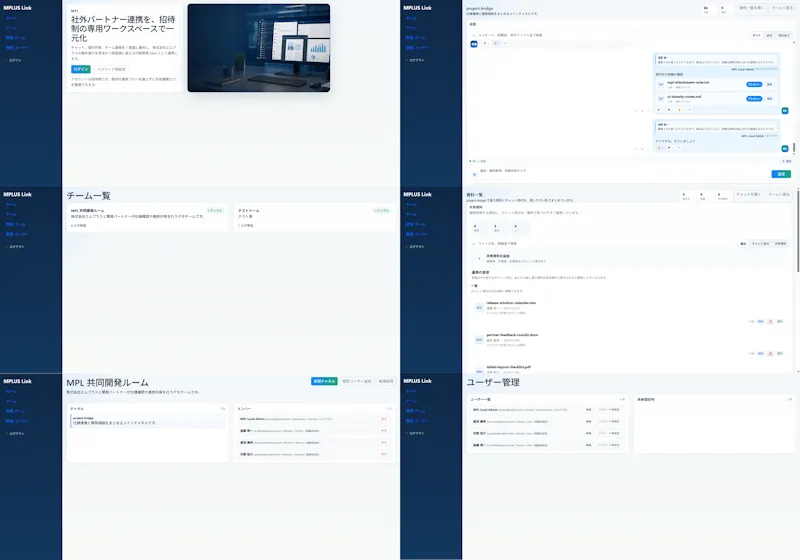
Modern MPLUS Link UI Redesign
Using REFERENCE_0 as the source UI, redesign the Teams-like internal/external collaboration system into a cleaner, more modern product mockup while preserving the MPLUS Link brand, the dark navy left sidebar navigation, and the overall set of app functions. Create a polished 2-column by 3-row presentation showing exactly 6 redesigned screens: 1) a welcome/login landing screen with a large hero card, Japanese headline headline_text, login tabs/buttons, and a realistic desktop-monitor hero image; 2) a project bridge chat screen with right-aligned chat cards, action chips, and a message composer; 3) a team list screen simplified into two clean team cards; 4) a materials/document list screen with upload controls, search/filter area, and file rows; 5) a shared collaboration room screen titled room_title with a project overview card and compact member/status list; 6) a user management screen titled admin_title with user rows and an empty detail panel. Make the new mockups much more spacious than the reference: fewer table rows, larger margins, softer dividers, pale blue-gray backgrounds, white rounded cards, subtle shadows, and small blue/green accent buttons. Keep the Japanese enterprise SaaS feel and dummy-data nature, but remove the dense micromanaged tables and replace them with simplified, presentable mock UI suitable for a design-improvement comparison. Use brand name brand_name in the sidebar, keep the sidebar consistent on every screen, and avoid adding unrelated features, watermarks, or decorative clutter.