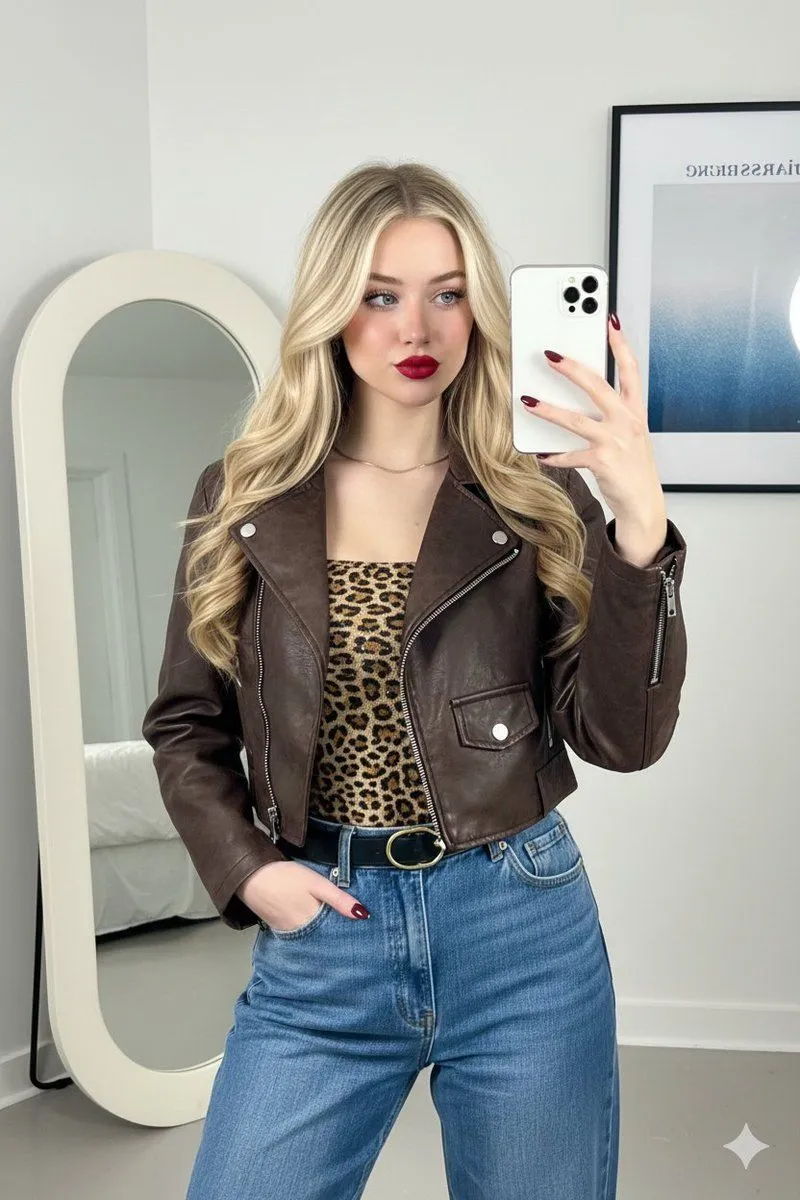
Mirror Selfie Fashion Prompt with Face Lock
Use the same face from the reference image without changing facial features "subject": "person": "A young woman with an oval face, olive skin tone, and long, dark voluminous blonde hair.", "expression": "Slightly smirked, confident expression with eyes looking toward the mirror reflection.", "makeup": "Bold red matte lipstick, defined eyebrows, soft warm-toned blush, and subtle mascara.", "pose": "Mirror selfie, one hand holding a white smartphone, the other hand tucked casually into a jeans pocket." , "outfit": "outerwear": "A cropped, distressed dark brown faux-leather or suede jacket with a stand-up collar and silver zipper details.", "top": "A fitted leopard-print tube top featuring subtle sequins or a shimmering texture.", "bottoms": "High-waisted, medium-wash blue denim jeans with a relaxed straight-leg fit.", "accessories": "A thin black leather belt with a gold oval buckle, a delicate gold chain necklace, and dark burgundy/maroon almond-shaped manicured nails." , "setting": "location": "Indoor minimalist room with white walls.", "decor": "A large, modern organic-shaped floor mirror with a thick cream-colored frame. Behind the subject is a framed vertical art poster with blue and white abstract gradients and text.", "lighting": "Soft, natural indoor lighting coming from the side, creating gentle shadows and highlighting the texture of the jacket." , "composition": "framing": "Vertical portrait, waist-up shot reflected in a mirror.", "aesthetic": "Contemporary fashion influencer style, street-style chic, clean and organized interior.", "color_palette": ["#4B3621 (Dark Brown)", "#C5A059 (Gold/Leopard)", "#7285A5 (Denim Blue)", "#FFFFFF (White)", "#800000 (Deep Red)"]