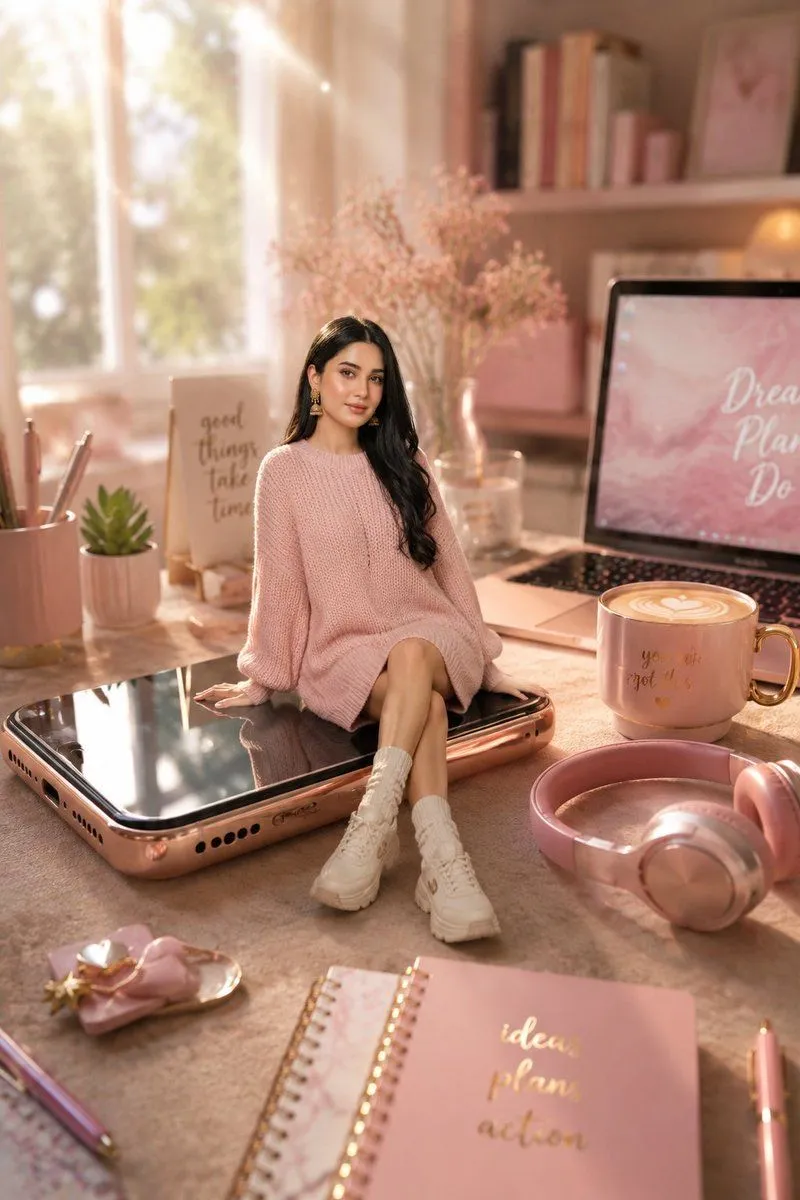
Miniature Girl on Giant Smartphone Desk
Create a warm, whimsical photorealistic miniature scene in a cozy pastel study workspace: a tiny cute young South Asian woman, character_name, sits on top of a giant modern smartphone lying flat on a desk, as if the phone is a glossy black platform. She has long wavy dark hair with a side part, delicate drop earrings, and wears an oversized chunky-knit sweater_color sweater dress, white socks, and chunky white sneakers; pose her seated casually with one leg crossed over the other and both hands resting beside her on the phone. Use a dreamy golden-hour aesthetic with sunlight streaming through a large window on the left, soft haze, bokeh, shallow depth of field, and a feminine pink-beige color palette. Surround her with exactly 11 visible workspace objects: 1 rose-gold giant smartphone, 1 open laptop on the right with a pink screen showing motivational script text, 1 pink coffee mug with latte art and a gold handle, 1 pair of pink over-ear headphones in the foreground right, 1 pink spiral notebook in the foreground with gold handwritten words “ideas plans action”, 1 pink pen, 1 pink pencil cup holding pens and pencils, 1 small succulent in a ribbed pot, 1 small desk sign reading “good things take time”, 1 glass vase of airy pale pink flowers behind the girl, and 1 small decorative tray with pastel accessories in the foreground left. Background details include soft shelves with books and pink decor, sheer curtains, and an elegant desk surface. Make the phone enormous relative to the miniature woman, preserve realistic shadows and reflections on the black screen, and keep the overall mood cozy, aesthetic, luxury, cute, and social-media-ready. Avoid extra people, extra text, logos, watermarks, or distorted anatomy.