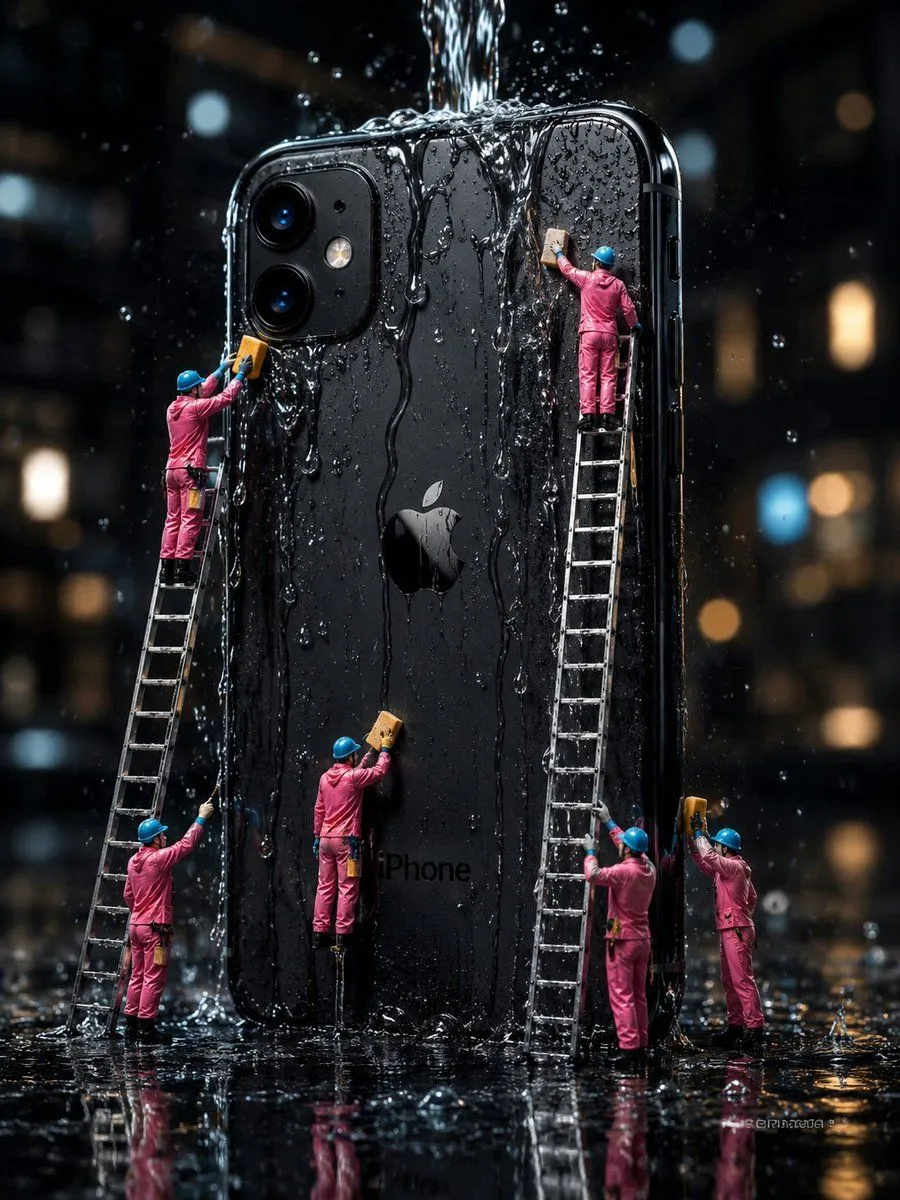
Mini Workers Washing Giant iPhone
Create a hyper-realistic cinematic macro photograph of a giant black phone_model standing upright in heavy rain at night, its glossy back facing the viewer with the Apple logo centered and dual rear cameras at the upper left. A strong stream of water pours from above onto the top edge, sending splashes, droplets, and vertical rivulets down the phone’s surface; the whole scene is wet, reflective, and dramatic. Show exactly six miniature maintenance workers in bright worker_uniform_color coveralls and blue hard hats cleaning the oversized phone with yellow sponges: one worker high on a leaning ladder at the upper left scrubbing near the camera module, one worker standing at the bottom left holding the same ladder and spraying or wiping water upward, one worker near the lower center standing on a small support and scrubbing the back of the phone, one worker high on a tall ladder at the upper right scrubbing under the falling water, one worker standing near the base of that tall ladder cleaning the lower right side, and one worker at the far right holding a sponge up to the phone edge. Include exactly two visible ladders: one slanted ladder on the left and one tall nearly vertical ladder on the right. The phone should be enormous compared with the workers, with rounded black edges, visible side buttons, glossy reflections, tiny water beads, and the faint word “iPhone” near the lower back. Set the scene on a black rain-soaked floor with mirror-like reflections of the workers, ladders, phone, water splashes, and warm city bokeh lights in the dark background. Use shallow depth of field, high contrast, sharp detailed water droplets, moody noir lighting, realistic scale-model photography, 3:4 vertical composition, no extra text, no watermark.