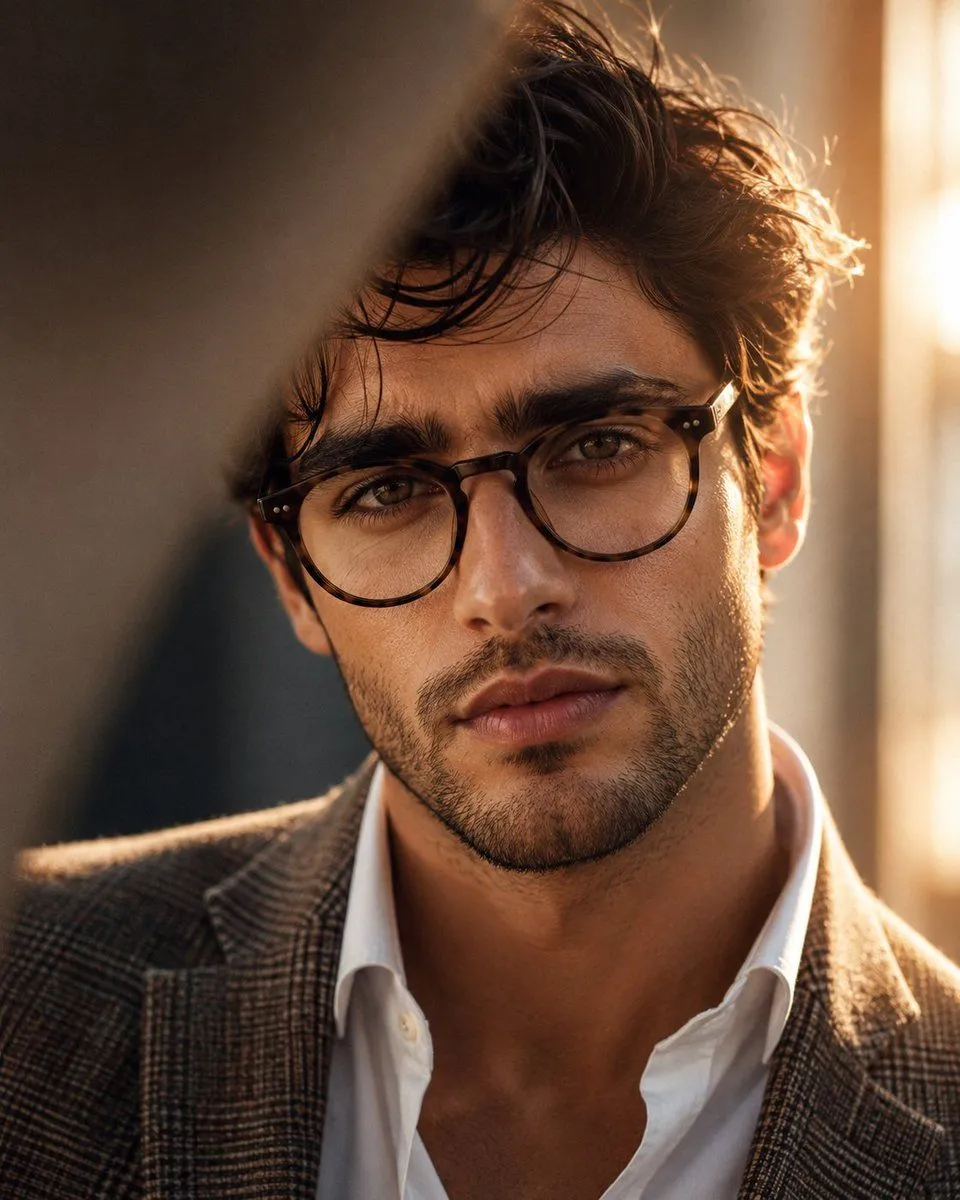
Masculine Close-up Editorial Portrait
Ultra-realistic cinematic editorial close-up portrait of a strikingly handsome subject, completely original character, inspired by the reference image’s composition, framing, lighting, and warm sophisticated atmosphere. He has a naturally attractive masculine face, thick slightly wavy dark-brown to jet-black hair styled casually with a few soft strands falling across his forehead, strong well-defined eyebrows, deep expressive eye_color eyes, a straight sculpted nose, prominent cheekbones, defined masculine jawline, subtle natural stubble, and well-shaped lips. He is wearing elegant eyewear, a crisp slightly open white dress shirt, and a refined blazer_style. His expression is calm, confident, and subtly intense, looking directly into the camera. Extreme close-up framing, face occupying most of the image, camera positioned at eye level, shallow depth of field, soft natural skin texture, realistic pores and fine facial hair, beautifully detailed eyes and glasses. A blurred foreground element partially crosses the upper-left portion of the frame, creating an intimate candid photography feel. Warm golden-hour sunlight streams from behind him on the right side, creating a soft glowing rim light around his hair and cheek, gentle highlights, natural shadows, and warm amber tones. Background is an elegant softly blurred indoor setting with creamy neutral colors and subtle bokeh. 85mm portrait lens, f/1.4, cinematic depth of field, natural warm color grading, soft diffused lighting, high dynamic range, photorealistic skin, luxury fashion editorial photography, sophisticated masculine aesthetic, subtle film grain, extremely detailed, 8K realism, no artificial-looking skin, no exaggerated features.