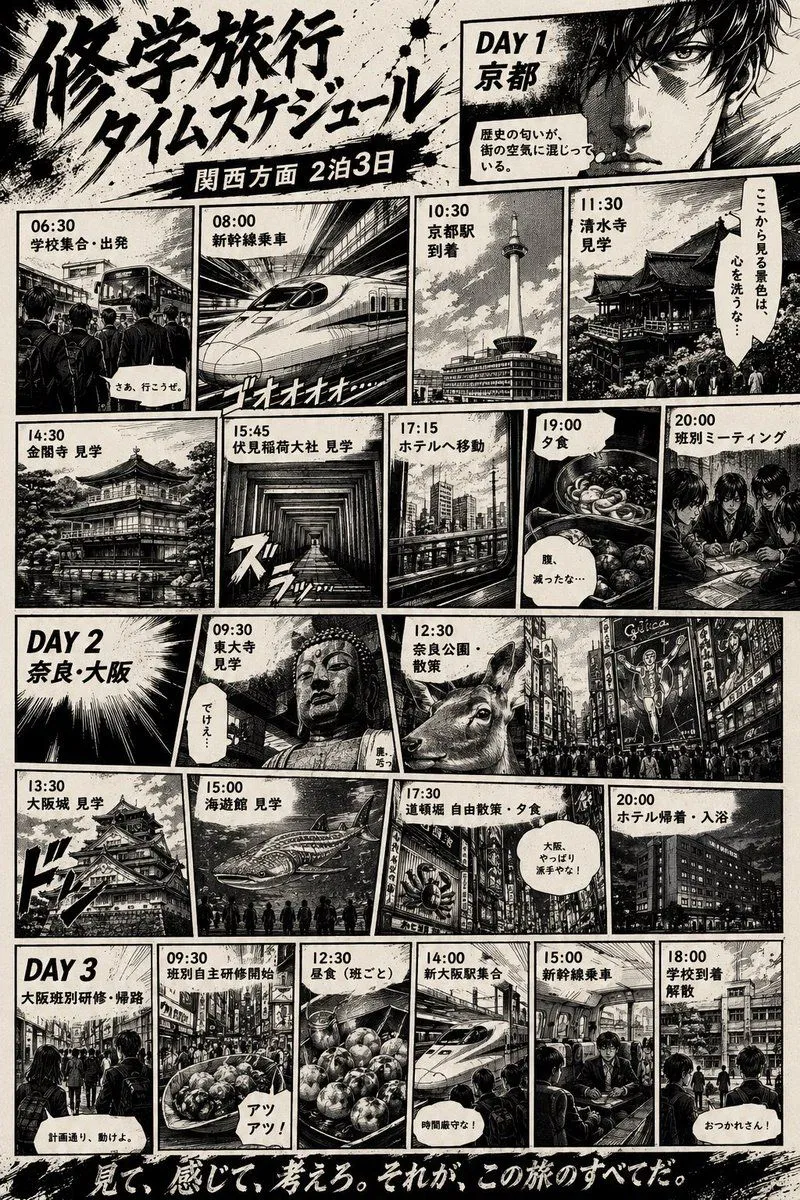
Manga School Trip Timetable
Using REFERENCE_0 as the source timetable, transform the plain printed school-trip schedule into a dramatic black-and-white Japanese manga page. Keep the same overall trip concept, the 3-day structure, and the main Japanese schedule information, but replace the formal table with an action-manga comic layout full of heavy ink, speed lines, halftone shading, rough paper texture, splatter effects, thick panel borders, and cinematic perspective. Use a large brush-calligraphy headline reading headline_text, with a dark subtitle ribbon reading subtitle_text. Add a gritty manga protagonist close-up in the top-right Day 1 area and convert the schedule into exactly 20 illustrated event panels plus 3 day-title cards: Day 1 has 9 event panels labeled 06:30 school gathering/departure, 08:00 bullet train boarding, 10:30 Kyoto Station arrival, 11:30 Kiyomizu-dera visit, 14:30 Kinkaku-ji visit, 15:45 Fushimi Inari Taisha visit, 17:15 hotel transfer, 19:00 dinner, 20:00 group meeting; Day 2 has 6 event panels labeled 09:30 Todai-ji visit, 12:30 Nara Park walk, 13:30 Osaka Castle visit, 15:00 aquarium visit, 17:30 Dotonbori free walk/dinner, 20:00 hotel return/bath; Day 3 has 5 event panels labeled 09:30 group independent study begins, 12:30 lunch by group, 14:00 Shin-Osaka meeting/roll call, 15:00 bullet train boarding, 18:00 school arrival/dismissal. For each panel, depict the corresponding location or activity with manga-style crowds, trains, temples, city streets, food, or hotel scenes instead of the original plain text rows. Include small Japanese speech bubbles and narration boxes for energy, while keeping the schedule labels legible. End with a bold handwritten bottom slogan reading bottom_slogan. Overall style: manga_style.