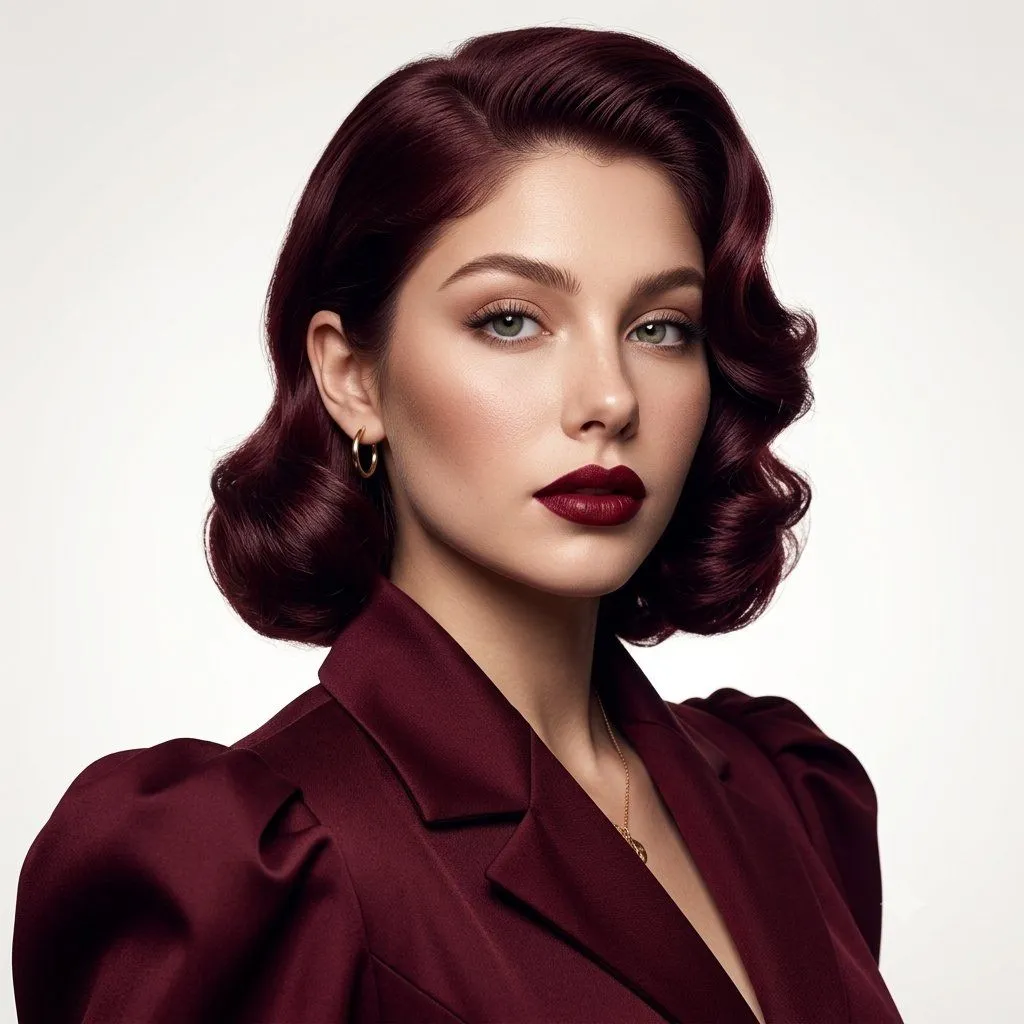
Luxury Fashion Editorial Portrait Prompt
Use the uploaded image as the exact visual reference. Recreate the same woman with maximum identity and composition consistency. A highly photorealistic luxury fashion editorial portrait of an elegant young adult woman with light green-gray eyes, refined facial features, sculpted cheekbones, natural warm fair skin, defined eyebrows, and full deep burgundy lips. Preserve the exact facial proportions and overall appearance from the reference. Her hair is deep burgundy/wine brown, styled in polished vintage Hollywood waves, with glossy sculpted curls framing both sides of her face. She wears a sophisticated deep burgundy tailored blazer with structured shoulders, wide lapels, and subtle puffed sleeves, paired with delicate gold hoop earrings and a thin gold necklace. Pose & composition: close-up fashion portrait, head and shoulders visible, body slightly angled, face turned toward the camera, confident calm expression, direct eye contact. Keep the same framing and proportions as the reference. Background: clean minimal warm-white/off-white studio backdrop. Lighting: soft luxury beauty lighting, gentle directional highlights on the face and hair, subtle natural shadows, dimensional skin, polished editorial atmosphere. Camera: professional 85mm portrait lens, shallow depth of field, sharp eyes, realistic skin pores, individual hair strands, physically accurate fabric texture, high dynamic range, premium fashion magazine photography, ultra-realistic, cinematic detail, 8K quality. Negative Prompt: distorted face, changed facial proportions, asymmetrical eyes, plastic skin, excessive retouching, blurry eyes, extra fingers, extra jewelry, text, logo, watermark, CGI appearance, artificial skin, oversaturated colors.