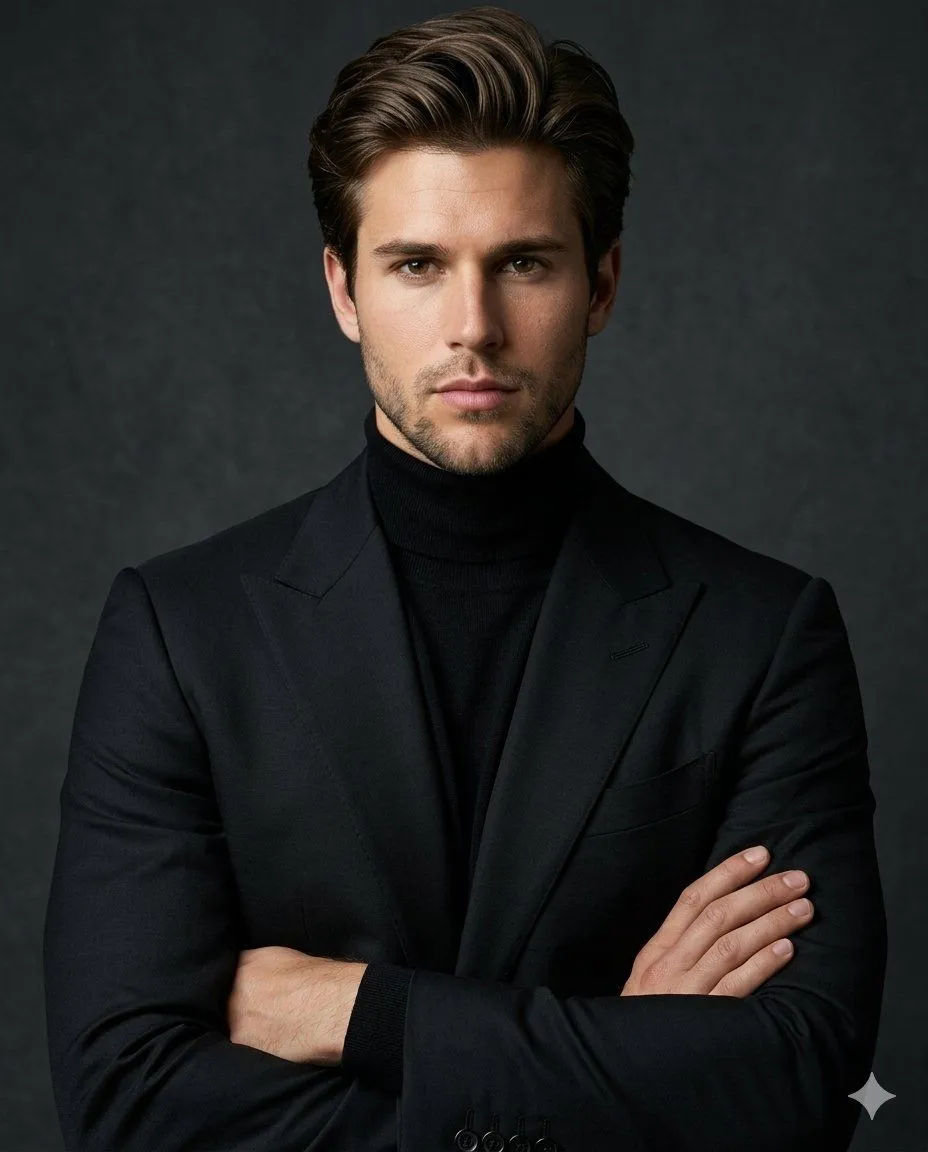
Luxury Editorial Identity Portrait
Create a luxury editorial portrait using the PROVIDED FACE as the exact identity reference. Preserve the person's facial features, skin tone, facial proportions, and overall likeness with maximum accuracy. Do not change the identity. The subject is wearing a perfectly tailored matte black blazer over a fitted black turtleneck, creating a monochromatic luxury look. Arms are crossed naturally across the chest with relaxed confidence. The expression is calm, serious, confident, and slightly intense, making direct eye contact with the camera. Camera framing is a chest-up portrait with perfectly centered composition and symmetrical balance. Shot on an 85mm lens at f/1.8 with shallow depth of field and premium fashion photography aesthetics. Lighting is soft cinematic studio lighting with a large diffused key light, subtle shadow falloff, gentle rim light separating the subject from the background, producing rich contrast and dimensionality. Ultra-realistic skin texture with high-end magazine quality retouching while maintaining natural pores and details. Background is a smooth dark charcoal-gray textured studio backdrop with subtle gradients and elegant minimalism, creating a timeless luxury aesthetic. Style: Tom Ford campaign, luxury menswear editorial, cinematic, photorealistic, hyper-realistic, ultra-detailed, premium color grading, HDR, 8K, Vogue-quality fashion photography, sophisticated, powerful, minimal, elegant. Negative Prompt: cartoon, illustration, CGI, AI-looking face, low quality, blurry, oversharpened, distorted anatomy, extra fingers, bad hands, asymmetrical eyes, duplicate limbs, exaggerated smile, text, watermark, logo, noise, artifacts, cheap lighting, unrealistic skin, overprocessed face, wide-angle distortion.