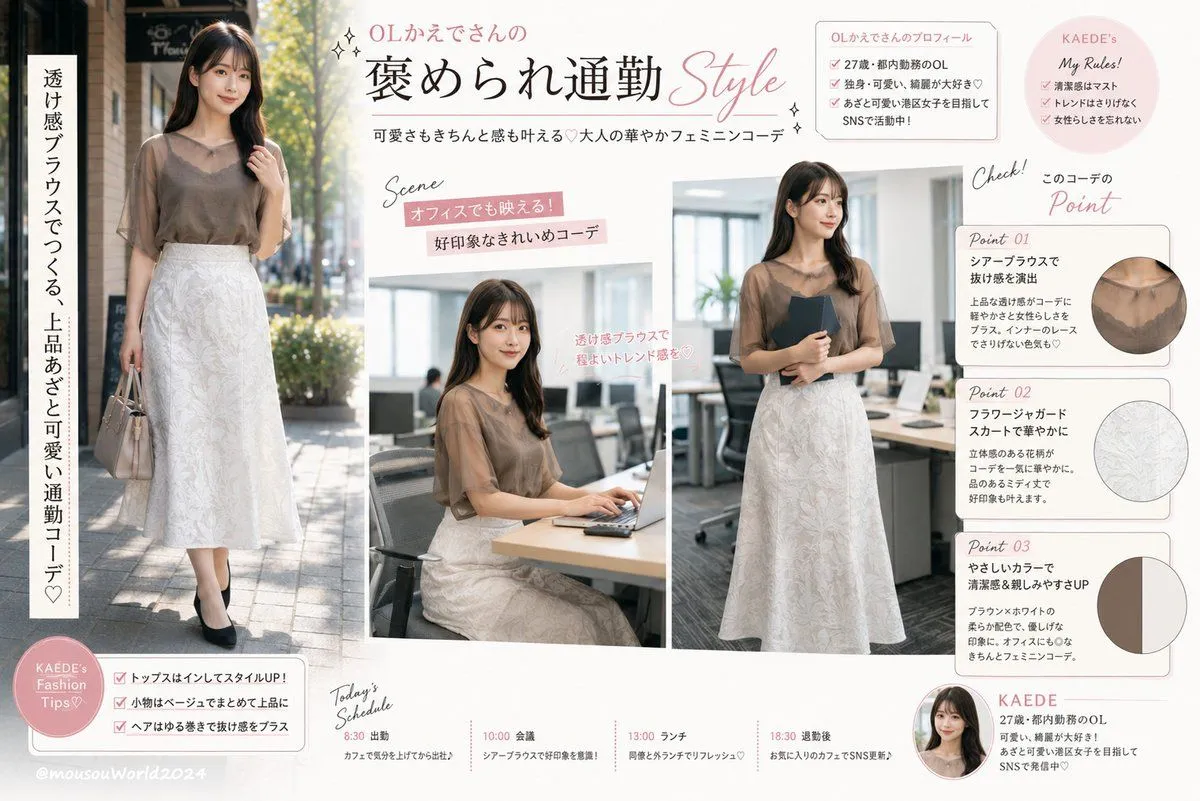
Japanese Office Outfit Magazine Spread
Using REFERENCE_0 as the outfit and model reference, transform it into a bright Japanese fashion-magazine outfit feature page for an office commute look. Keep the same sheer brown blouse and white floral jacquard skirt as the core styling, but rebuild the scene as a clean editorial collage on an off-white background with soft blush-pink accents, thin rounded boxes, handwritten-style English annotations, sparkles, and elegant Japanese typography. Create exactly 3 main photos of the same outfit: 1 full-body outdoor commuting shot on the left with a beige handbag and black pumps, 1 seated office-desk laptop scene in the center, and 1 standing office scene on the right holding a dark folder. Add the article title headline_text, the subtitle subtitle_text, and a vertical side catchphrase vertical_catchphrase. Include exactly 3 outfit detail cards on the right labeled Point 01, Point 02, and Point 03: Point 01 shows a circular close-up of the sheer blouse neckline, Point 02 shows a circular close-up of the white floral skirt texture, and Point 03 shows a circular two-color palette swatch for brown and off-white. Add exactly 2 small profile/rule sections near the top right: a profile box for character_name with profile_detail, and a pink circular 'My Rules!' note. Add exactly 1 pink circular 'Fashion Tips' badge at bottom left with 3 checklist items, and exactly 1 'Today's Schedule' timeline along the bottom with 4 entries: 8:30 出勤, 10:00 会議, 13:00 ランチ, 18:30 退勤後. Make it look like a polished Japanese web article thumbnail or social-media magazine spread, preserving the reference outfit while changing the background, poses, and layout into an informational fashion guide.