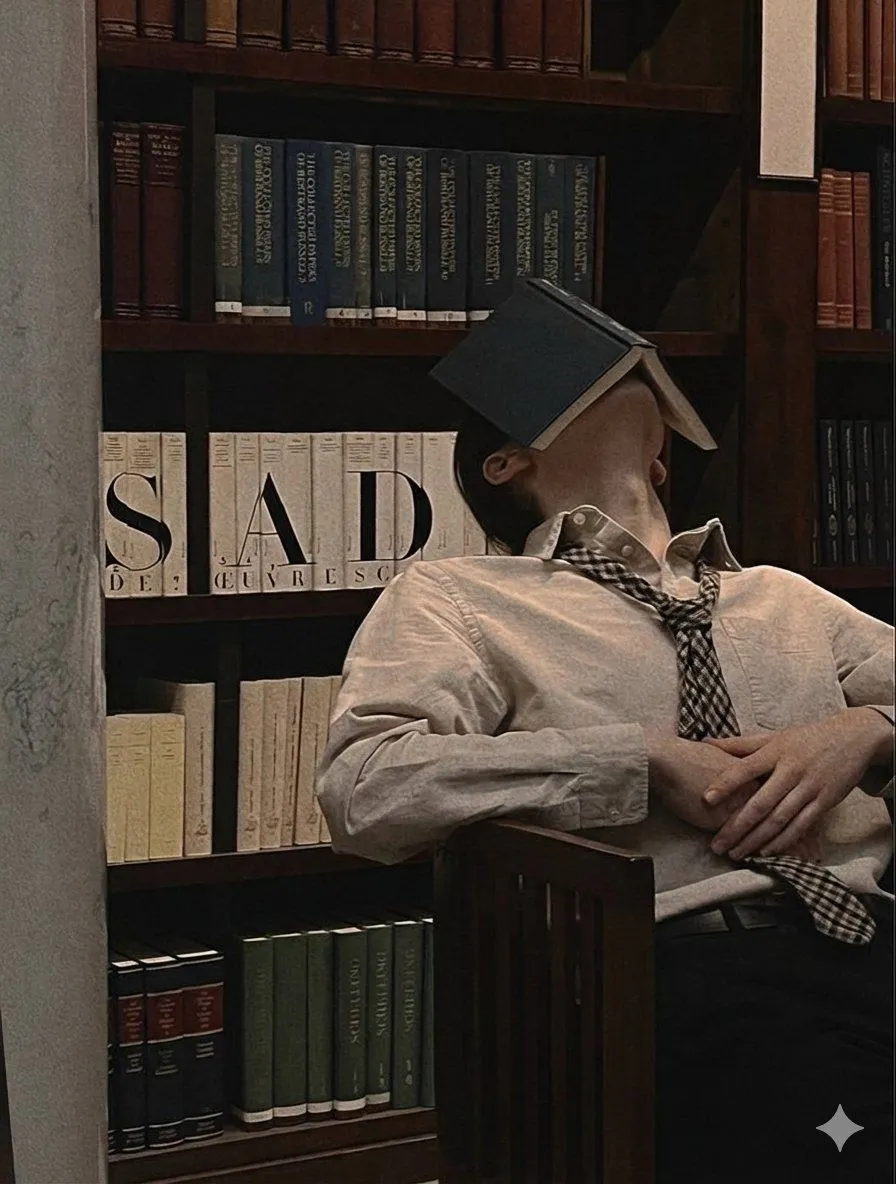
Introspective Indoor Portrait with Book Covering Face Prompt
"image_generation": "face": "visible": false, "description": "The person's face is fully covered by an open book resting over the head, no facial features visible." , "photo_style": "type": "cinematic indoor portrait", "camera_angle": "medium shot, slightly angled from the side", "lighting": "soft warm indoor light with gentle shadows", "mood": "quiet, calm, introspective, slightly surreal", "texture": "soft fabric texture, matte paper texture on books, warm wood grain", "focus": "sharp focus on the subject and bookshelf, subtle depth of field" , "subject": "count": 1, "gender": "A young man", "age": "18-21", "pose": "leaning back against a bookshelf with head tilted back, hands resting over the stomach", "action": "resting or dozing with an open book covering the face", "expression": "not visible", "hair": "visible": true, "style": "short to medium length, straight", "color": "dark brown or black" , "clothing": "top": "light beige or off-white button-up shirt", "bottom": "dark trousers", "accessories": [ "loosely worn patterned tie", "open book covering the face" ] , "composition": "framing": "subject centered slightly right, bookshelf filling the background", "balance": "subject contrasts with strong vertical and horizontal bookshelf lines", "crop": "mid torso to head visible" , "environment": "setting": "indoor library or study room", "background": "large wooden bookshelf filled with books arranged vertically", "objects": [ "hardcover books", "wooden bookshelf", "open book on subject's face" ], "atmosphere": "quiet, still, academic, cozy" , "aesthetic": "style": "moody editorial photography", "features": [ "warm color tones", "soft shadows", "library setting", "book as face cover", "calm introspective mood" ]