Handwritten Japanese Study Notes
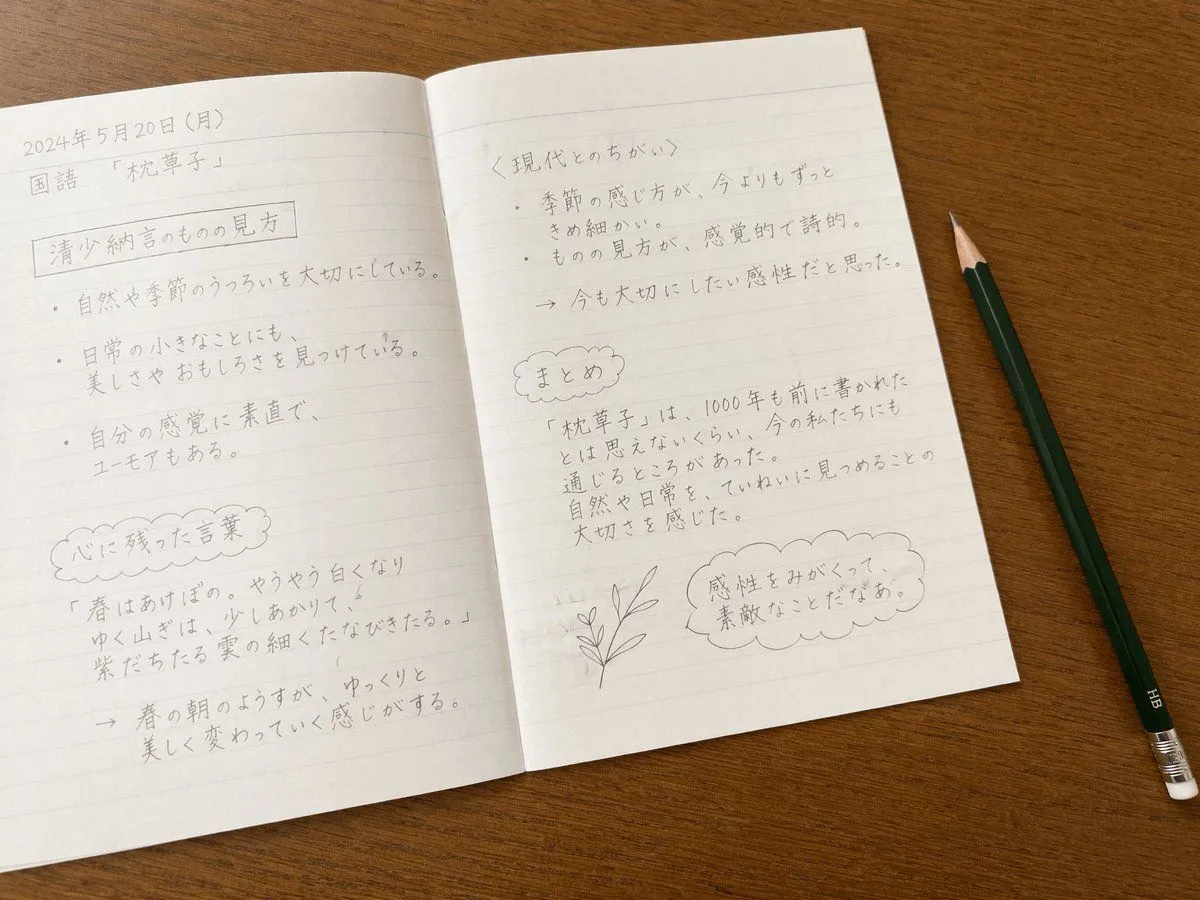
A top-down photorealistic image of an open lined notebook resting on a smooth wooden desk. A dark green HB pencil with a silver ferrule and white eraser lies diagonally on the desk to the right of the notebook. The notebook pages are filled with neat, handwritten text in pencil, resembling a student's study notes. On the left page, the top left corner reads date above subject. Below this is a rectangular boxed heading reading left_page_heading, followed by exactly three bulleted sentences: one about valuing the changes in nature and seasons, one about finding beauty and amusement in small everyday things, and one about being honest with one's senses while having a sense of humor. Further down is a cloud-shaped border containing a heading translated as 'Words that left an impression', followed by a famous classical quote about spring mornings and a brief explanation below it marked with an arrow. On the right page, the top section has the heading right_page_heading with exactly two bulleted points: one noting that the perception of seasons is much more delicate than today, and another stating that the perspective is sensory and poetic. This is followed by an arrow pointing to a concluding thought about wanting to cherish this sensibility. Below this is another cloud-shaped border containing a heading translated as 'Summary' and a short paragraph about how the 1000-year-old text still resonates today and the importance of carefully observing nature. At the bottom right of the page, there is a small, simple line drawing of a leafy plant stem next to a scalloped thought bubble containing the text final_thought. The lighting is soft and natural, highlighting the texture of the paper and the graphite pencil marks.