GPT Image 2.5 Manga App Review
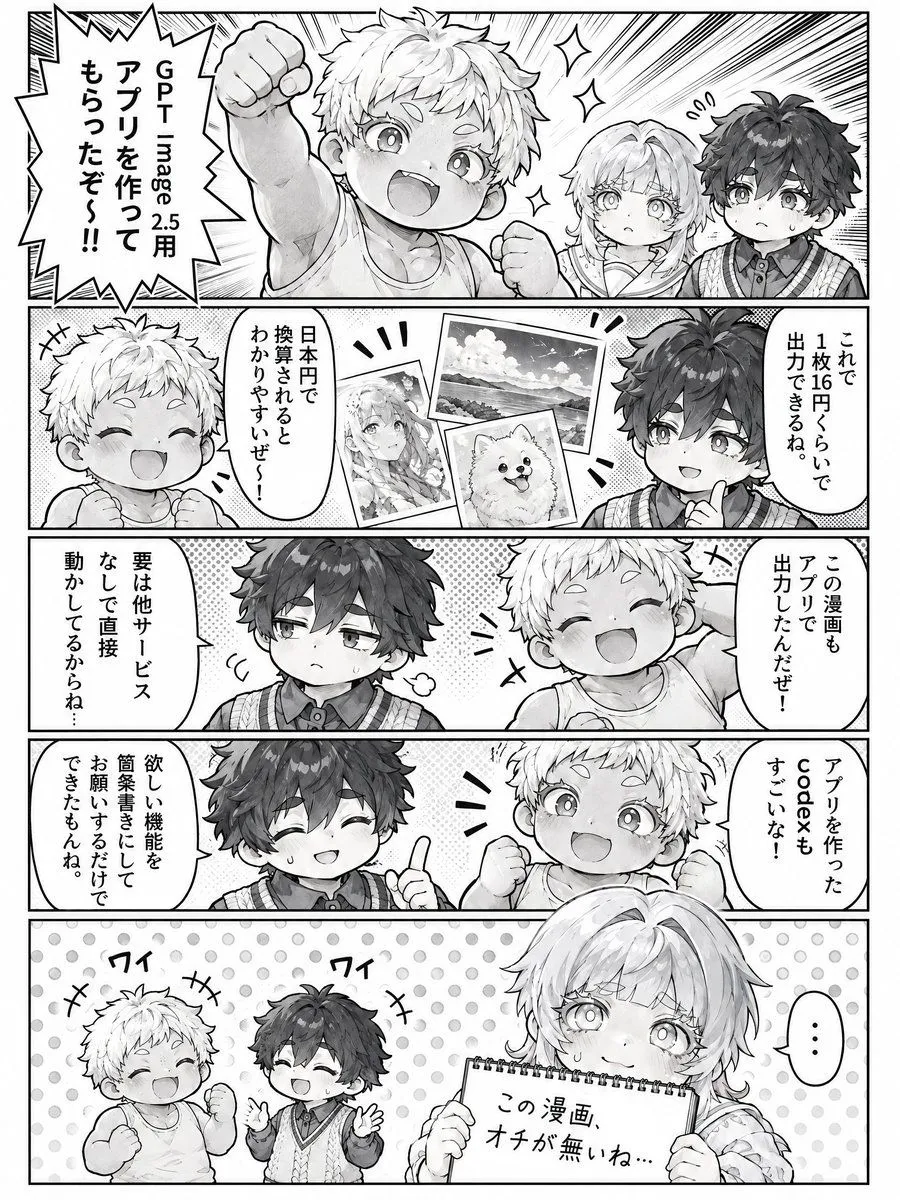
A vertical manga page in black and white featuring three characters: an energetic boy with spiky light hair, a calm boy with dark messy hair, and a girl with long light hair. The layout consists of five panels arranged vertically. Panel 1 (Top): Close-up of the energetic boy raising his fist triumphantly with speed lines behind him. He shouts "I got an app made for GPT Image 2.5!!". To his right, the girl and the dark-haired boy look on with neutral or slightly confused expressions. Panel 2: The energetic boy is smiling happily on the left. In the center, there are three floating polaroid-style images showing examples of AI art: a landscape, a portrait of a girl, and a fluffy dog. On the right, the dark-haired boy points a finger up and explains, "With this, you can output for about 16 yen per image. It's easy to understand when converted to Japanese yen." Panel 3: The dark-haired boy looks skeptical/sweating on the left, thinking "The main point is that it runs directly without other services...". On the right, the energetic boy smiles broadly with closed eyes, saying "This manga was also output from the app!" Panel 4: The dark-haired boy is on the left, looking impressed/smiling with a sweat drop, saying "Just by writing a simple description of the desired function, I could ask for it and get it done." On the right, the energetic boy gives a thumbs up and says "The code for making the app is amazing too!" Panel 5 (Bottom): The two boys are on the left, laughing heartily with their hands raised (labeled with sound effects 'Wai'). On the right, the girl holds up a spiral notebook with a deadpan expression. The text on the notebook reads: "This manga has no punchline..."