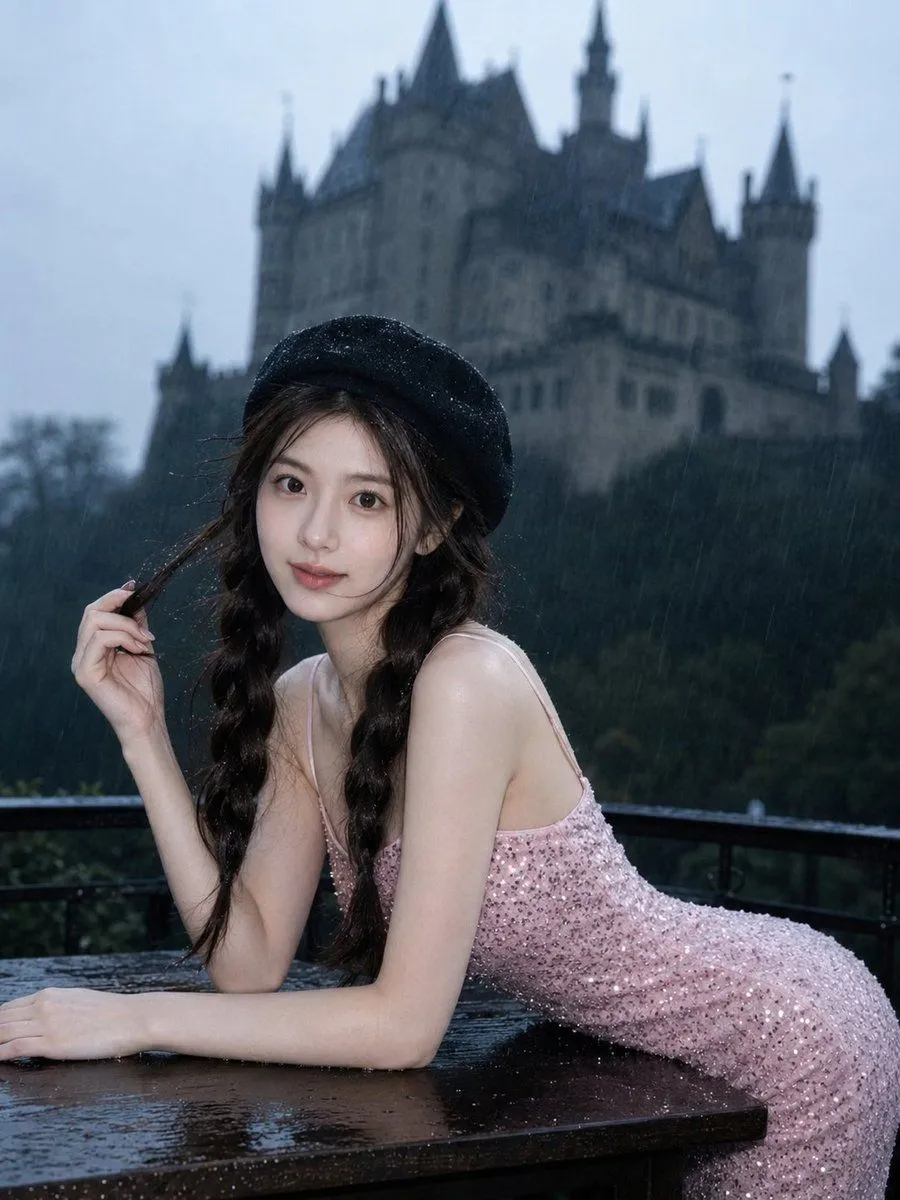
Gothic Rainy Castle Cinematic Portrait
Use only my uploaded portrait as the reference for my facial features, face shape, hairstyle, hair color, natural skin texture, and overall vibe. Do not copy the identity of the person in the reference image. All other visual elements should follow the reference photo: a setting in the background on a rainy day, cool cinematic color grading, a wet and moody atmosphere, the subject sitting beside a wooden terrace table, leaning slightly forward, with one hand naturally touching or lifting her hair, long hair softly blown by the wind, wearing a headwear and a dress, with delicate yet natural makeup. Visible rain, a blurred castle in the background, sharp focus on the subject, shallow depth of field, low-saturation blue-gray tones, and a cold, mysterious, romantic cinematic portrait mood. Keep my character highly realistic, with accurate facial features and no distortion. Skin should have natural texture, not overly airbrushed, with no plastic look, no anime look, and no influencer-style filter effect. The final image should look like a real high-quality cinematic portrait captured by a camera, with soft natural lighting and consistent environmental light on the face and body. The subject should feel naturally integrated into the scene, not pasted in. Clean and premium composition, with no text, no watermark, and no logo Negative Prompt: watermark, logo, text, AI generated mark, anime, cartoon, plastic skin, over-smoothed skin, doll face, fake face, face swap look, distorted face, bad eyes, bad hands, extra fingers, unnatural pose, low quality, blurry face, overexposed skin, unrealistic lighting, messy background, duplicated body, deformed body, cheap filter, heavy retouching