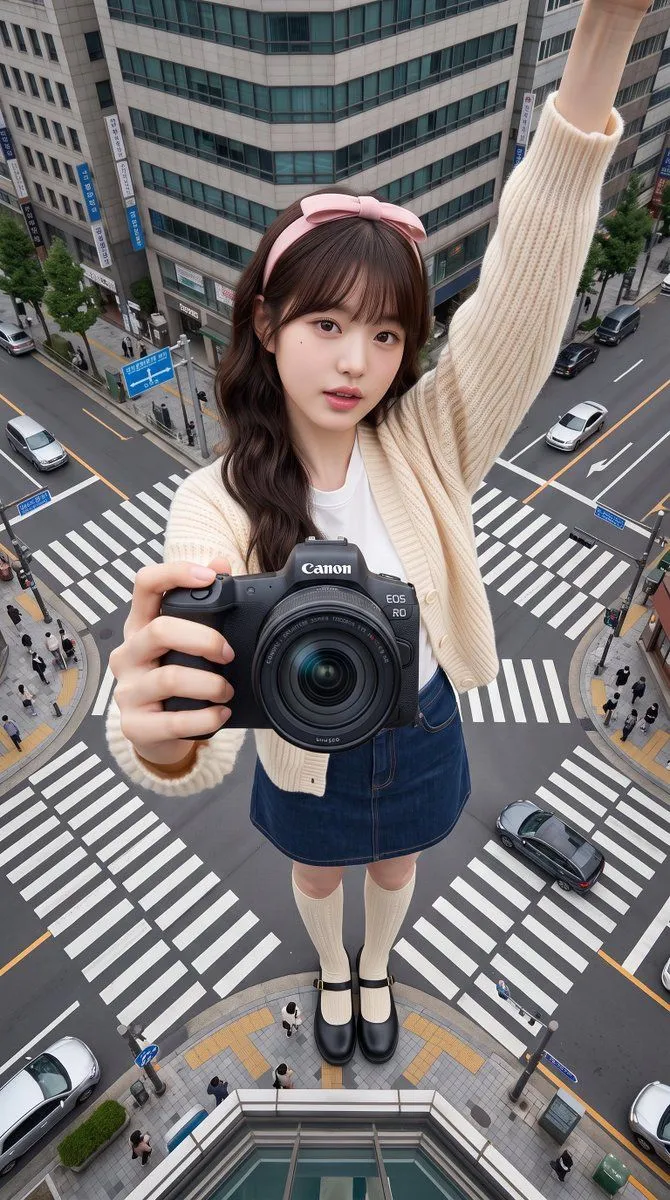
Giant Forced Perspective City Selfie
Subject: subject Clothing: Maintain the clothing from the reference image without modifications. Pose: Selfie pose, one arm fully extended and raised high, holding a selfie device to capture the shot. The arm is complete and clearly visible, a key part of the frame, but the device itself must not be shown. The other hand reaches toward the lens, holding the provided camera_product, positioning it as the closest and most striking subject. The head is slightly tilted toward the camera with a relaxed expression. The full body is visible from head to toe, with feet touching the ground. Scene: scene Composition: Selfie perspective from a top-down extreme high angle, creating a natural selfie perspective. Layers: Canon camera at the forefront, followed by the face, full body, and urban background, providing depth. Perspective Effect: Forced perspective to make the person appear giant, occupying the main frame while surrounding buildings are reduced to knee height, maintaining a shocking but spatially logical scale. Atmosphere: Realistic, natural cinematic city life scene highlighting the scale and realistic photography without fantasy elements. Lighting: Natural daylight, sunny or slightly cloudy, soft realistic shadows, no dramatic or neon effects. Photography Style: Hyper-realistic cinematic selfie photography, emphasizing natural perspective and high realism. Product Requirements: The Canon camera must remain consistent in appearance, shape, color, and logo without distortion. Quality: Maximum photorealism, distinct layers, rich details, no AI artifacts, professional commercial quality. Negative Requirements: No AI-drawn feel, plastic skin, distorted body parts, extra limbs, or watermarks. Aspect Ratio: 9:16