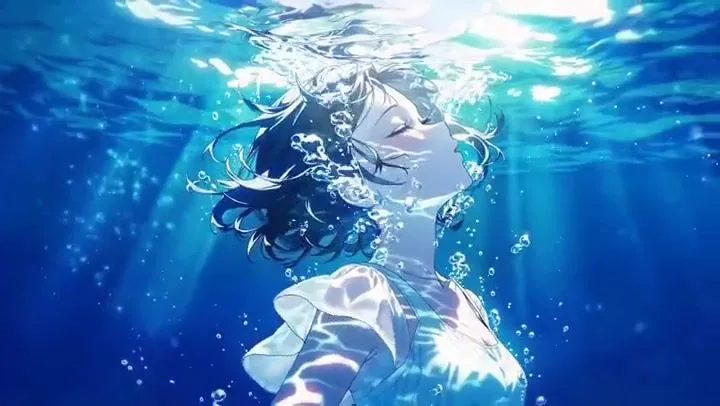
Emotional Underwater Anime Test Prompt
[Video Composition] A continuous story animation, 15 seconds (5 shots), emotional and moving, utilizing abundant use of polychromatic light and water effects. [Art Style] Extremely beautiful underwater drawing. High-quality 2D cell-look anime with light rays penetrating the water surface (God rays), sparkling bubbles, and overwhelming transparency. [Characters] A beautiful short-haired girl with translucent skin wearing a white ruffled dress, and a divinely glowing dolphin. [Shot 1: Drowsiness of the Sea] Underwater close-up. The girl, with her eyes closed, is enveloped in countless bubbles, drifting fantastically and beautifully while bathed in dazzling light rays streaming from above. [Shot 2: Dramatic Encounter] Cut change to a different angle. A sparkling, beautiful dolphin swims in from the depths of the light. The girl slowly opens her eyes, finds the dolphin, and smiles gently. [Shot 3: Azure Journey] Dynamic tracking camera. The girl holds onto the dolphin's back, and the two swim at a brisk speed through the beautiful, luminous world of the sea. The white dress flutters dramatically in the current. [Shot 4: Ascent to the Light] Angle looking up from directly below the surface. The dolphin and the girl kick the water and rapidly ascend towards the water surface (the goal), where the dazzling sunlight shines. The light intensifies. [Shot 5: The Best Smile] (POV/Subjective Shot) With a powerful splash, "Zabaaah!", they leap out of the water surface and into the bright blue sky above. Water droplets adhere to the lens. Under the clear blue sky and intense sunlight, the girl's eyes sparkle as she looks towards the camera, ending with a glittering "best smile (full smile)."