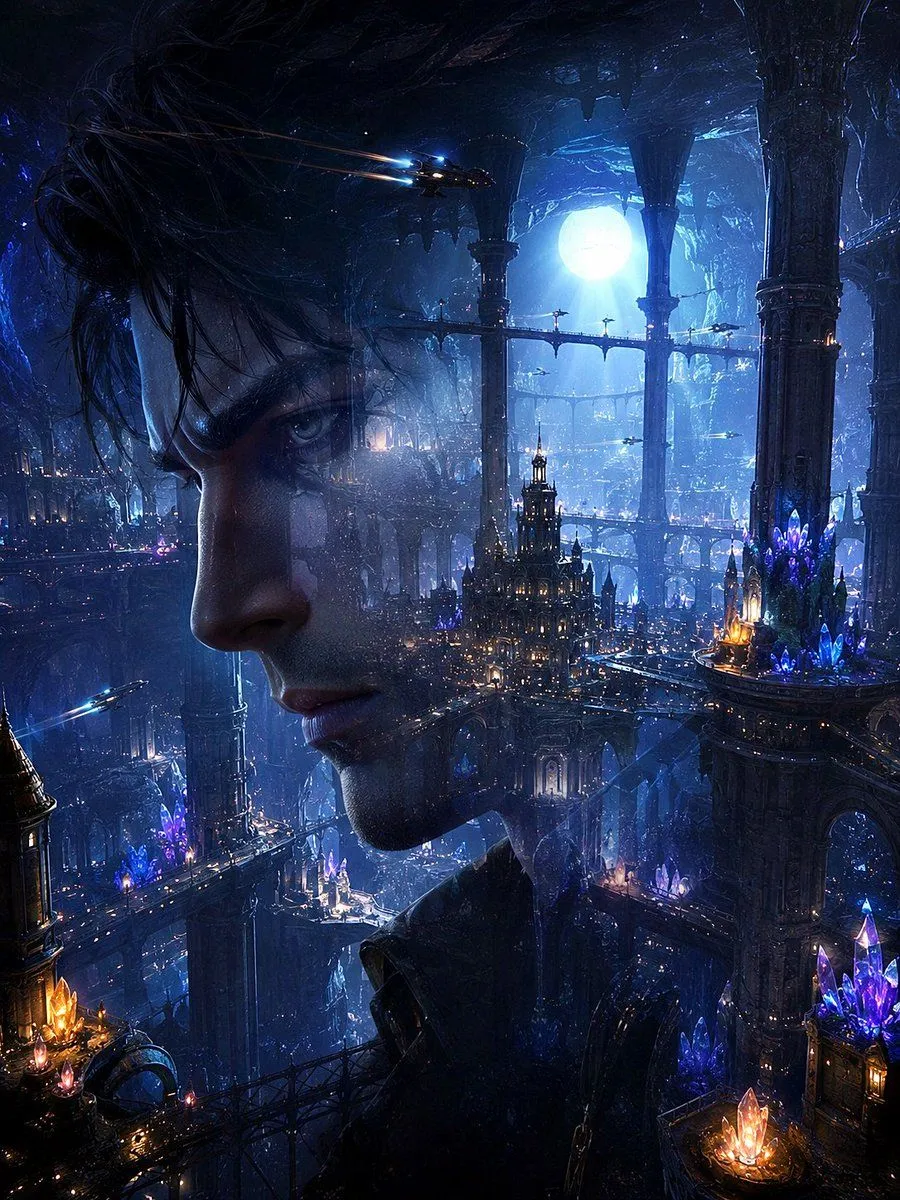
Double Exposure Underwater City Portrait
Create a dark cinematic fantasy sci-fi double-exposure portrait of a character_gender in left-facing side profile, occupying the left half and center of a vertical frame. His face is semi-transparent and merged with a vast city_type: the eye, nose, lips, jawline, and dark wet-looking hair remain visible, while ornate towers, bridges, glowing windows, and deep cavern architecture show through his skin and silhouette. The setting is a colossal submerged metropolis inside a blue-black ocean cavern, with monumental carved pillars, layered arched walkways, suspended bridges, cathedral-like spires, and countless tiny warm lights. Add a huge glowing moon_or_light_source behind the city near the upper right, shining through rippling water and mist. Include luminous crystal clusters in exactly 4 prominent areas: one orange-gold cluster at the bottom left, one purple-blue cluster on a mid-left balcony, one large purple-blue cluster on the right platform, and one orange-purple cluster at the bottom right. Add exactly 3 small flying craft: one near the upper center-left with bright blue headlights and orange light trails, one tiny craft crossing the middle-right bridge area, and one near the lower left with a blue beam. Use a palette of midnight blue, cyan, indigo, violet crystal glow, and small amber lantern highlights. Make the atmosphere dreamy, mysterious, and epic, with volumetric moonbeams, underwater haze, floating particles, glossy wet surfaces, intricate gothic-futuristic details, and high-contrast rim lighting. Vertical 3:4 composition, ultra-detailed concept art, photorealistic facial anatomy blended with matte-painting environment, no text, no watermark, no frame.