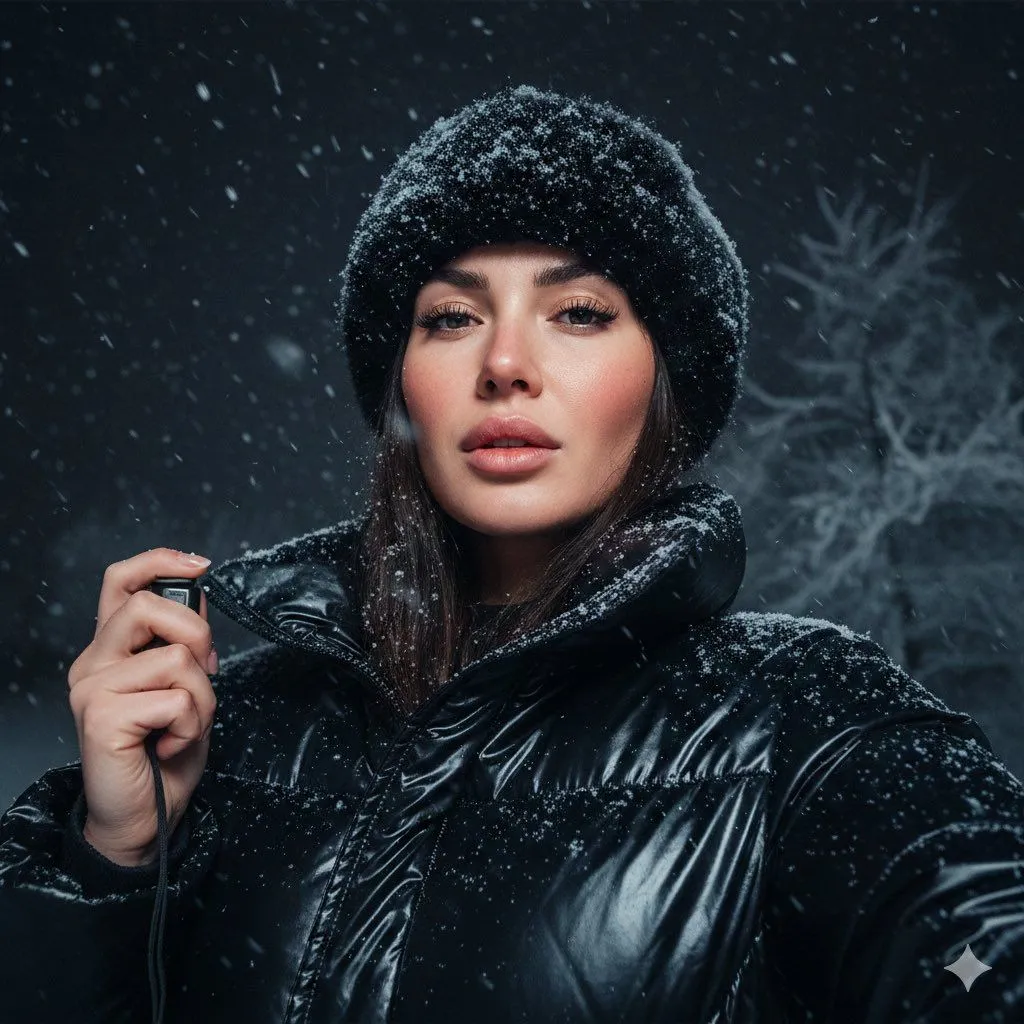
Detailed JSON Prompt for Cinematic Winter Selfie Portrait
"pose": "description": "She holds the camera with her left hand, positioned slightly below eye level, capturing her face from a confident upward angle; lips softly parted, expression calm yet intense." , "background": "description": "A dark winter night sky with faint, lightly frosted tree branches barely visible, adding a dramatic atmosphere." , "atmosphere": "description": "Cold, cinematic, and raw winter energy; a stylish modern snowy portrait with natural texture and detail." , "reference_style": "description": "Conceptual variant.", "details": "shot": "A close-up outdoor selfie taken at night during heavy snowfall.", "subject": "The woman’s facial features match the reference image exactly.", "skin": "description": "Natural tone with visible, realistic skin texture. Her cheeks are slightly flushed from the cold." , "snow_details": "description": "Snowflakes rest on her lashes and hair." , "outfit": "description": "She wears a black faux-fur winter hat almost fully covered in snow, and a shiny black puffer jacket with snow dusted across the shoulders and collar." , "camera": "description": "She is taking the selfie with her left hand." , "lighting": "description": "Soft, cold night lighting from above and slightly in front, creating a subtle glow on her cheeks and gentle highlights on the jacket." , "negative_prompt": "description": [ "blurry face", "altered facial features", "incorrect facial structure", "distorted proportions", "extra limbs", "extra fingers", "missing fingers", "deformed eyes", "inaccurate expression", "unrealistic skin texture", "plastic skin", "oversoftened skin", "unnatural lighting", "harsh shadows", "artifacts", "pixelation", "low resolution" ]