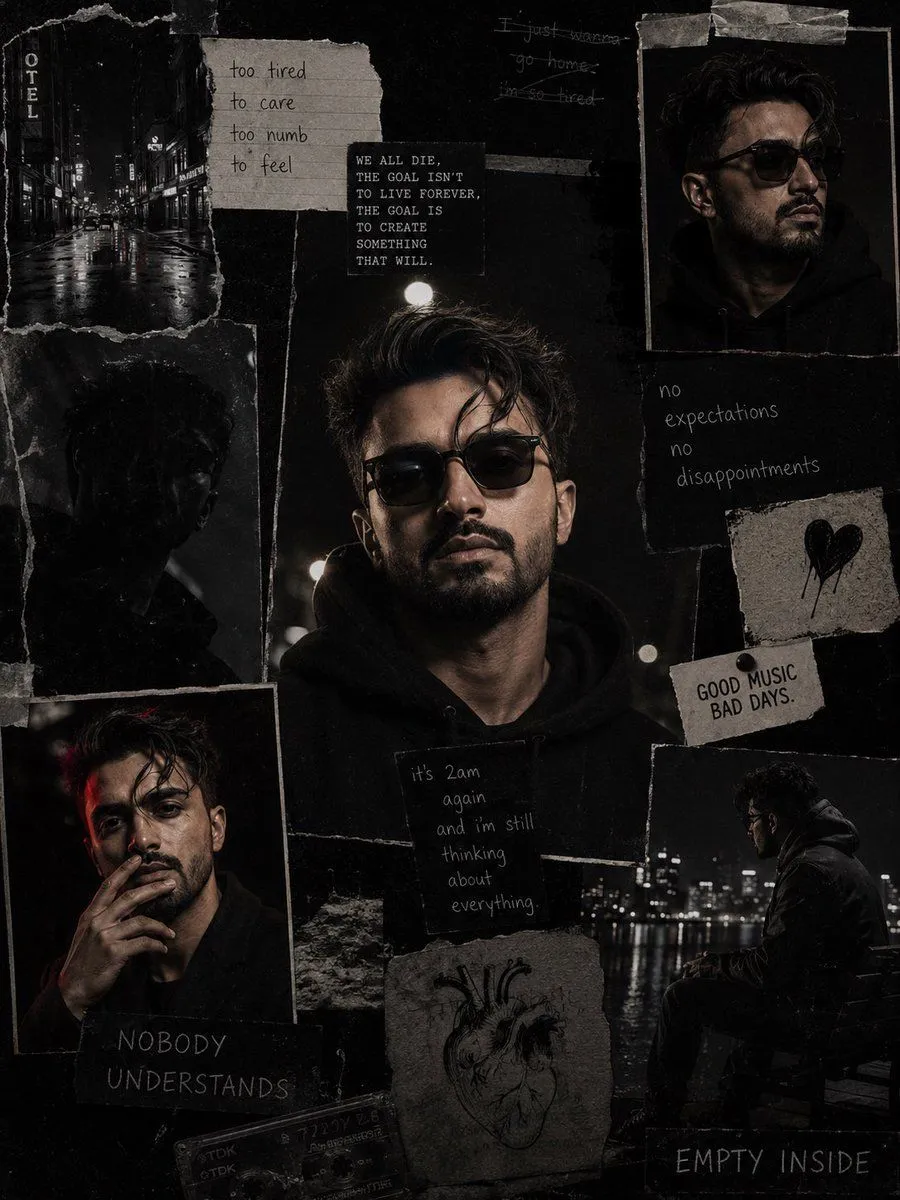
Dark Cinematic Diary Collage
Use my uploaded face image as the primary identity reference. Preserve my exact facial identity, face shape, hairstyle, hair texture, beard style, skin tone, eye shape, eyebrows, nose, lips, and all unique facial details with maximum accuracy. Do not change my face or make me look like a different person. Create a hyper-realistic dark cinematic collage portrait inspired by the reference image. Make a moody black-and-white/low-saturation aesthetic with a gritty film texture. Create a scrapbook-style layout with multiple torn paper photo frames of me in different poses and moments. Main center portrait: a close-up portrait of me wearing a clothing and accessory, looking serious and calm, shot at night with dramatic shadows and soft street lighting. Surrounding collage elements: •setting photos with wet roads and city lights •side profile portrait wearing sunglasses •sitting alone outdoors at night, reflective mood •close-up smoking-style pose (no visible cigarette if needed) •dark abstract shadows and grainy photographs •torn paper edges, tape marks, handwritten notes, old journal aesthetic •small handwritten quotes and emotional text elements like: “no expectations, no disappointments” “it’s 2am again and I’m still thinking about everything” “good music, bad days” “nobody understands” “empty inside” Style: luxury streetwear editorial + dark aesthetic + emotional diary collage. Lighting: cinematic night photography, high contrast, deep blacks, soft highlights. Texture: vintage film grain, scratched paper, realistic imperfections. Make it look like a real photographed magazine collage, not AI-generated. Maintain my face identity consistently in every frame.