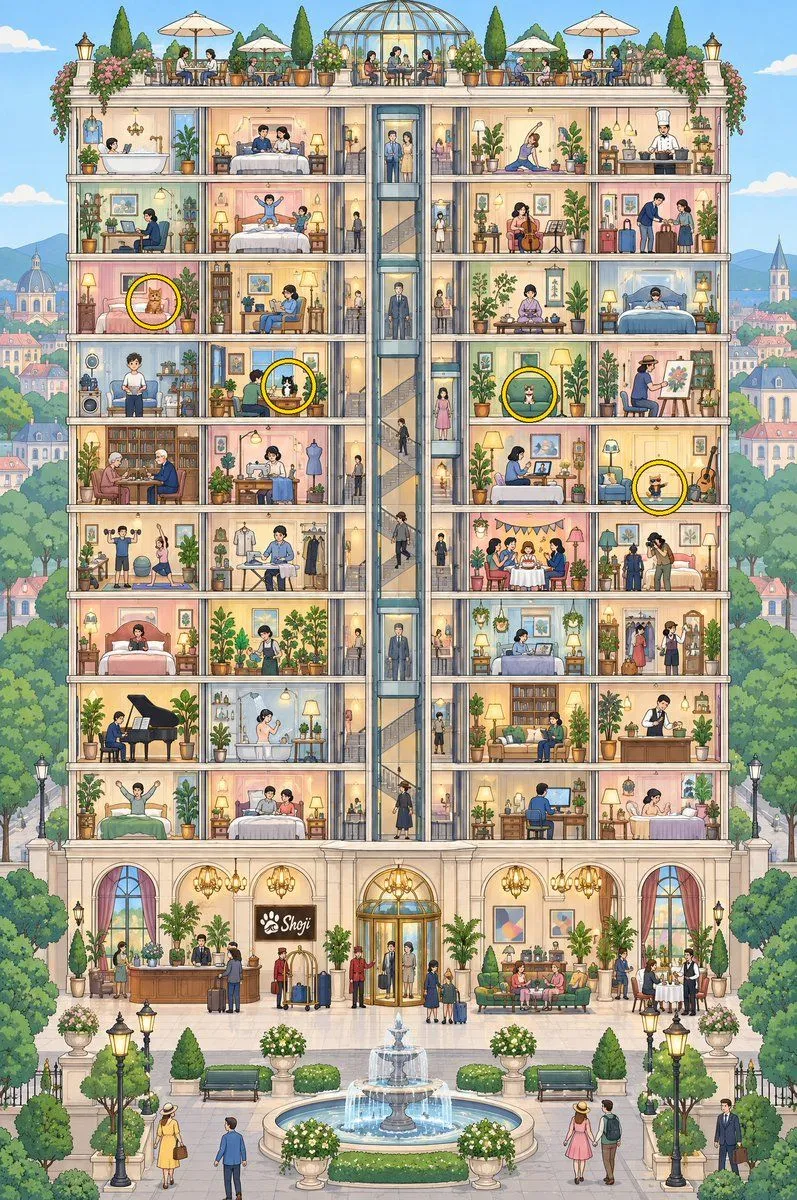
Cross-section of Shoji Hotel with hidden cats
A highly detailed, vertical cross-section illustration of a grand, multi-story hotel building named "Shoji". The style is clean, colorful digital art with an isometric perspective, revealing the interior of every room and floor simultaneously. **Structure & Layout:** The building features a central glass elevator shaft running vertically through the middle. To the left and right are numerous guest rooms, each showing different activities (sleeping, working, playing instruments, dining). - **Top Floor:** An open-air rooftop garden with white umbrellas, potted plants, and people dining. - **Middle Floors:** A mix of bedrooms, living areas, and workspaces. Some rooms have balconies overlooking the city. - **Ground Floor:** A luxurious lobby with arched windows, chandeliers, a reception desk, and guests arriving with luggage. - **Exterior Base:** A paved courtyard with a tiered fountain in the center, surrounded by manicured hedges, benches, and street lamps. People are walking around the plaza. **The Hidden Cats (Yellow Circles):** There are exactly four yellow circles highlighting hidden cats within the scene: 1. **Orange Tabby:** Located on the 3rd floor from the top (left side), sitting on a bed in a bedroom. 2. **Tuxedo Cat:** Located on the 4th floor from the top (left side), sitting on a desk/table where a person is working. 3. **Calico Cat:** Located on the 4th floor from the top (right side), sitting on a green sofa in a living room. 4. **Siamese-style Cat:** Located on the 5th floor from the top (far right edge), sitting next to a guitar leaning against the wall. **Background:** A soft-focus European cityscape with domes, spires, and trees under a bright blue sky.