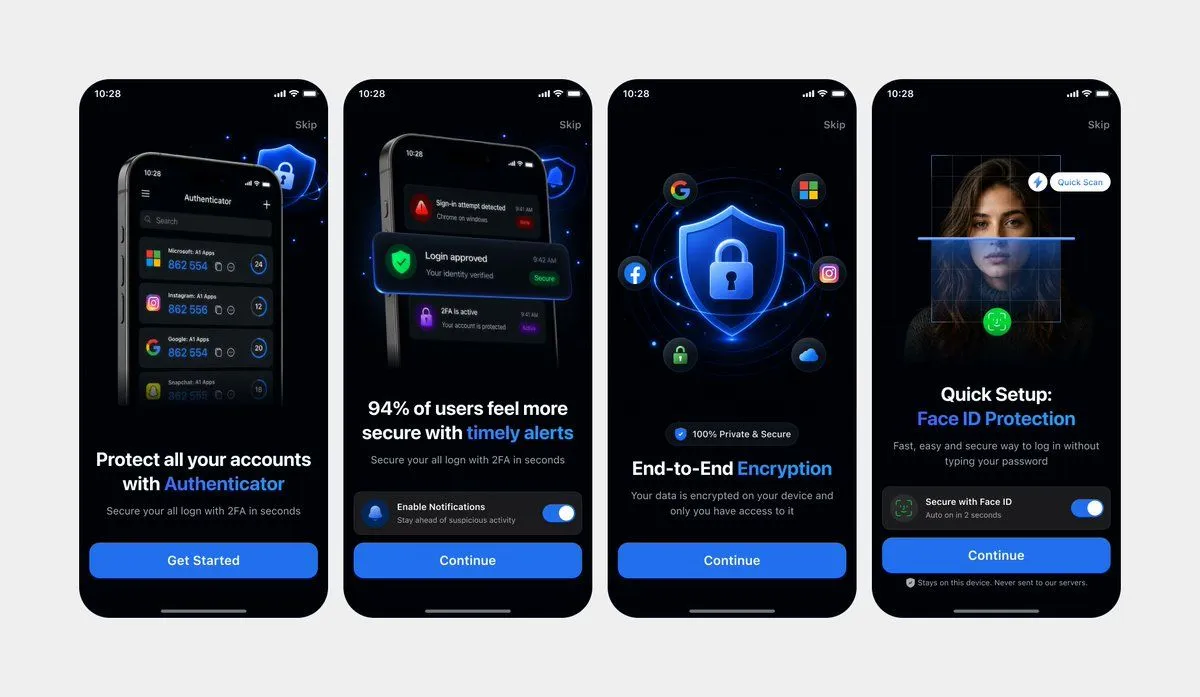
Clean Authenticator Onboarding UI Mockups
Using REFERENCE_0 and REFERENCE_1 as the design references, recreate the same 4 mobile onboarding screens as clean, high-fidelity UI mockups instead of a photographed laptop screen. Remove all perspective distortion, laptop/browser surroundings, glare, and camera artifacts. Present the four iPhone-style screens front-facing, evenly spaced in one horizontal row on a light gray canvas, preserving the dark-mode version from REFERENCE_0 and the same screen order, typography hierarchy, blue security visual style, rounded phone frames, status bars, skip links, bottom home indicators, and CTA structure. Keep exactly 4 screens: 1) authenticator account protection with “Get Started”, 2) timely alerts with notification toggle and “Continue”, 3) end-to-end encryption with shield/lock and social icons plus “Continue”, 4) Face ID protection quick setup with scan overlay, toggle, and “Continue”. Make the UI crisp, polished, app-store-presentation ready, with sharp readable text and consistent spacing.